Think of a site audit as a complete, top-to-bottom health check for your website. It’s the process of digging in to diagnose all the little (and big) things that could be hurting your performance—from technical glitches and weak content to user experience roadblocks that stop visitors cold.
Essentially, it’s about creating a clear action plan to make your website better.
The Purpose of a Website Audit

Let's use an analogy. If your website were a high-performance car, a site audit is the full diagnostic test a master mechanic would run. It tells you exactly why the engine is sputtering instead of roaring down the highway. This process gets you out of the guessing game and gives you a data-backed roadmap for what to fix first.
The main goal is to pinpoint every issue that gets in the way of your business goals, whether that’s generating qualified leads, selling a SaaS product, or just growing your audience. Without this kind of regular maintenance, your site slowly collects problems that silently sabotage your growth over time.
A site audit is an in-depth, data-driven assessment of the experience your website provides to users and helps you evaluate your site methodically, so you can find new ways to improve it.
Why Audits Are Crucial for Growth
Your website isn’t an island. It’s out there competing for attention against millions of others, all while search engine algorithms and user expectations are constantly shifting. An audit is how you strategically respond to this ever-changing environment.
Here’s what you stand to gain:
Improved SEO Performance: By fixing technical SEO snags like broken links, slow page speeds, and crawl errors, you’re making it way easier for search engines like Google to find, understand, and rank your content. This has a direct impact on your organic traffic.
Enhanced User Experience (UX): A good audit shines a light on all the friction points visitors encounter. Think confusing navigation, pages that look broken on mobile, or hard-to-read text. Fixing these problems keeps people on your site longer and drastically lowers bounce rates.
Increased Conversion Rates: When a site is intuitive and works flawlessly, it naturally guides users toward taking action—like signing up for a trial or buying your product. Removing those little obstacles in their path is one of the fastest ways to improve your bottom line.
A site audit isn't a one-and-done task. It's the foundation for any serious, long-term strategy for improving your site's performance. The findings typically create a backlog of high-impact tasks that can boost rankings and sales for the next 3 to 10 months.
To really dig into the nitty-gritty, this guide on how to review a website like a pro is a great next step. Ultimately, this whole process is what turns a simple online brochure into a powerful, reliable engine for business growth.
The 3 Core Areas of a Website Audit
To really get what a site audit is all about, it helps to break it down. Instead of picturing one giant, overwhelming task, think of it as looking at three separate, but connected, pillars that hold up your entire online presence.
I like to use a simple house-building analogy. A valuable house needs a solid foundation, a thoughtfully designed interior, and a great reputation in the neighborhood. Your website works the same way. The three areas we need to inspect are Technical Health, Content & On-Page SEO, and Off-Page Authority.
Pillar 1: Technical Health (The Foundation and Plumbing)
This is the absolute bedrock of your website. It’s all the "under-the-hood" stuff that search engines like Google need to be able to find, understand, and rank your site. If your technical SEO is a mess, everything else you do—from writing killer content to earning great links—will have its legs cut out from under it.
Think about it: would you build a beautiful home on a cracked foundation with leaky pipes? Of course not. It doesn't matter how great the furniture looks if the whole structure is compromised. For a website, this means:
Crawlability: Can search engine bots easily move through your site to discover all your important pages?
Indexability: Are your pages actually eligible to be stored in Google's massive library of the internet?
Site Speed: Does your site load in a snap for everyone, on any device?
Mobile-Friendliness: Is it easy and intuitive to use your site on a smartphone?
Security: Are you using HTTPS to keep your visitors' data safe?
Getting these technical elements right isn't optional anymore. With over 99% of search traffic staying on the first page of Google, you can't afford to have foundational issues dragging you down. It's surprising, but around 15% of websites still don't have a proper XML sitemap, which is like hiding the blueprint from your architect. You can dig into more numbers like this in these compelling SEO statistics on seranking.com.
Here’s a great visual from Google that shows how a sitemap helps crawlers find all the URLs on your site.
This image perfectly illustrates how a sitemap acts as a clear directory, making sure search engines don't miss any of the valuable content you’ve worked so hard to create.
Pillar 2: Content and On-Page SEO (The Interior Design)
Okay, so your foundation is solid. Now it’s time to look at what’s actually inside the house. This pillar is all about the quality, relevance, and structure of your content. This is your interior design—the stuff that makes your website valuable and inviting to actual humans.
During a site audit, this is where we start asking the tough questions about your content:
Is what you're writing genuinely helpful and relevant to your audience?
Are you targeting keywords that your potential customers are actually searching for?
Is your on-page SEO in good shape, with clear titles, logical headings (H1s, H2s), and well-written meta descriptions?
Do you have a bunch of "thin" or duplicate content pages that aren't providing any real value?
This stage is all about making sure every single page has a clear purpose. Each blog post, landing page, and product description needs to be well-crafted and strategically optimized to solve a specific problem for your user.
Pillar 3: Off-Page Authority (The Neighborhood Reputation)
Finally, we all know a house's value is heavily influenced by its location and what the neighbors think. For your website, this is its off-page authority—basically, its reputation across the rest of the internet. This reputation is built mostly through backlinks, which are simply links from other websites pointing to yours.
Think of backlinks as votes of confidence. When a well-respected website links to your content, it’s telling search engines that you’re a trustworthy source of information.
A site audit digs deep into your backlink profile to gauge this reputation. We're not just looking at the number of links, but more importantly, the quality of the sites linking to you. A handful of links from relevant, authoritative domains is worth far more than thousands from spammy sites.
A big part of this analysis is understanding what a backlink profile is and what it says about your site's standing online. It's also closely tied to your site's overall Domain Authority, and you can learn how to find in our detailed guide.
By looking at these three pillars together, a site audit gives you the full story of your website's health. It shines a light on exactly where you need to focus your energy to get the biggest results.
Auditing Your Website’s Technical Foundation

Before your content can ever hope to inspire, educate, or sell, search engines have to be able to find it and make sense of it. This brings us to the first, and arguably most important, part of any site audit: the technical foundation.
Think of your website as a house. The technical SEO is the plumbing, the wiring, and the structural beams. When it's all working perfectly, you don't even notice it. But when something breaks, it can quickly turn into a disaster.
A technical audit is like a home inspection for your website. It peers under the floorboards and checks the crawlspace to make sure search engine bots—the automated programs that discover web content—can get around. If your foundation has cracks, even the most amazing content might as well be invisible to Google.
Crawlability and Indexability: Your Digital Welcome Mat
The first two terms you need to get comfortable with are crawlability and indexability. They sound alike, but they’re two separate steps in the journey to getting found online.
Let's imagine your website is a huge public library.
Crawlability is all about making sure Google's robot librarians have a map and a master key to every single room. Can they open every door? Can they walk down every hallway without hitting a dead end, like a broken link?
Indexability is what happens next. After the robot librarian has explored a room, it decides whether the books inside (your content) are good enough to be put on the main library shelves for everyone to find.
If a page isn't crawlable, it can't be indexed. And if it's not indexed, it will never show up in search results. A technical audit looks for roadblocks like a misconfigured robots.txt file (which can accidentally tell crawlers to stay out) or broken internal links that lead them nowhere.
A technical site audit isn't just about finding errors; it's about removing every single obstacle that prevents search engines from efficiently discovering and ranking your best content.
Site Speed: The First Impression That Counts
We all live in a fast-paced world, and patience is a virtue most of us don't have online. How quickly your website loads isn't just a nice-to-have anymore; it’s a critical part of the user experience and a confirmed ranking factor for Google.
A slow website is like a shop with a permanently jammed door—most people will just give up and go somewhere else.
In fact, 40% of visitors will bounce if your site takes more than three seconds to load. A technical audit uses tools like Google PageSpeed Insights to diagnose exactly what’s causing the delay.
The usual suspects often include:
Massive, unoptimized images: High-resolution photos that look great but haven't been compressed for the web.
Bloated code: Messy JavaScript and CSS files that take forever for a browser to process.
Slow server response times: A problem with your hosting that creates a lag before anything even starts to load.
Fixing these issues doesn't just make search engines happy. It makes your human visitors happy, which means they’ll stick around longer and engage more with your content.
Mobile-Friendliness and Security: Building Trust
Two other foundational pieces of the puzzle are mobile-friendliness and security. With most web traffic now coming from smartphones, your site absolutely must look and work great on a small screen. It's non-negotiable.
Google now uses mobile-first indexing, which means it primarily looks at the mobile version of your site to decide how to rank it. If your text is tiny, your buttons are too close together, or your layout is a mess on a phone, you're not just alienating a huge chunk of your audience—you're telling Google you don't care.
Finally, there’s security. That little padlock and HTTPS in your URL is a powerful signal of trust. It means the connection between a visitor's browser and your website is encrypted, protecting their data. It's a small but vital detail that tells both users and search engines that your site is professional and safe. An audit confirms your security certificate is working correctly and that all traffic is securely directed to the HTTPS version.
Nailing these technical pillars ensures your website is built on solid ground, ready to support all the great content you'll build on top of it.
Evaluating Your Content and On-Page SEO
Once you've made sure your site's technical foundation is solid, it’s time to look at what your visitors actually see and read. This is the heart of your website—the words, images, and the way each page is laid out. This part of the audit answers one simple question: "Is our content actually useful, and is it set up to win in search?"
Think of your website as a non-fiction book. The technical audit made sure the book was printed correctly with all the pages in the right order. Now, we need to check if each chapter is well-written, has a clear title, and uses logical headings to guide the reader. If the content itself is confusing or weak, even a perfectly built book won't keep anyone's attention.
This is where you hunt down the common, often-overlooked issues that can kill your rankings. It's all about making sure every single page has a clear and valuable purpose for both your audience and for search engines.
Identifying and Fixing Common Content Issues
In this phase, you're essentially looking for red flags that signal low-value content. Three of the biggest culprits are thin content, duplicate content, and content gaps. Each one creates a different kind of problem that can hurt your site's authority and confuse the heck out of Google.
Here’s a simple breakdown of what to look for:
Thin Content: These are the pages that offer little to no real value. Think of a product page with just a single image and a one-sentence description, or a blog post that barely scratches the surface of a complex topic. Google wants to send its users to pages with comprehensive answers, and thin content is the exact opposite of that.
Duplicate Content: This is when large chunks of text are the same or very similar across different URLs. It can happen on your own site or if someone copies your content. This forces search engines to guess which version is the "real" one, which often means neither page performs well.
Content Gaps: This isn't about what you have, but what you're missing. A content gap analysis means looking at the keywords your competitors rank for that you don't. Finding these gaps points you directly to high-intent topics your audience is searching for, giving you a clear roadmap for what to create next.
A content audit isn't just about deleting bad pages. It's a strategic process of refining, combining, and creating content to build a library of assets that truly serves your audience's needs.
Mastering On-Page SEO Elements
Beyond the quality of your writing, on-page SEO is all about the structural elements that give search engines context. These are the signposts that tell Google exactly what a page is about and why it’s a good match for someone's search. A detailed review of these components is a must-do in any serious site audit.
Think of these elements as the packaging for your content—they help it stand out on the crowded digital shelf of search results.
Here are the key on-page elements to audit:
Title Tags: This is the clickable headline people see in search results. It needs to be unique, compelling, and include your main target keyword.
Meta Descriptions: The short summary under the title tag. While it's not a direct ranking factor, a great meta description convinces people to click, which directly impacts your click-through rate.
Header Structure (H1, H2, H3): Using headers correctly creates a logical flow for your content, making it easy for both people and search engines to scan and understand. Your main title should always be an H1, with subheadings as H2s and H3s.
Keyword Optimization: Are your pages actually targeting the right terms? Your audit should check if your content aligns with what users are really looking for. A quick win is often found by expanding your focus to more specific queries, which you can learn more about in our guide to long-tail keyword research.
Internal Linking: Linking to other relevant pages on your own website is huge. It helps spread authority around your site and guides users to more useful information, keeping them engaged for longer.
By methodically checking and improving both your content's substance and its on-page structure, you create pages that are not only valuable to your audience but are also perfectly positioned to get more visibility in search.
Turning Audit Findings Into an Actionable Roadmap
So, you have your audit report. It's probably a long document, maybe even a spreadsheet with over 100 different "problems." What now? The biggest mistake I see teams make is staring at this massive list, getting completely overwhelmed, and then doing nothing at all.
An audit report isn't just a list of things that are broken. Its real value comes from turning those findings into a smart, focused plan of attack. Without a system to prioritize, your team will either spin its wheels on tiny fixes that don’t matter or simply give up. The goal here is to move from analysis to action.
Prioritize with the Impact vs. Effort Matrix
The best way I’ve found to cut through the noise is a simple but incredibly effective tool: the Impact vs. Effort matrix. It’s a framework for sorting every single task from your audit by asking two straightforward questions:
How much positive impact will this actually have on our goals—like traffic, leads, or user experience?
How much effort—meaning time, money, and technical headaches—is it going to take to get it done?
When you plot every task this way, you get instant clarity. It stops you from sinking a week into a complex technical fix that won't move the needle, while a simple, high-impact change just sits there in the backlog.
A prioritization framework isn’t about creating more bureaucracy. It’s about creating clarity. It transforms a messy to-do list into a strategic roadmap that builds momentum and gets you real results, fast.
The Four Quadrants of Action
Once you start sorting your tasks, you'll see they naturally fall into one of four categories. Each one tells you exactly how to approach it.
Quick Wins (High Impact, Low Effort): Start here. Always. These are the gold nuggets that give you the biggest bang for your buck. Think of things like fixing broken internal links, rewriting a few critical page titles, or compressing massive images slowing down your homepage. Knocking these out first gives your team an immediate win and builds momentum.
Major Projects (High Impact, High Effort): These are the big, game-changing initiatives. We're talking about a full site migration, overhauling your site architecture, or a massive content pruning project. They can deliver huge results, but they need proper planning, resources, and a dedicated timeline. Schedule these as quarterly goals, not weekend tasks.
Fill-In Tasks (Low Impact, Low Effort): These are the "nice-to-haves." They won't make or break your SEO, but they’re worth doing when you have downtime. Examples include updating old meta descriptions on low-traffic blog posts or cleaning up minor design inconsistencies. These are perfect tasks for slower days or for new team members to learn the ropes.
Potential Time Sinks (Low Impact, High Effort): Be ruthless with this quadrant. These tasks eat up a ton of time and resources for almost no reward. Unless there's a very specific, strategic reason to tackle one of these, you should actively avoid them. Your time is better spent elsewhere.
To help you visualize this, here’s a simple table to guide your team's decisions.
Priority Level | Description | Example Task |
|---|---|---|
P1: Quick Wins | Top priority. Delivers maximum results with minimal resources. Do these now. | Fixing broken internal links on key service pages. |
P2: Major Projects | Strategic initiatives that require significant planning and resources. Schedule these. | Redesigning the website for a mobile-first experience. |
P3: Fill-In Tasks | Minor improvements that are good to do but not urgent. Handle when time allows. | Updating meta descriptions on old blog posts. |
P4: Time Sinks | Avoid these. They consume too much effort for too little gain. | Manually re-categorizing hundreds of archived articles. |
Using a simple framework like this ensures your small team is always focused on the tasks that will actually drive growth.
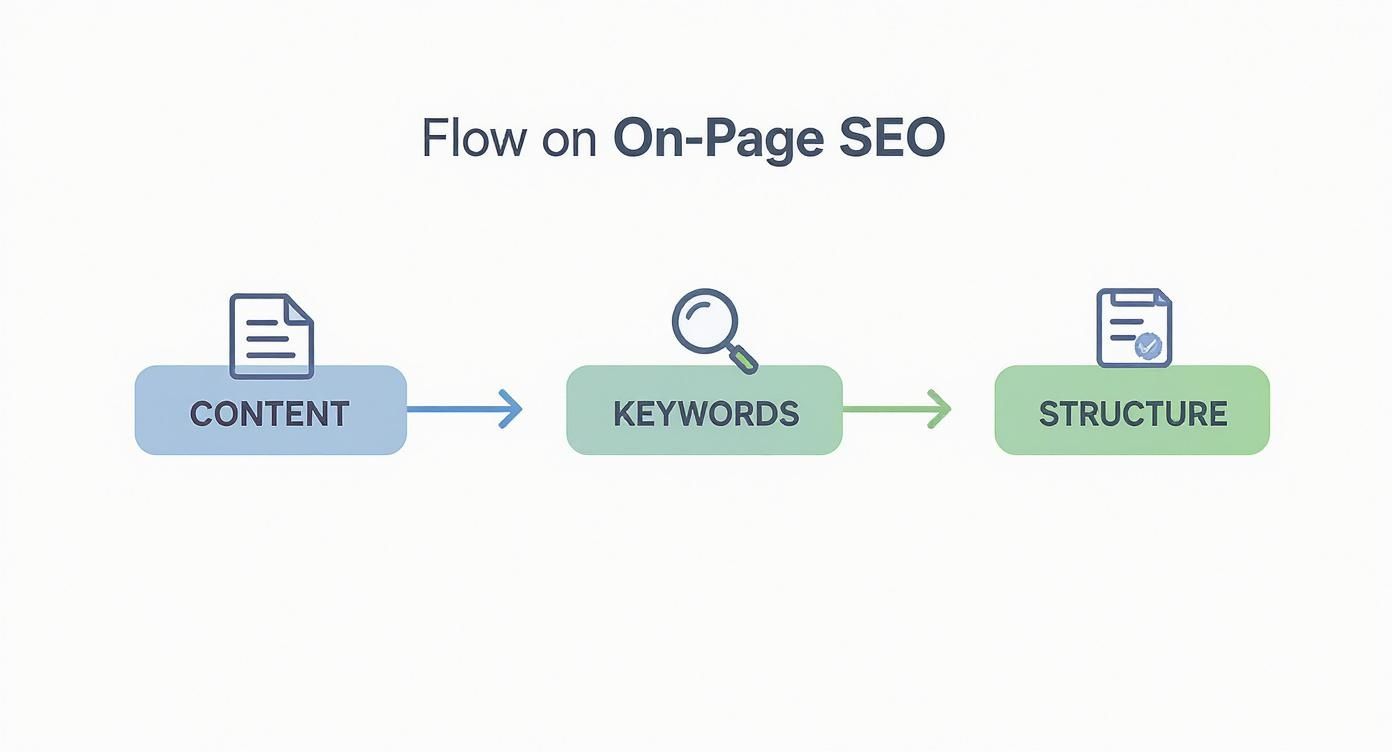
This process really drives home how interconnected everything is. A fix in one area, like updating your content, won't reach its full potential unless it's supported by solid keyword research and a logical site structure. For businesses targeting a specific area, applying this framework is even more critical; our local SEO checklist can help you prioritize the actions that matter most for your geography.
Essential Tools for Your First Site Audit

You don't need a huge budget or a complicated software suite to run a solid site audit. In fact, some of the most powerful insights come from free tools that give you a direct look at how your website is performing.
Getting started with the right toolkit takes the mystery out of the audit process. It shifts from a daunting technical task to a straightforward diagnostic check-up. The trick is to pick tools that solve specific problems so you can focus on findings you can actually act on, instead of getting buried in data.
Free Powerhouses for Every Team
For small teams and solo marketers, a few free tools provide more than enough information to get your first audit off the ground. These are essential for understanding how both search engines and actual users see your site.
Google Search Console (GSC): Think of this as your direct line to Google. Using GSC is non-negotiable for any website owner. It tells you exactly what Google thinks about your site, from indexing problems and crawl errors to the actual search terms people use to find you.
Google PageSpeed Insights: Site speed isn't just a technical detail; it’s a huge part of the user experience and a known ranking factor. This tool from Google analyzes your page’s performance on mobile and desktop, then gives you a clear, prioritized list of things to fix to make it load faster.
Comprehensive Paid Platforms
When you're ready to dig deeper, paid tools can automate the heavy lifting. They crawl your entire site to spot technical errors, track your keyword rankings, and even peek at what your competitors are doing, all at a scale that's impossible to do by hand.
All-in-one platforms like Semrush and Ahrefs have powerful site audit features that can flag hundreds of potential issues in minutes. We're talking everything from broken links and duplicate content to missing alt text and messy redirect chains. They're an investment, for sure, but they can save you dozens of hours of manual work.
Ultimately, the best tool is the one that helps you find and fix problems efficiently. Start with the free options to understand the basics, then explore paid platforms as your needs grow.
While a full-blown professional audit can cost anywhere from $500 to $5,000, getting comfortable with these tools lets you handle a huge chunk of the work yourself. A great place to start is page speed—sites that load in 1 second convert three times better than sites that take 5 seconds. You can learn more about the impact of core audit metrics on Friday Website Builder to see how these numbers translate to real-world results.
Common Questions About Website Audits
Even after getting the basics down, a few practical questions always seem to pop up when it's time to actually start a site audit. Getting these sorted out is what turns theory into confident action.
Let's tackle some of the most common things teams wonder about before, during, and after an audit. Think of this as clearing up the final details so you can move forward without hesitation.
How Often Should I Run a Site Audit?
There's no single magic number here. The right frequency really depends on how complex your site is and how often things change in your industry. It's all about finding a rhythm that keeps you ahead of problems.
Here’s a good framework to start with:
Comprehensive Audit: Plan to do a deep dive every 6 to 12 months. This is your full-scale health check-up, perfect for setting long-term goals and making sure the foundations are solid.
Quarterly Check-ups: Every three months, run a lighter, more focused audit. These are great for checking in on your core vitals, especially after a site redesign, a big content push, or when Google rolls out a major algorithm update.
Continuous Monitoring: For day-to-day issues, keep a constant eye on tools like Google Search Console. This lets you spot and fix critical errors—like security warnings or pages suddenly not getting indexed—before they do any real damage.
Should I Do It Myself or Hire an Expert?
This is the classic "it depends" question, but the answer usually boils down to your team's resources and the complexity of your site. Honestly, there's a place for both approaches.
Doing a DIY audit is a fantastic way to get started. Using free or low-cost tools, your team can find and fix all sorts of "low-hanging fruit" like broken links, missing page titles, or huge image files. It's a great way to learn the ropes and build some quick momentum.
But when you're facing tricky technical SEO problems, trying to figure out why your content strategy isn't working, or need a serious competitive analysis, an experienced pro is worth their weight in gold. They bring a level of insight that automated tools just can't replicate, saving you countless hours chasing the wrong problems.
The biggest mistake isn't in how you do the audit, but what happens—or more often, doesn't happen—afterward. The real value is in the improvements you actually make based on the findings.
The most common trap I see is "analysis paralysis." A team gets a massive report, feels completely overwhelmed by all the data, and ends up doing nothing. To sidestep this, create a simple prioritization framework. Build an action plan and knock out the high-impact, low-effort tasks first. It's the best way to build momentum and prove the audit’s value right away.
Ready to stop guessing what content to create next? Viral SEO's Content Gap Analyzer uncovers your competitors' top-ranking pages, giving you a data-backed roadmap for organic growth. Start making smarter content decisions today. Learn more and get started for free.
Blogs
More Blogs
From keyword goldmines to AI-driven content hacks—expert insights to help your blog posts dominate the first page.


