SEO Audit Checklist 2026
The Complete Updated Guide to Auditing Your Website for Rankings
Updated March 2026 | 15 min read | 50+ Checkpoints Covered
SEO Meta Description Use this complete SEO audit checklist for 2026 to fix technical errors, improve Core Web Vitals, optimize on-page content, build authority, and prepare for AI-driven search. 50+ actionable checkpoints — updated for the latest Google algorithm changes. |
Your Website Is Leaking Rankings.
Here's How to Find Every Hole.
Most websites don't fail because of bad content or a weak backlink profile. They fail because of invisible technical problems silently blocking search engines from doing their job.
A robots.txt file with one wrong line. A canonical tag pointing to itself. Images that weigh 4MB each. A mobile layout that breaks on any screen smaller than a laptop. None of these show up in your analytics until rankings crater — and by then, the damage is done.
That's what an SEO audit is for. Not just a checklist you run once a year and file away. In 2026, an SEO audit is a living diagnostic system — one that checks every layer of your site against Google's current ranking criteria, AI search requirements, and user experience benchmarks.
This guide gives you every checkpoint you need, organized into clear sections, prioritized by impact, and updated for what actually matters right now.
Reality Check One e-commerce client lost 95% of organic traffic overnight after a site redesign — dropping from 655 monthly visitors to 32. The cause? Crawlability barriers, a broken sitemap, and index bloat. One audit, properly executed, would have caught all three before launch. |
What Is an SEO Audit and Why Does It Matter in 2026?
An SEO audit is a comprehensive analysis of your website's ability to appear in search results. It examines everything from how search engine bots crawl your site to whether your content matches what users are actually searching for.
In 2026, audits matter more than ever for three reasons:
Google's algorithms have become dramatically more sophisticated at detecting thin, duplicate, and unhelpful content
AI-powered search (Google AI Overviews, Perplexity, ChatGPT search) now crawls your site alongside traditional bots — and has different requirements
Core Web Vitals remain confirmed ranking factors, and the bar for passing continues to rise
A complete SEO audit covers six interconnected pillars:
Technical SEO — crawlability, indexing, speed, security, structured data
On-Page SEO — title tags, headings, meta descriptions, keyword optimization
Content Quality — E-E-A-T signals, helpfulness, freshness, depth
Internal Linking — site architecture, link equity distribution, anchor text
Off-Page Authority — backlink profile quality, referring domains, toxic links
Local SEO — Google Business Profile, NAP consistency, citations (if applicable)
How Often Should You Run an SEO Audit?
Weekly: Monitor crawl errors, Core Web Vitals alerts, and keyword ranking shifts
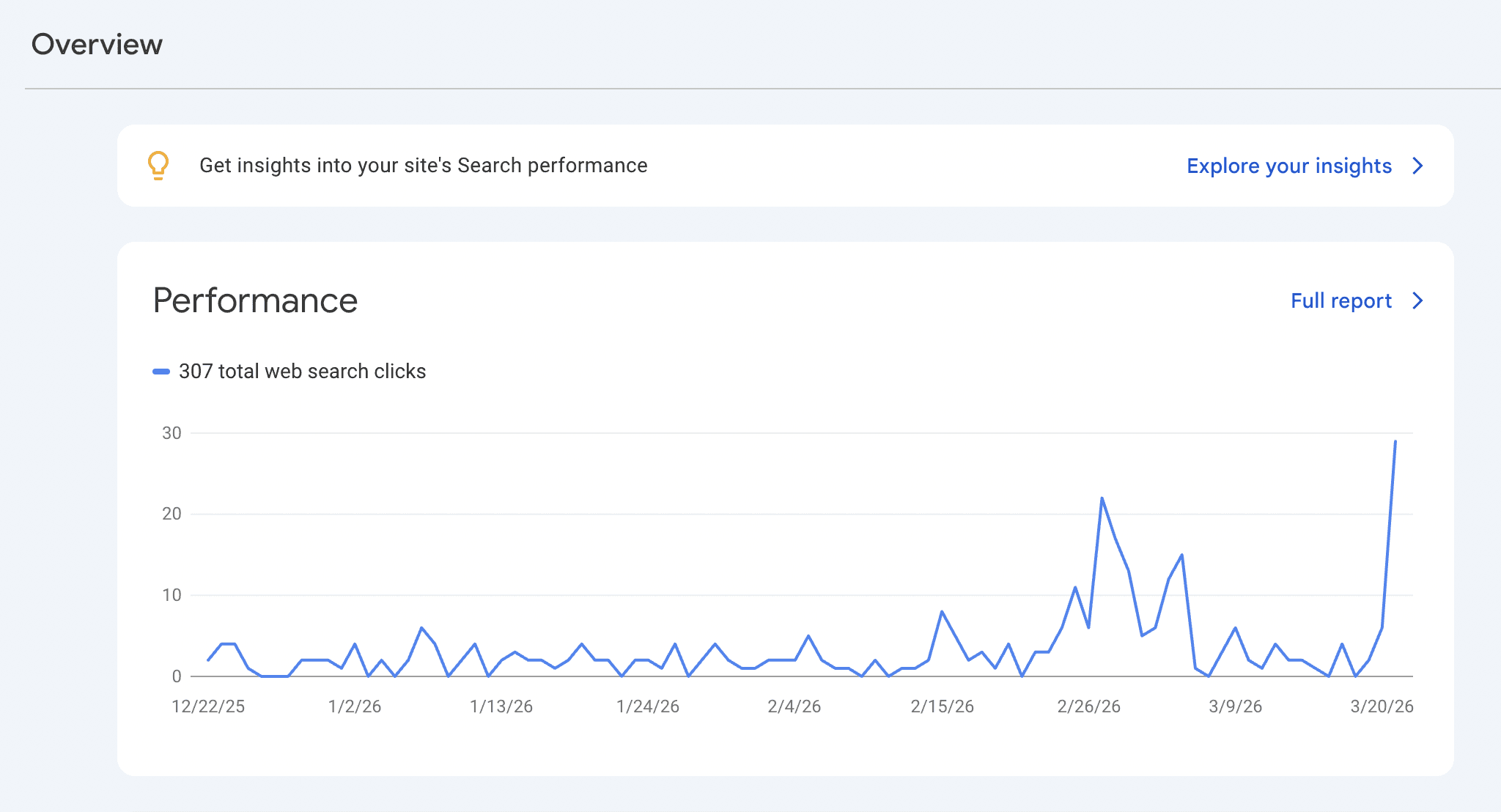
Monthly: Check 404 errors in Google Search Console, page performance, and top-20 keyword positions
Quarterly: Full technical audit — crawl the entire site, review internal links, refresh metadata
Annually: Deep content audit, competitor gap analysis, link profile review
Immediately: After any site migration, redesign, CMS change, or major algorithm update
Tools You Need Before You Start
Run an audit without the right tools and you're flying blind. These are the platforms that give you the data to make audit findings actionable:
Tool | Cost | What It Audits | Priority |
Google Search Console | Free | Indexing, crawl errors, CWV, queries | Essential |
Screaming Frog SEO Spider | Free / £259/yr | Full site crawl, broken links, redirects | Essential |
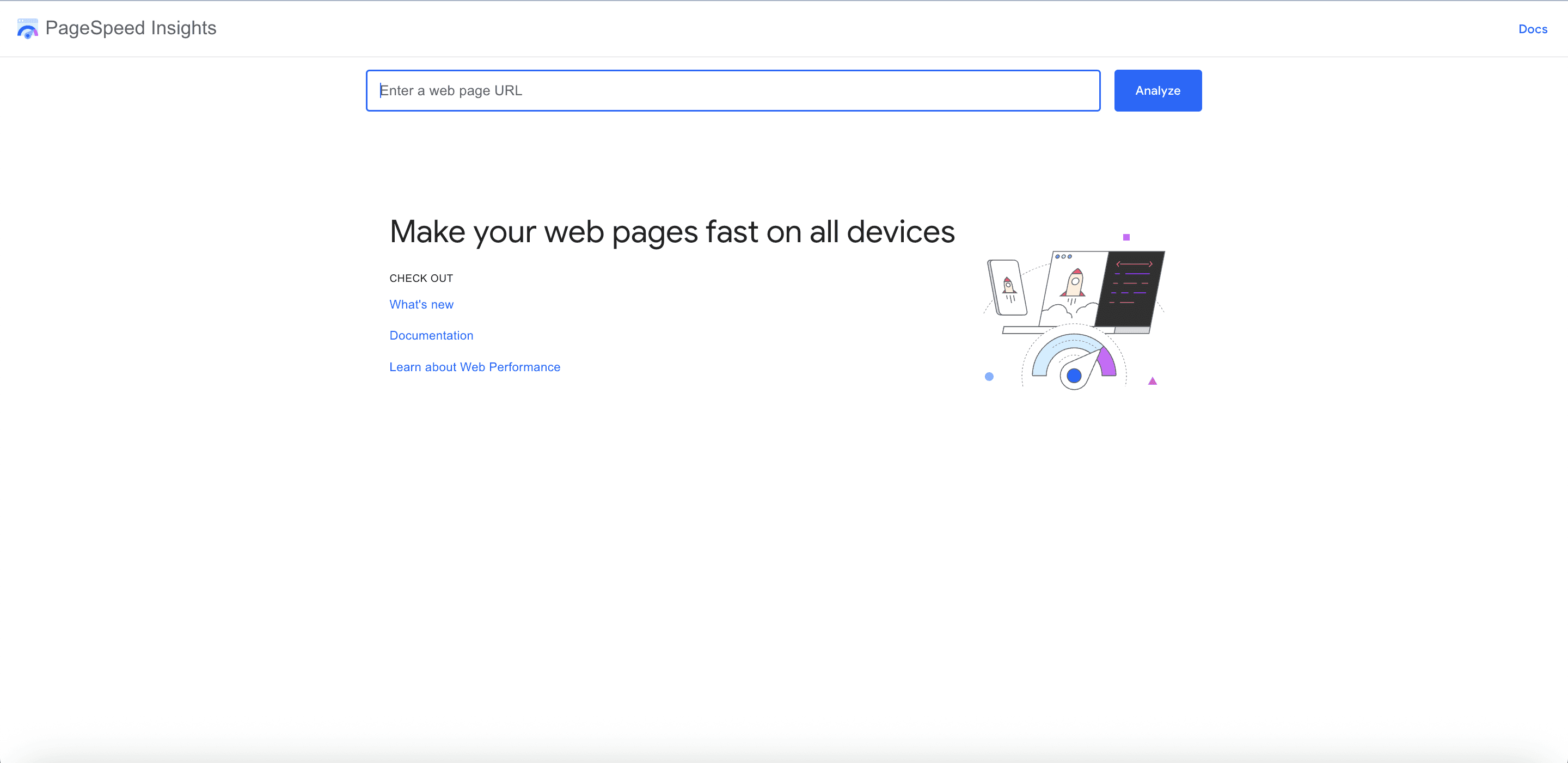
Google PageSpeed Insights | Free | Core Web Vitals, speed recs | Essential |
Ahrefs / Semrush | From $99–$129/mo | Backlinks, keywords, site audit | Recommended |
GTmetrix / WebPageTest | Free / Paid | Waterfall charts, load time analysis | Recommended |
Surfer SEO | From $99/mo | On-page content optimization score | Recommended |
Moz Pro | From $99/mo | DA, link explorer, site audits | Optional |
Sitebulb | From $13.50/mo | Visual crawl maps, audit hints | Optional |
Schema Markup Validator | Free | Test structured data accuracy | As needed |
SSL Labs | Free | SSL certificate health check | As needed |
Free Audit Stack Start with Google Search Console + Screaming Frog (free up to 500 URLs) + PageSpeed Insights. This combination covers 80% of what most sites need for a solid baseline audit — at zero cost. |
⚙️ SECTION 1 Technical SEO Audit Crawlability, Indexing, Speed, Security & Structured Data |
Technical SEO is the foundation. If search engines can't crawl, render, and index your pages correctly, nothing else on this checklist matters. Fix technical issues first — always.
1.1 Crawlability & Indexing
☐ | Audit your robots.txt file Check that you're not accidentally blocking important pages. One wrong Disallow directive can deindex your entire site. Test at yourdomain.com/robots.txt — confirm crawl access for key pages. |
☐ | Verify XML sitemap is correct and submitted Sitemap should include all canonical URLs, exclude noindex pages, and be submitted in Google Search Console. Check for 404 errors and outdated URLs within the sitemap. |
☐ | Check indexing status in Google Search Console Use the URL Inspection tool to verify important pages are indexed. Check the Coverage report for excluded, errored, or valid-with-warnings pages. |
☐ | Identify and fix crawl errors In GSC, review the Coverage report for 404s, server errors (5xx), and redirect errors. Every crawl error wastes your crawl budget and harms user experience. |
☐ | Review crawl budget for large sites For sites with 10,000+ pages, analyze log files to see what Googlebot is crawling. Prioritize important pages, reduce crawl waste from faceted navigation, parameters, and duplicate pages. |
☐ | Check for accidental noindex tags Scan all pages for noindex meta tags or X-Robots-Tag headers. A noindex on a high-value page is an invisible rankings killer. |
☐ | Validate canonical tags Every page should have a self-referencing canonical or point to the correct preferred URL. Check for: canonical tags pointing to 404 pages, canonical loops, and missing canonicals on paginated content. |
1.2 Core Web Vitals & Page Speed
2026 CWV Benchmarks LCP (Largest Contentful Paint): under 2.5 seconds | CLS (Cumulative Layout Shift): under 0.1 | INP (Interaction to Next Paint): under 200 milliseconds. These are confirmed Google ranking factors. Fail all three and you're starting the race with a flat tire. |
☐ | Measure Core Web Vitals in Google Search Console Use the CWV report in GSC for real-user data (field data). PageSpeed Insights gives lab data. Both matter — prioritize fixing field data failures first. |
☐ | Optimize Largest Contentful Paint (LCP) Compress and serve images in WebP format. Use lazy loading. Implement a CDN. Reduce Time to First Byte (TTFB) with server-side caching. Check that the LCP element (usually hero image or H1) loads within 2.5s. |
☐ | Fix Cumulative Layout Shift (CLS) Reserve explicit width/height for images and embeds. Avoid inserting content above existing content dynamically. Check for web fonts causing layout shifts using font-display: optional or swap. |
☐ | Improve Interaction to Next Paint (INP) INP replaced FID as a Core Web Vital in 2024. Minimize JavaScript execution time, break up long tasks, and defer non-critical scripts. Use the Chrome DevTools Performance panel to identify slow interactions. |
☐ | Minimize render-blocking resources CSS and JS files that block rendering delay LCP. Move non-critical scripts to async or defer. Inline critical CSS. Use resource hints (preload, preconnect) for key assets. |
☐ | Optimize server response time (TTFB) Target TTFB under 800ms. Enable server-side caching, consider upgrading hosting, implement a CDN, and optimize database queries for dynamic sites. |
1.3 Mobile Optimization
Google uses mobile-first indexing. That means the mobile version of your site is the version Google reads, crawls, and uses to determine rankings — for all users, including desktop.
☐ | Test mobile-friendliness in Google Search Console Check the Mobile Usability report for issues: text too small, clickable elements too close, content wider than screen. Fix every flag. |
☐ | Verify responsive design across devices Test on real devices and in Chrome DevTools for screens 360px, 768px, and 1024px wide. Pay special attention to navigation menus, forms, and CTA buttons. |
☐ | Ensure tap targets are large enough Buttons and links should be at least 48x48 CSS pixels with adequate spacing. Small tap targets on mobile create poor UX and are flagged in PageSpeed Insights. |
☐ | Check for mobile-specific content differences If you serve different content on mobile vs. desktop (separate m. subdomain), ensure the mobile version contains all the same content. Missing content on mobile = missing rankings. |
1.4 HTTPS & Site Security
☐ | Verify all pages load over HTTPS Every page — not just the homepage — must use HTTPS. HTTP pages should 301 redirect to their HTTPS equivalent. Check for any remaining HTTP pages with Screaming Frog. |
☐ | Fix mixed content warnings Mixed content occurs when an HTTPS page loads insecure HTTP resources (images, scripts, CSS). Check for browser warnings with SSL Labs or Chrome DevTools. Fix all instances. |
☐ | Confirm SSL certificate validity Use SSL Labs (ssllabs.com/ssltest/) to check your certificate isn't expired, covers all subdomains, and has no chain issues. An expired SSL can torpedo traffic overnight. |
☐ | Implement HTTP security headers Add Content-Security-Policy, X-Content-Type-Options, X-Frame-Options, and Strict-Transport-Security (HSTS) headers. These protect against XSS and clickjacking and signal trustworthiness. |
1.5 Structured Data & Schema Markup
Structured data helps Google (and AI search engines) understand your content's context. It unlocks rich results in SERPs — star ratings, FAQs, recipe cards, event listings — and is increasingly important for AI Overview citations.
☐ | Validate existing schema markup Use Google's Rich Results Test and Schema Markup Validator (validator.schema.org) to check all structured data for errors. Broken schema provides no benefit. |
☐ | Implement schema for your content type At minimum: Organization or LocalBusiness schema on homepage. Article or BlogPosting on content pages. Product + Review schema on e-commerce. FAQ schema on FAQ sections. BreadcrumbList for site navigation. |
☐ | Check for duplicate or conflicting schema Screaming Frog can extract and audit schema across your entire site. Duplicate or conflicting schema types on the same page confuses search engines. |
☐ | Add schema for AI search visibility Speakable schema, HowTo, and FAQPage schemas are cited frequently in AI Overviews and conversational AI answers. If GEO (Generative Engine Optimization) matters to your business, prioritize these. |
1.6 URL Structure & Redirects
☐ | Audit URL structure for cleanliness URLs should be short, descriptive, and human-readable. Avoid dynamic parameters where possible (e.g., /product?id=12345 → /product/red-running-shoes). Studies show correlation between shorter URLs and higher rankings. |
☐ | Find and fix broken internal links (404s) Use Screaming Frog to crawl all internal links and identify 404 errors. Every broken link wastes crawl budget and creates dead ends for both bots and users. |
☐ | Audit redirect chains and loops A redirect chain (A → B → C → D) dilutes link equity at each hop. Google follows up to 5 redirects — beyond that, pages may not be indexed. Flatten all chains to a single 301. |
☐ | Verify 301 redirects for changed URLs Every URL that has changed must have a permanent 301 redirect from the old to the new URL. A missing redirect = lost rankings and link equity. |
☐ | Check for duplicate content via URL variations URLs with trailing slashes, capital letters, www vs. non-www, and HTTP vs. HTTPS can create duplicate content. Use canonical tags and 301 redirects to consolidate. |
📄 SECTION 2 On-Page SEO Audit Title Tags, Meta Descriptions, Headers, Keywords & Content Structure |
On-page SEO is where your technical foundation meets your content strategy. Even a perfectly optimized site won't rank if pages aren't telling Google — clearly, specifically, and repeatedly — what they're about.
2.1 Title Tags
☐ | Check every page has a unique title tag Use Screaming Frog to export all title tags. Flag duplicates immediately — duplicate titles dilute topical signals and reduce click-through rates. |
☐ | Verify title tag length (50–60 characters) Titles over 60 characters get truncated in SERPs, reducing click appeal. Under 30 characters and you're leaving relevance signals on the table. |
☐ | Include primary keyword near the start of title Front-loading the target keyword in the title tag correlates with stronger rankings. Avoid keyword stuffing — one clear keyword plus a secondary phrase is the sweet spot. |
☐ | Optimize title tags for click-through rate A title tag is your paid-ad headline — except it's free. Include numbers, power words, or a year for freshness signals. Test alternatives using Google Search Console impression/click data. |
2.2 Meta Descriptions
☐ | Ensure all pages have unique meta descriptions Missing or duplicate meta descriptions prompt Google to pull arbitrary text from the page — usually not your best selling points. Write them deliberately. |
☐ | Keep meta descriptions under 155 characters Longer descriptions get cut off on mobile — which is where most searches happen. Fit your key selling point and a call-to-action within 155 characters. |
☐ | Include the target keyword naturally Meta descriptions don't directly impact rankings, but they do influence CTR. Google bolds the searched keyword in meta descriptions — use it. |
2.3 Header Tags (H1–H6)
59.5% of websites are missing an H1 tag on at least one page. That's a significant missed signal to search engines about page topic.
☐ | Verify every page has exactly one H1 tag One H1 per page — not zero, not two. The H1 should clearly state the primary topic and include the target keyword. Missing H1s confuse search engines about page purpose. |
☐ | Use H2–H6 tags for logical hierarchy Subheadings should follow logical nesting: H2 for main sections, H3 for subsections, H4 for sub-subsections. Never skip levels (H1 → H3) — it creates structural confusion. |
☐ | Include secondary keywords in subheadings H2 and H3 tags are read by search engines as strong topical signals. Incorporate LSI keywords and related phrases naturally into subheadings. |
2.4 Keyword Optimization
☐ | Verify primary keyword placement Target keyword should appear: in the H1, within the first 100 words of body copy, in at least one H2, and in the URL. This is table stakes for on-page optimization. |
☐ | Check for keyword cannibalization If multiple pages target the same keyword, they compete against each other and split ranking signals. Use Semrush's Keyword Cannibalization report or GSC query data to identify conflicts. Merge or redirect cannibalizing pages. |
☐ | Integrate long-tail and semantic keywords Long-tail keywords (4+ words) make up 52% of all search impressions. They're less competitive and show stronger purchase intent. Use tools like Frase or Surfer SEO to find NLP terms from top-ranking competitor pages. |
☐ | Check image alt text for keyword opportunities Every image should have a descriptive alt tag that includes a relevant keyword where natural. Empty alt tags waste an indexing signal and fail accessibility standards. |
2.5 Internal Linking
☐ | Audit internal link structure Use Screaming Frog to map your internal links. High-value pages should receive the most internal links — this distributes link equity and signals importance to Google. |
☐ | Check for orphan pages Orphan pages have no internal links pointing to them. Search engines may never find them. Every important page must be reachable through at least one internal link from a crawled page. |
☐ | Use descriptive anchor text Anchor text should describe the destination page's topic. Avoid generic anchors like 'click here' or 'read more.' Use keyword-rich, descriptive phrases that make sense in context. |
☐ | Fix broken internal links Broken internal links (leading to 404 pages) waste crawl budget and create dead-end user experiences. Screaming Frog surfaces all broken links in one export. |
📝 SECTION 3 Content Quality Audit E-E-A-T, Helpfulness, Freshness, Depth & AI-Era Content Standards |
Google's Helpful Content system and E-E-A-T (Experience, Expertise, Authoritativeness, Trustworthiness) framework have permanently raised the bar for what it takes to rank. Generic content is a liability in 2026, not an asset.
3.1 E-E-A-T Signals
☐ | Add author bios and credentials to content For YMYL (Your Money, Your Life) topics — health, finance, legal, safety — author credentials are critical. Include author bios with verifiable expertise. Use Person schema to reinforce these signals. |
☐ | Display clear About and Contact information Trust signals matter. A well-written About page, a physical address, working contact information, and social proof (awards, certifications, media mentions) all contribute to E-E-A-T. |
☐ | Cite sources and statistics with links Outbound links to authoritative sources (academic papers, government data, industry reports) increase the trustworthiness of your content. Don't hoard link equity — give credit where it's due. |
☐ | Check for factual accuracy and currency Outdated statistics, discontinued products, or incorrect information actively harm your E-E-A-T rating. Set calendar reminders to review and update fact-heavy content quarterly. |
3.2 Content Helpfulness & Quality
☐ | Audit content for search intent alignment Is your content answering the query type — informational, navigational, commercial, or transactional? A blog post optimized for 'best running shoes' (commercial) that reads like a Wikipedia article (informational) will not rank. |
☐ | Identify and remove thin content Pages with under 300 words (unless they serve a specific purpose like a contact page) rarely rank. Thin content dilutes your site's quality signals. Expand, merge, or remove it. |
☐ | Identify duplicate content across pages Duplicate content — whether exact copies or near-identical pages — confuses Google about which version to rank. Use Screaming Frog's near-duplicate checker and canonical tags to resolve conflicts. |
☐ | Check content freshness on key pages Freshness is a ranking signal for time-sensitive topics. Update statistics, revise publication dates, and add new sections to important pages at least annually. Add a 'Last Updated' date visibly on the page. |
☐ | Conduct a full content gap analysis Use Semrush or Ahrefs to compare your keyword coverage against top competitors. Find topics your competitors rank for that you don't — these are your highest-priority content opportunities. |
3.3 Readability & User Experience
☐ | Check readability scores Content for a general audience should target a Flesch-Kincaid readability grade of 8–10. Dense, academic prose increases bounce rates. Break up long paragraphs, use subheadings, add bullet points. |
☐ | Evaluate page structure and scannability 85% of users scan before they read. Use headers to create a clear logical flow, bold key terms, and front-load important information. A wall of text is a conversion killer. |
☐ | Optimize content for featured snippets Format content to capture position zero: use question-based H2/H3 subheadings followed by concise direct answers (40–60 words). Include tables, numbered lists, and definition-style paragraphs. |
🔗 SECTION 4 Off-Page Authority Audit Backlink Profile, Toxic Links, Anchor Text & Competitor Gaps |
Off-page SEO is about what the rest of the internet thinks of your site. Backlinks remain one of Google's top three ranking factors — but quality has always mattered more than quantity, and in 2026 that gap is wider than ever.
4.1 Backlink Profile Analysis
☐ | Audit total referring domains and backlink count Use Ahrefs or Semrush to pull your full backlink profile. Focus on referring domains (unique sites linking to you) more than total backlink count — 100 links from 10 sites is weaker than 100 links from 100 sites. |
☐ | Evaluate link quality and relevance High-quality links come from authoritative, topically relevant websites. A link from a respected industry publication outweighs 100 links from low-quality directories. Check Domain Rating/Authority and relevance for top linking pages. |
☐ | Identify and disavow toxic links Spammy, paid, or manipulative links can trigger a manual penalty. Use Semrush's Toxicity Score or Ahrefs' spam score to identify risky links. Compile a disavow file and submit it in Google Search Console. |
☐ | Audit anchor text distribution A natural backlink profile has diverse anchor text: branded anchors, naked URLs, partial-match, and generic. A backlink profile dominated by exact-match keyword anchors is a red flag for manipulation. |
☐ | Find and reclaim lost backlinks Ahrefs' Lost Backlinks report shows links that have disappeared recently. Contact site owners about important lost links. If a broken page lost links, redirect it to a live relevant page. |
4.2 Competitive Link Gap Analysis
☐ | Identify competitor referring domains you're missing Use Ahrefs' Link Intersect or Semrush's Backlink Gap tool to find sites linking to competitors but not to you. These are warm prospects for outreach — they've already shown willingness to link to your topic. |
☐ | Find broken competitor pages with backlinks Search for competitor pages with 404 errors that have external links pointing to them. Create better content on the same topic and pitch the linking sites to update the link to your page (broken link building). |
☐ | Audit your brand mentions without links Use Google Search Console or Semrush's Brand Monitoring to find unlinked brand mentions. Reach out to request the author add a link — these convert at a high rate since they're already writing about you. |
📍 SECTION 5 Local SEO Audit Google Business Profile, NAP Consistency, Citations & Reviews |
If your business serves a geographic area, local SEO is one of your highest-leverage growth channels. The local 3-pack appears above organic results — and Google Business Profile is your ticket to get there.
☐ | Audit Google Business Profile completeness Check: business name matches legal name, primary category is the most specific available, secondary categories are maximized, description is keyword-rich (750 chars), hours are current, and all service/product listings are complete. |
☐ | Verify NAP consistency across all directories Your Name, Address, and Phone number must be identical on Google Business Profile, your website, Yelp, Facebook, Apple Maps, and every directory. Even minor differences (St. vs Street) hurt local SEO. |
☐ | Audit and respond to all reviews Review volume, recency, and response rate are local ranking factors. Respond to every review — positive and negative — within 24 hours. Flag fake or inappropriate reviews for removal. |
☐ | Build and audit local citations Use BrightLocal or Moz Local to audit your citation profile. Fix inconsistencies and build new citations on authoritative local and industry directories. |
☐ | Optimize local landing pages Each service area or location should have a dedicated page with: unique content (not copy-pasted), embedded Google Map, local phone number, local customer reviews or testimonials, and LocalBusiness schema. |
☐ | Check Google Posts and Q&A section Post at least weekly to your Google Business Profile to signal an active, engaged business. Monitor and answer Q&A questions proactively — you can seed your own FAQ to control the narrative. |
🤖 SECTION 6 AI Search Visibility Audit (New for 2026) GEO, AI Overviews, Perplexity Citations & Generative Engine Readiness |
This section is new in 2026. Traditional SEO gets you ranked on Google's blue links. Generative Engine Optimization (GEO) gets your brand cited when users ask ChatGPT, Perplexity, or Google AI Overviews for recommendations. Both matter now.
New Ranking Battlefield Google AI Overviews now appear on 40%+ of search queries. If your content isn't cited in AI Overviews, you're missing a huge chunk of SERP real estate — even if you rank #1 in organic results below the fold. |
☐ | Track your brand mentions in AI tools Use tools like Surfer AI Tracker, Profound, or Semrush's AI Visibility report to monitor how often your brand is cited in ChatGPT, Perplexity, and Google AI Overviews. Establish a baseline, then optimize. |
☐ | Optimize content for AI citation patterns AI tools cite content that is: factual, clearly structured, frequently cited by other authoritative sources, and formatted with clear definitions and numbered steps. FAQ and HowTo schema dramatically increase AI citation rates. |
☐ | Ensure your site is crawlable by AI bots Review your robots.txt to confirm you're not blocking GPTBot, PerplexityBot, ClaudeBot, or other AI crawlers (unless intentional). AI tools can't cite content they can't access. |
☐ | Build topical authority clusters AI search engines heavily favor sites with deep, interlinked coverage of a topic. Isolated articles rarely get cited. Build content hubs: one comprehensive pillar page + multiple supporting cluster articles, all internally linked. |
☐ | Add Speakable schema for voice and AI Speakable schema marks specific sections of your content as suitable for text-to-speech and AI voice answers. This is particularly valuable for FAQ pages, definition pages, and how-to content. |
☐ | Monitor and optimize for People Also Ask (PAA) PAA boxes now appear on 85%+ of Google searches. Structured question-and-answer content that directly answers PAA queries gets featured — and frequently cited in AI Overviews. Answer questions directly, in under 60 words. |
Priority Matrix: What to Fix First
After running your audit, you'll likely have a long list of issues. Here's how to triage them:
Fix Immediately (Site-Killing Issues)
Pages accidentally blocked by robots.txt or noindex tags
Broken XML sitemap or unsubmitted sitemap in GSC
HTTPS not implemented or SSL certificate expired
Mass 404 errors from a migration or URL change without redirects
Core Web Vitals all failing — especially LCP over 4 seconds
Keyword cannibalization on primary money pages
Fix Within 30 Days (High-Impact Improvements)
Missing or duplicate title tags and H1 tags
Orphan pages with no internal links
Thin or duplicate content on key landing pages
Toxic backlinks that haven't been disavowed
Missing schema markup for primary content types
Mobile usability issues flagged in GSC
Optimize Ongoing (Growth Levers)
Content gap analysis and new content production
Link building and brand mention reclamation
AI search visibility tracking and optimization
Topical authority cluster development
Review generation and Google Business Profile optimization
Featured snippet and PAA targeting
Your SEO Audit Maintenance Schedule
An SEO audit run once is a snapshot. An SEO audit run consistently is a growth system. Here's the exact schedule top SEO teams follow:
Weekly Checks (15 minutes)
Review Google Search Console for new crawl errors, indexing warnings, and manual actions
Monitor Core Web Vitals for sudden drops (can indicate a bad code deploy)
Check ranking positions for your top 10 keywords
Respond to new Google reviews
Monthly Checks (2–3 hours)
Full 404 error audit and cleanup in GSC
Review page performance metrics — impressions, clicks, CTR, average position
Monitor top-20 keyword ranking changes and investigate any significant drops
Check backlink growth and flag new toxic links for disavow
Publish at least 2–4 new content pieces targeting content gaps
Quarterly Checks (Full Day)
Full Screaming Frog crawl — export all on-page elements and audit systematically
Review and update metadata (title tags, meta descriptions) on priority pages
Internal linking audit — identify orphan pages and link equity distribution
Competitor gap analysis — keyword and backlink gaps
Content quality review — identify thin, outdated, or underperforming pages
Schema markup audit and expansion
Annual Checks (Multi-Day)
Comprehensive content audit — prune, merge, redirect, or significantly update every page
Full backlink profile review and disavow file update
Deep competitor analysis — SERP position, content strategy, link building tactics
Technical architecture review — site speed, hosting performance, CDN setup
Local SEO citation audit across all major directories
Review and update keyword strategy based on 12 months of GSC data
Frequently Asked Questions
How long does an SEO audit take?
A basic audit covering crawlability, indexing, and Core Web Vitals can be done in 2–3 hours. A comprehensive audit of a mid-sized site (100–1,000 pages) covering all six sections in this guide typically takes 1–2 full days. Enterprise sites with 100,000+ pages may require a week or more.
Can I do an SEO audit myself or do I need an expert?
The basic audit is absolutely doable with free tools — Google Search Console, Screaming Frog (free up to 500 URLs), and PageSpeed Insights. Interpreting results, fixing server configuration issues, JavaScript rendering problems, and complex redirect chains typically requires technical expertise. Many businesses benefit from an expert audit annually and self-manage the monthly checks.
What's the most common SEO issue found in audits?
Based on 2025–2026 audit data, the most common issues are: missing or duplicate title tags, pages with no H1 tag, broken internal links, images without alt text, and Core Web Vitals failures (particularly LCP). These are also among the easiest to fix — making them the best starting point for most sites.
How quickly will rankings improve after an audit?
Technical fixes (crawlability, indexing, redirects) can show impact in days to weeks as Googlebot recrawls the fixed pages. Content and on-page improvements typically show results in 4–12 weeks. Link building results take 3–6 months. AI search visibility improvements are harder to measure but can appear within days of content being re-crawled.
What SEO audit tools are worth paying for?
For most businesses: Screaming Frog (£259/year) is the single best value investment — it catches more issues than tools costing 10x more. Ahrefs or Semrush (from $99–$129/month) are essential for backlink analysis and keyword research at scale. Surfer SEO ($99/month) adds real-time content optimization. Start with the free tools, add paid tools as your audit scope grows.
Final Word: An Audit Is Not a Task. It's a System.
The websites dominating search results in 2026 aren't necessarily the ones with the most content or the most backlinks. They're the ones with the cleanest technical foundation, the most helpful content, the strongest authority signals — and the discipline to audit, fix, and optimize consistently.
You now have 50+ checkpoints organized across every layer of SEO — technical, on-page, content, off-page, local, and AI search. That's a complete diagnostic system, not just a to-do list.
The most important thing you can do right now is start. Run the crawl. Open Google Search Console. Check your Core Web Vitals. Find the first three critical issues on this checklist that apply to your site — and fix them this week.
One fix compounds into the next. One ranking improvement attracts more organic links. More traffic generates more data to optimize. It's a flywheel — and the SEO audit is how you keep it spinning.
Start Here Run a free Screaming Frog crawl + open Google Search Console. Fix your first 3 technical issues this week. Your rankings will start moving before you finish the full audit. |
Key Takeaways
Technical SEO is the foundation — fix crawlability and indexing issues first, always
Core Web Vitals (LCP, CLS, INP) are confirmed ranking factors with specific numeric benchmarks
E-E-A-T and content helpfulness are now non-negotiable — generic AI content is a liability
Regular audit cadence (weekly/monthly/quarterly/annual) beats a single annual deep-dive
AI search visibility is a new audit dimension — optimize for GEO alongside traditional SEO
The free tools (GSC + Screaming Frog + PageSpeed Insights) handle 80% of what most sites need
© 2026 — SEO Audit Checklist: Complete Updated Guide | 50+ Checkpoints
Blogs
More Blogs
From keyword goldmines to AI-driven content hacks—expert insights to help your blog posts dominate the first page.


