How Google Replaced Search By Image With Google Lens - And Why It Was Never Going Back
There's a feature billions of people used without ever thinking about it.
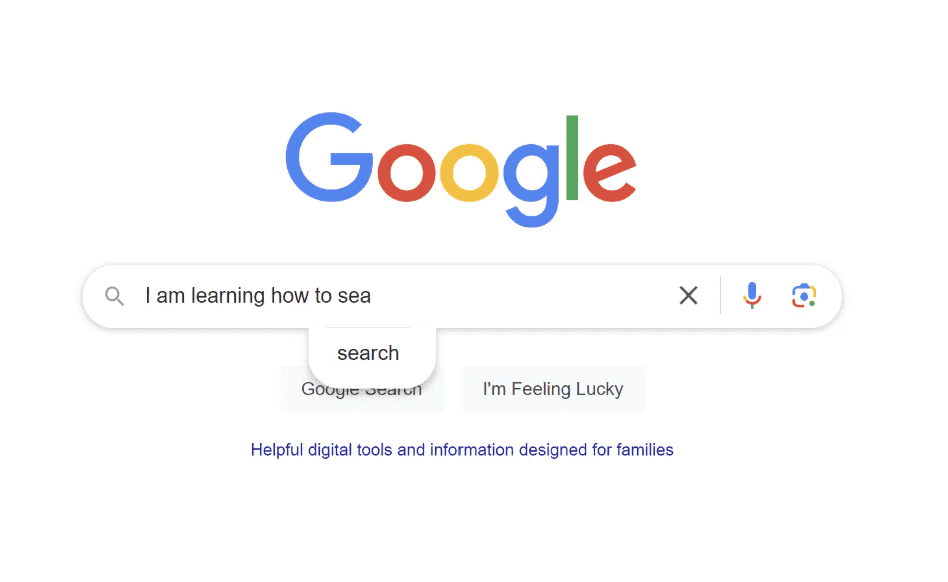
Right-click an image. Click "Search image with Google." Wait. See where it appeared on the internet, what it was, whether it was real.
Simple. Useful. Reliable.
Then one day in 2022, you right-clicked an image and the option read something different: "Search with Google Lens."
Some people didn't notice. Some noticed and shrugged. Some noticed and absolutely lost their minds about it — because what they got back wasn't the same thing at all.
Here's the full story of how Google Search by Image got quietly retired, what replaced it, why the switch was always coming, and what it means that Google Lens is now handling close to 20 billion visual searches every single month.
First, What Was Google Search By Image?
Let's rewind.
Google Search by Image — also known as reverse image search — officially launched in 2011. The concept was elegant: instead of typing words into a search bar, you handed Google a picture and asked it to figure out the rest.
You could upload an image from your device, paste a URL, or drop a file. Google would analyze the image's colors, shapes, textures, and visual patterns, generate a query from those features, and return results showing where that image appeared online, similar images, and contextual information about the subject.
For its time, it was genuinely remarkable technology.
Get Organic SEO Traffic in Days
Ideal for individuals and small teams looking for simple, powerful SEO tools.
Use the code SECRETCODE100 And unlock a free trial!
$0
/month
Free Page Structure Audit
Find top pages by SEO traffic
Backlinks Finder & Builder
AI-visibility Checker
Export data
Color-coded SEO elements
Email Support
LLM Topic Finder
Journalists used it to trace the origins of viral photos and catch misinformation. Stock photo agencies used it to find unauthorized use of licensed images. Researchers used it to identify artworks, species, and landmarks. Regular people used it to figure out what movie a screenshot was from, or whether a dating profile picture was stolen from somewhere else.
The tool did exactly what it said on the tin: it searched the web using an image, and returned pages where that image existed. Very literal. Very powerful within those limits.
But it was always, fundamentally, a file-matching machine. Give it an image, it looks for that image (or similar images) on the web. It wasn't reading the image. It wasn't understanding it. It was pattern-matching visual data against an index.
That distinction matters enormously for what came next.
Enter Google Lens: A Very Different Technology
Google Lens was first announced at Google I/O in May 2017. Sundar Pichai introduced it as a core piece of the Google Assistant, and the pitch was different from anything Search by Image had promised.
This wasn't about finding where an image came from.
This was about understanding what was in it — and doing something useful with that understanding.
Google officially launched Lens on October 4, 2017, shipped as a pre-installed preview on the Google Pixel 2. Within months, it began rolling out to Google Photos, then to Google Assistant on other Android devices, then to the Google app on iOS in late 2018. By June 2018, a standalone Google Lens app was available on the Play Store.
The technology underneath it was fundamentally different from reverse image search. Lens used neural network-based visual recognition — the kind of deep learning approach that had been quietly revolutionizing computer vision since the early 2010s. Rather than pattern-matching visual data against web indexes, Lens was classifying what it saw: identifying objects, reading text, understanding scene context, and returning information that was semantically related to the content of the image rather than the image's identity online.
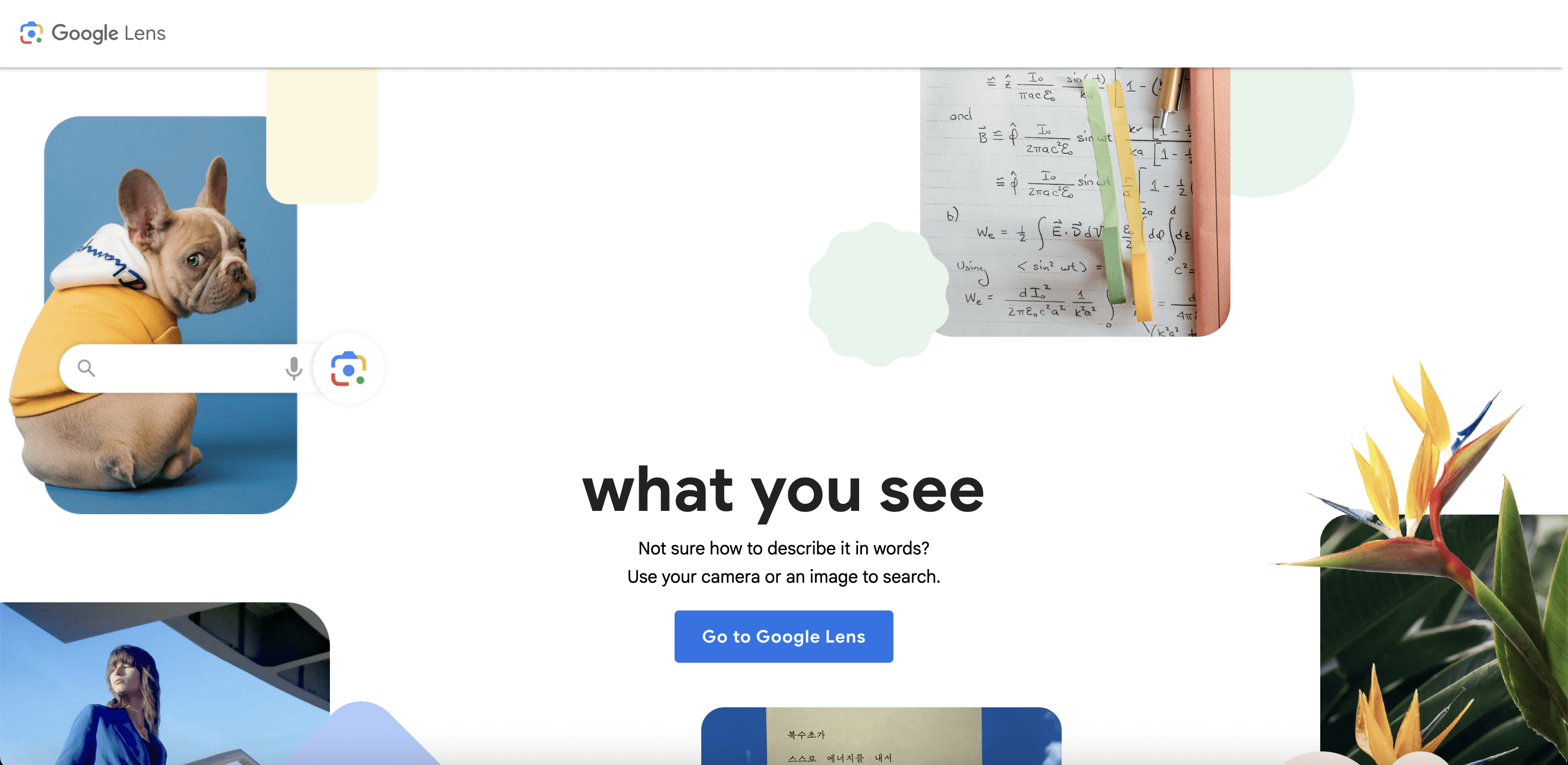
Point your camera at a plant and Lens tells you what species it is. Point it at a restaurant's menu and Lens translates it in real time. Aim it at a math equation on a whiteboard and it walks you through the solution. Hold it over a Wi-Fi label and it automatically connects your phone to the network.
Search by Image couldn't do any of this. It could tell you where a picture of a plant appeared on the internet. Lens could tell you what the plant was.
That's not an incremental upgrade. That's a category shift.
The Gradual Takeover: How Google Quietly Retired Search By Image
Google didn't flip a switch overnight. The transition from Search by Image to Lens was a multi-year, deliberate migration — and if you weren't paying close attention, you might have missed each individual step.
2022: The Chrome right-click switch. The most visible early signal came in March 2022, when Chrome users noticed their familiar "Search image with Google" right-click option had been replaced with "Search with Google Lens." This was a significant move — Chrome is by far the world's most widely used browser, and the right-click image search was a deeply embedded habit for millions of users. You could still switch back by disabling Google Lens through Chrome flags, but the default had changed. The direction of travel was unmistakable.
2022: Lens becomes the default in Google Images. That same year, Lens gradually replaced reverse image search as the primary visual search method in Google Images itself. The camera icon in the Google Images search bar — which had long been the gateway to Search by Image — now triggered Lens. The classic reverse image search results were still technically accessible within the Lens interface, but the overall experience was different: Lens-first, image-matching as an afterthought.
2025: The final redirect. The transition completed in February 2025. Google changed its Search by Image endpoint to always redirect to the Lens output. Both options — old reverse image search and new Lens — now return the same results. There is no longer a meaningful distinction between "Search by Image" and "Search with Lens" from a results perspective. The old tool didn't disappear. It was absorbed.
The process took three years. It was methodical, careful, and met with predictable resistance at each stage — particularly from users who depended on the precise, literal image-matching capabilities of the old tool. We'll get to their complaints. They're legitimate.
What Google Lens Actually Does (That Search By Image Never Could)
To understand why Google made this transition, you have to understand what Lens can do that its predecessor couldn't. The gap is genuinely large.
Object identification and classification. Lens doesn't just look for visually similar images on the web. It reads the image and identifies what's in it — species of plants and animals, breeds of dogs, makes and models of cars, types of architectural styles, celebrity faces (with some restrictions), products, artworks, food items. The classification happens through visual AI that's been trained on billions of images and continuously improved through use.
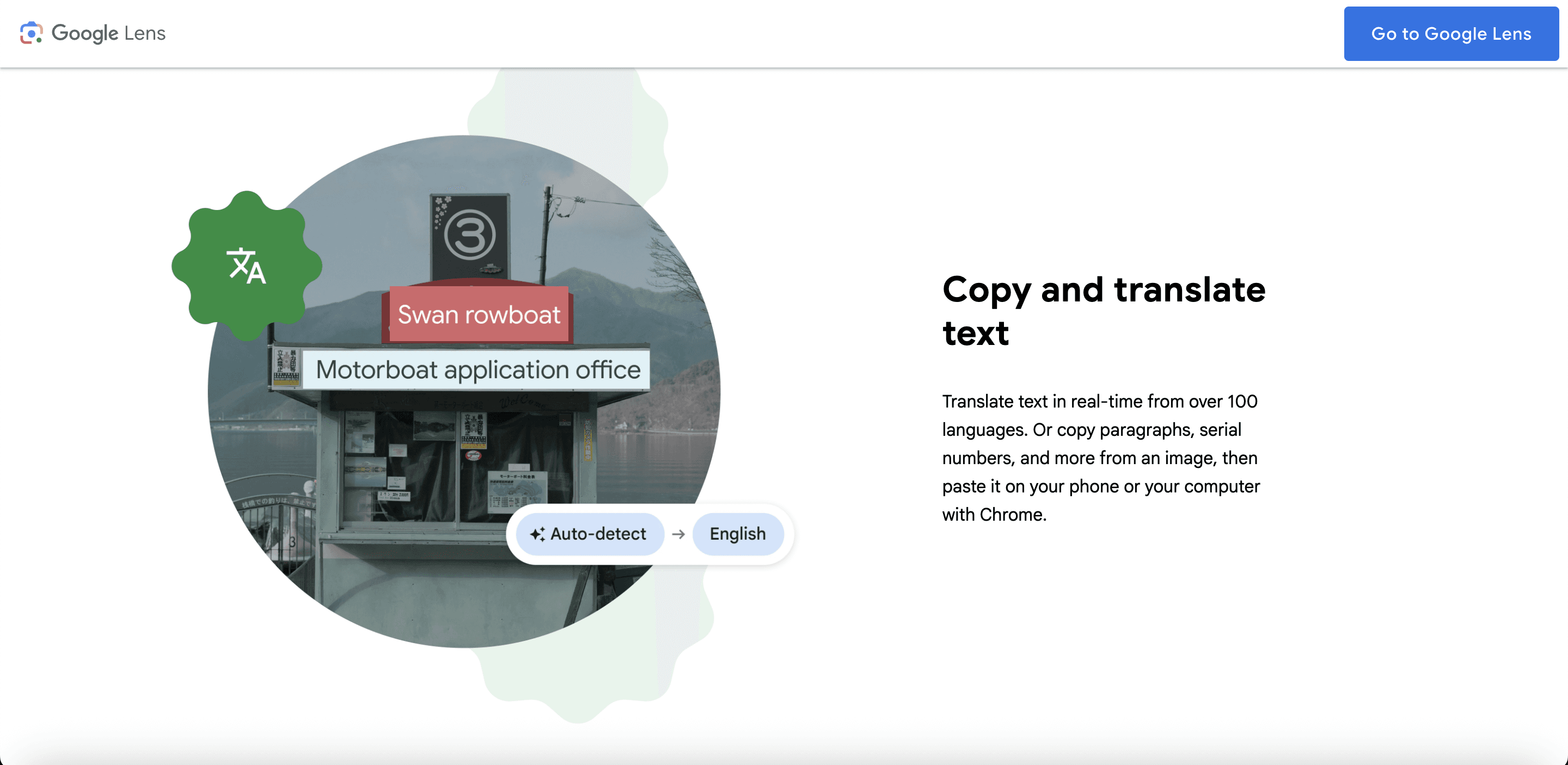
Real-time translation. Point Lens at text in any of over 100 supported languages and watch it translate, in real time, overlaid on the original image. This works on restaurant menus, street signs, handwritten notes, foreign-language books. You see the translated text where the original was. The source text doesn't disappear — it's replaced visually. This is augmented reality translation built into a search tool, and it's one of the features that makes Lens practically indispensable for international travelers.
Text extraction (OCR). Lens can extract any text in an image and let you copy it to your clipboard, on your phone or synced to your desktop via Chrome. Serial numbers, receipts, business cards, handwritten notes, screenshots of terms and conditions — anything with readable text can be captured and extracted. This is useful in ways that are hard to fully enumerate.
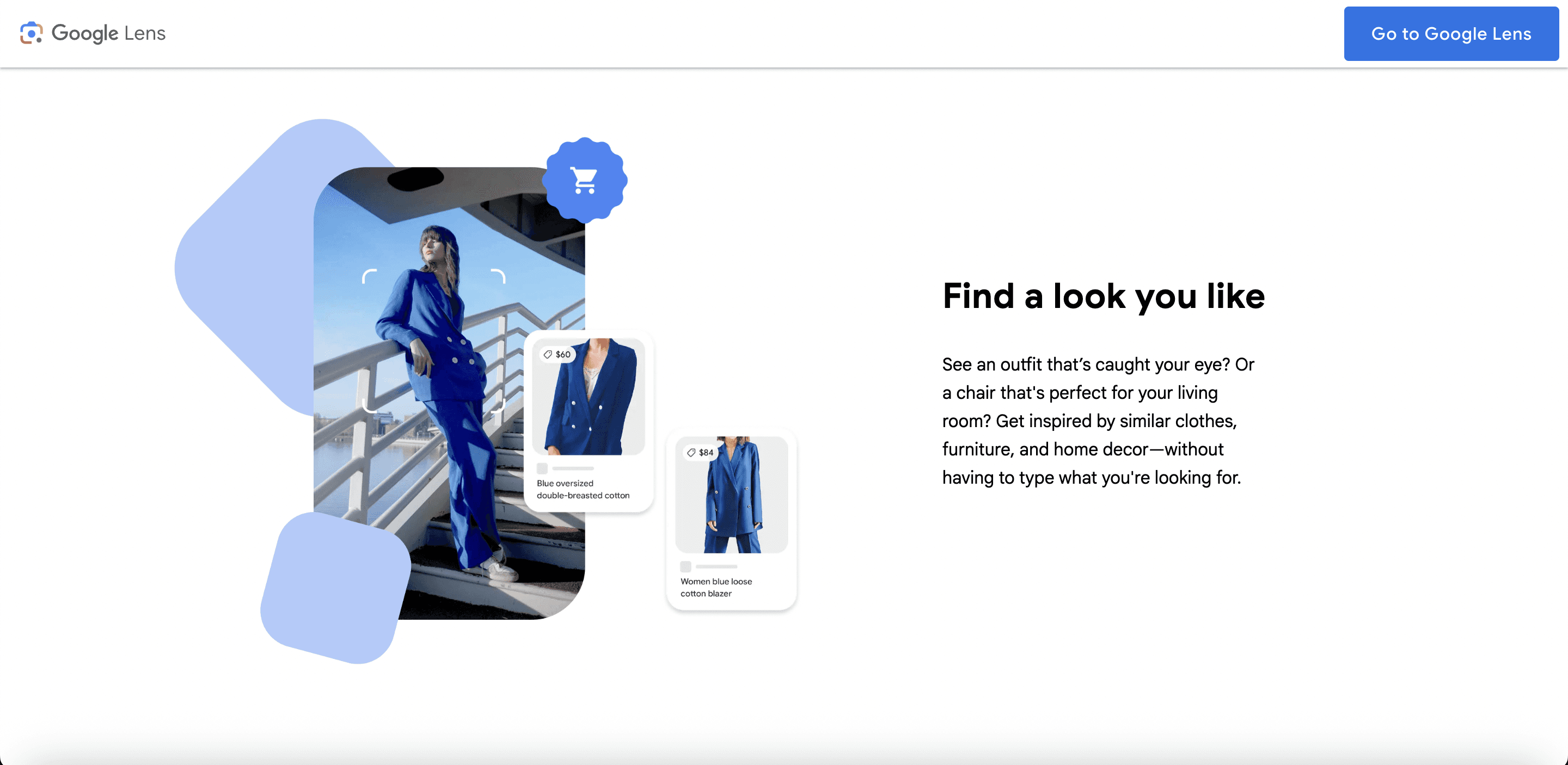
Shopping search. Lens connects to Google's Shopping Graph — which as of 2024 contains information on more than 45 billion products. Spot a lamp, a jacket, a specific sneaker in a YouTube video? Take a screenshot, circle it with Lens, and it will identify the exact or near-exact item and return shopping results with pricing, availability, reviews, and links. This is commerce discovery that requires zero words. You see something you want, you look it up, you buy it. The purchase funnel compressed to a camera tap.
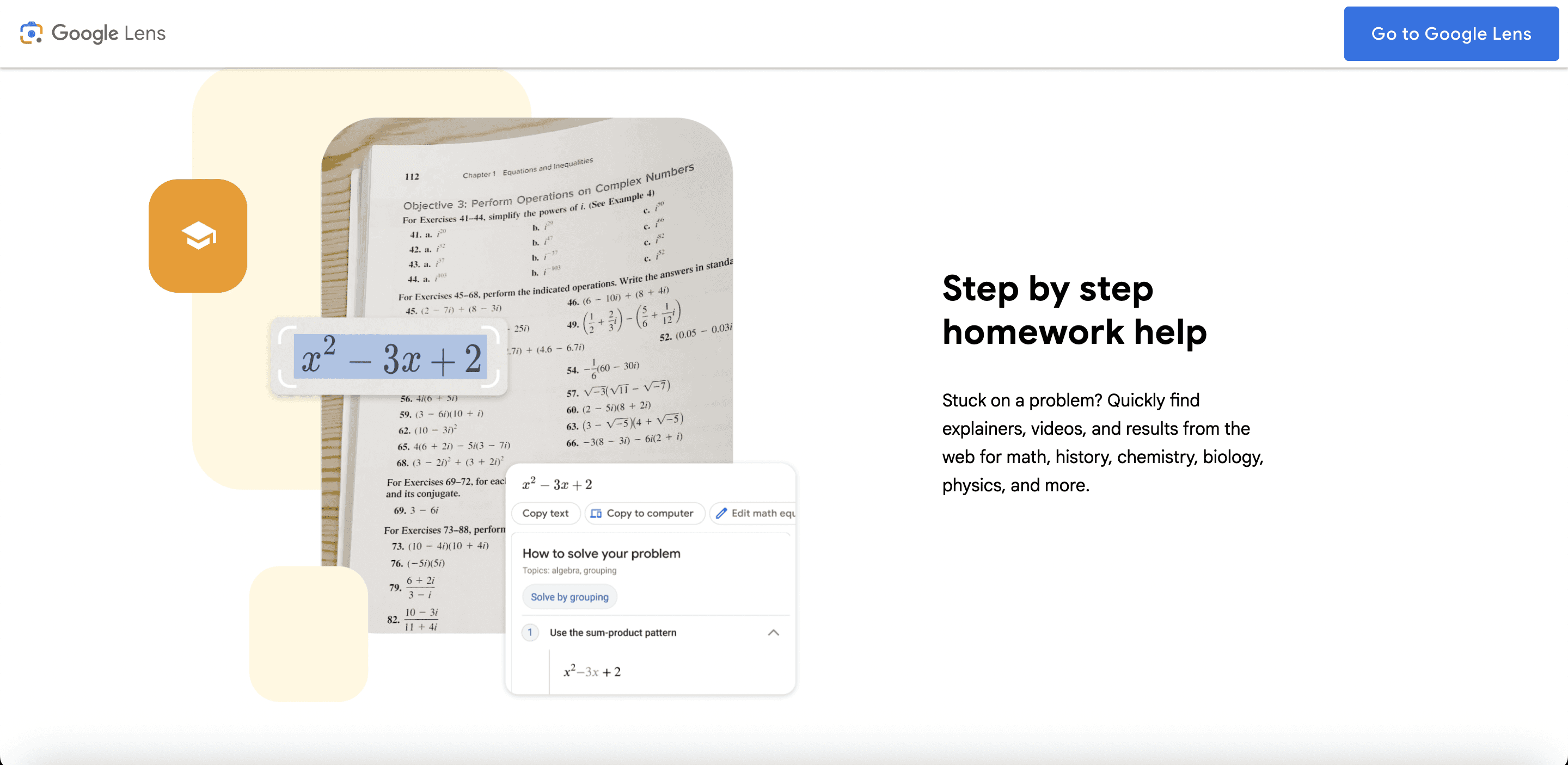
Homework and problem-solving. Snap a photo of a chemistry equation, a physics diagram, a geometry proof, a historical document. Lens processes the image, identifies the academic content, and surfaces relevant explanations, video tutorials, and step-by-step solutions from the web. Students call this cheating. Teachers call it an accessibility issue. Google calls it a feature. Whatever the framing, it works.
Landmark and place recognition. Aim Lens at a building, a monument, or a natural landmark and it returns contextual information: history, opening hours, Google Maps reviews, nearby restaurants. It's the kind of context a knowledgeable tour guide would give you, summoned by pointing a camera.
QR codes and barcodes. Lens reads them instantly without requiring a separate QR scanner app. Scan a QR code on a product, a poster, a business card, or a restaurant table and Lens handles it seamlessly.
None of this is what Search by Image was designed to do. The old tool's job was to match images against a web index. Lens's job is to understand images and connect that understanding to the full range of things Google knows about the world.
The Numbers That Explain Why Google Made the Call
Google doesn't retire beloved tools for philosophical reasons. They retire them because the data says to.
The adoption of Google Lens accelerated dramatically once it was properly integrated into the Google app and Chrome. By the time Google started the formal transition in 2022, Lens usage was already growing at a pace that made the competition irrelevant.
By Google I/O 2023, Google reported that Lens was handling 12 billion visual searches per month — a fourfold increase in just two years. By late 2024, that figure had climbed to nearly 20 billion monthly visual searches. Lens queries were described by Google as "one of the fastest growing query types on Search."
The demographics tell an important part of the story. Younger users — particularly those aged 18-24 — are engaging with Lens at disproportionately high rates. For Gen Z and Millennials, the camera is increasingly the primary search interface, not the keyboard. These users grew up taking photos of everything. Visual search is native to how they interact with information. About 40% of product searches by younger demographics now start visually rather than through typed queries.
Meanwhile, Search by Image usage was stagnant. It was a tool with a defined use case — image provenance, copyright checking, finding original sources — and it was excellent at that use case. But the use case is narrow. Most people most of the time don't need to find where an image came from. They need to know what it is, where to buy it, what language it's written in, or how to solve the problem it depicts.
Lens answers those questions. Search by Image doesn't.
Get Organic SEO Traffic in Days
Ideal for individuals and small teams looking for simple, powerful SEO tools.
Use the code SECRETCODE100 And unlock a free trial!
$0
/month
Free Page Structure Audit
Find top pages by SEO traffic
Backlinks Finder & Builder
AI-visibility Checker
Export data
Color-coded SEO elements
Email Support
LLM Topic Finder
The Legitimate Complaints About Losing Reverse Image Search
Here's where the nuance matters — because the critics aren't wrong.
Search by Image did something specific that Lens doesn't replicate well: it found exact and near-exact copies of an image across the web. This matters enormously for specific communities and workflows.
Photographers and visual content creators relied on reverse image search to identify unauthorized use of their copyrighted work. Give Google your photo; get back a list of every website using it without permission. That workflow was sharp, reliable, and built into their process. Lens, with its understanding-first approach, is less precise for this use case. It identifies what's in the photo rather than finding exact copies of that photo.
Fact-checkers and journalists depended on reverse image search to verify viral images, trace propaganda, and confirm whether a photo allegedly taken in one location was actually a recycled image from somewhere else. The tool was instrumental in debunking misinformation. Lens's tendency to contextualize rather than trace origins is a real regression for this workflow.
Genealogists and researchers used it to find historical photographs, trace the provenance of images in archives, and identify unknown individuals in group photos.
Dating app users employed it for the time-honored tradition of verifying whether a potential date's profile picture was stolen from a model's Instagram.
These are real use cases. The transition to Lens was a genuine trade-off, not a pure upgrade. Google optimized for the majority use case — understanding and shopping and translation — and accepted that power users with specific image-matching needs would be underserved.
For those users, the alternatives are tools like TinEye, which still does pure reverse image search, or Yandex Images, which many SEO and verification professionals argue remains better at exact image matching than Google's current approach.
Google Lens in 2025: The Version That Left Search By Image in the Rearview Mirror
If the story ended at the Chrome right-click swap, the transition would already be significant. But Google Lens has continued to evolve at a pace that makes the 2022 version look primitive.
Circle to Search. Announced jointly with Samsung in January 2024 and launched on the Galaxy S24 and Pixel 8, Circle to Search lets Android users circle, highlight, or tap any element on their screen — in any app, at any moment — and immediately search for it without switching applications. Watching an Instagram Reel of someone's apartment and want that specific floor lamp? Circle it. Reading an article with an unfamiliar term? Circle it. Watching a music video and want to identify the song? Circle it. The feature reached more than 150 million Android devices by late 2024. This is Lens logic applied to the entire phone interface, not just the camera.
Voice + image simultaneous search. Lens now supports long-press-and-speak queries, where you aim your camera at something and talk your question at the same time. "What year was this building constructed?" while pointing at a facade. "Is this mushroom safe to eat?" while aiming at something you found in the woods. The spoken question and the visual context combine into a single multimodal query. Results come back as AI-generated overviews that synthesize visual recognition with web knowledge.
Video search. Google Lens can now analyze video in motion — you don't have to pause to capture a frame. This unlocks a new category of search that didn't previously exist: searching while watching. Identify a moving animal. Find out what building appears in the background of a movie scene. Recognize a product that appears briefly in an ad. The experience of video as passive consumption is being replaced by video as interactive discovery.
Full Gemini integration. As of 2024 and into 2025, Lens is tightly coupled with Google's Gemini AI models. This means the responses to Lens queries aren't just database lookups — they're generative AI summaries that synthesize visual recognition with Google's knowledge graph and current web information. Lens is no longer just a search interface. It's a multimodal AI assistant.
AI Mode. Google's experimental AI Mode in Search Labs now includes Lens integration, allowing multimodal queries where you can upload or capture an image and ask complex follow-up questions in natural language. This isn't a prototype feature at the periphery of Google's products — it's the direction the entire search product is moving.
What This Transition Means for the Web (And for SEO)
The shift from Search by Image to Google Lens isn't just a product change. It's a signal about where search is heading — and it has real implications for anyone who cares about how websites get discovered.
Visual search is now a legitimate traffic channel. With nearly 20 billion monthly Lens searches, the volume is impossible to ignore. A meaningful chunk of those searches end up at websites. If your products, services, or content appear visually in contexts where people are using Lens, you can capture that traffic.
Image optimization just got more complex and more valuable. Google Lens doesn't just index images — it understands them. This means image alt text, descriptive filenames, and high-quality images are increasingly important not just for traditional image SEO, but for Lens discoverability. Clear, well-lit product photos are now potentially shoppable through any device camera.
Structured data for products matters even more. Lens's shopping integration pulls from Google's Shopping Graph. If your product listings include complete structured data — price, availability, reviews, product identifiers — they're more likely to appear when someone Lens-searches a product they see in the real world.
The query format is changing. Search by Image queries were literally images — binary files passed to a matching algorithm. Lens queries are increasingly multimodal: image + text + voice + context. This means search intent is becoming richer and more nuanced in ways that keyword-only SEO strategy doesn't capture.
Gen Z and the camera-first search behavior. The demographic most likely to use Lens is the same demographic marketers are most anxious to reach. If your brand's products aren't visually distinctive, well-photographed, and properly indexed in Google's visual infrastructure, you're invisible to a search modality that younger audiences use instinctively.
The Deeper Shift: From Matching to Understanding
Here's the thing that gets lost in the discussion about right-click menus and user complaints.
The transition from Search by Image to Google Lens isn't really about a product decision. It's about a fundamental shift in what search is.
Search by Image was a lookup tool. You had a thing, you wanted to find that thing in a database. The relationship between query and result was indexing and pattern matching.
Google Lens is a comprehension tool. You have something in front of you and you want to understand it — what it is, where it comes from, how to find more of it, what it says, what to do about it. The relationship between query and result is understanding and synthesis.
That shift mirrors a broader change in search generally. Google didn't just swap one image tool for another. It swapped one model of what search is for another. The old model: organize the web's information and let users navigate it. The new model: understand the world and answer questions about it.
Lens is the visual embodiment of that transition. And its explosive growth — from a niche Pixel feature in 2017 to 20 billion monthly queries in 2024 — suggests that users, whatever their initial resistance to the change, find the new model genuinely useful.
The Future Google Is Building Toward
The arc of this story points clearly in one direction.
Google isn't building a better image finder. It's building a system that understands everything you see, hears what you ask about it, and tells you whatever you want to know — in real time, across any device, in any context.
Lens on your phone camera. Circle to Search on your screen. Lens in Chrome on your desktop. Lens integrated into AI Mode. Lens powered by Gemini understanding both what the image shows and what you're trying to accomplish. Eventually: Lens via smart glasses, AR overlays, wearables.
The vision is something like ambient understanding. The technology that answers your questions without you first having to formulate a question. You see something, and the information appears.
That's a long way from "Search image with Google."
But the road from that simple right-click option to where we're headed today runs straight through the transition that most people registered as a minor Chrome update in 2022.
It wasn't minor. It was the moment visual search stopped being a feature and started being the future.
What To Do Right Now
If you're a regular user: Get comfortable with Google Lens. It's available in the Google app on both Android and iOS, integrated into Chrome on desktop, and embedded in Google Photos. The learning curve is minimal. The utility is enormous once it clicks.
If you're a photographer or fact-checker who relied on pure reverse image search: TinEye remains the cleanest alternative for exact image matching. Yandex Images is worth bookmarking for cases where you need exhaustive reverse image matching across a wide web index.
If you're an SEO or digital marketer: Add visual search to your optimization checklist. Image quality, alt text completeness, structured data for products, and Google Shopping Graph inclusion are no longer optional considerations for visual-first audiences. They're table stakes.
If you're building a brand: Make sure your products look good in photos. That sentence sounds trivially obvious. It's not. A well-photographed product that Lens can reliably identify and connect to your store is now a discoverability asset in a way it wasn't five years ago.
The camera is becoming the search bar. Google Lens is why.
Keywords: Google Lens, Search by Image, reverse image search, Google replaced search by image, Google Lens vs reverse image search, how Google Lens works, Google visual search, Circle to Search, Google image search 2025, Google Lens features, reverse image search alternative, Google Lens history, visual search SEO, Google Lens update, multimodal search Google
Blogs
More Blogs
From keyword goldmines to AI-driven content hacks—expert insights to help your blog posts dominate the first page.


