Do A Barrel Roll: The Full Story Behind Google's Most Famous Trick (Plus 20+ More You Can Try Right Now)
Type three words into Google. "Do a barrel roll." Hit enter.
Watch your whole screen flip upside down and spin in a full circle, then snap right back to normal.
No download. No app. No virus. Just Google, having a little fun with you.
This trick has been around since 2011. It still works today. And it is just one of dozens of hidden tricks Google has buried inside its search engine over the years.
Let's dig into where this trick came from, why Google made it, and then go through a giant list of every other hidden trick you can try right now. This is the practical, no-fluff version. Grab your laptop and follow along.
What Happens When You Search "Do A Barrel Roll"

Go to Google.com. Type "do a barrel roll" into the search box. Press enter.
Your search results page will spin a full 360 degrees, like a coin flipping on a table. It takes about one second. Then everything goes back to normal, links and all. You can even click on things while it spins.
If you have motion sickness or get dizzy easily, maybe sit this one out. Seriously, some people get queasy from it.
Want to do it again? Just refresh the page or search the phrase again. Some versions let you type "do a barrel roll twice" or "do a barrel roll x10" for extra spins, though results can vary depending on your browser.
There is also a secret shortcut. Instead of typing "do a barrel roll," you can type "z or r twice" and get the exact same spinning effect. That phrase is not random. Keep reading and you will see why it matters.
Where This Trick Came From
Back in 1997, Nintendo released a game called Star Fox 64. In the game, a character named Peppy Hare gives you flying tips while you pilot a spaceship through space battles.
His most famous line? "Do a barrel roll!"
He says it to help you dodge enemy lasers. To actually do the barrel roll in the game, players pressed the Z button or the R button twice in a row. That is where "z or r twice" comes from.
The line became a huge meme. People used it as a joking way to tell someone "good luck with that impossible task" or just as a funny callback to a game a lot of people grew up playing.
In November 2011, a Google software engineer decided to turn that meme into a real, working Easter egg inside Google Search. According to a Google spokesperson at the time, the goal was simple. Show off what a new web technology called CSS3 could do, and entertain people while doing it.
CSS3 is a coding language that controls how websites look and move. Before CSS3 became common, making a webpage spin like that would have been a much bigger headache. Google basically used "do a barrel roll" as a fun little demo of "look what browsers can do now."
The trick spread across Twitter and blogs almost overnight. People were calling their friends and family just to tell them to try it. For a few days, it was one of the biggest trending topics online, all because of a goofy spinning animation.
More than ten years later, it is still live. Google has quietly kept it running through redesign after redesign of its search page. That is rare. A lot of old internet jokes get killed off during updates. This one survived.
Why Companies Like Google Even Bother With This Stuff
You might be thinking, why would a massive company spend any time at all on a spinning page that does nothing useful?
A few real reasons:
It builds goodwill. Big tech companies often feel cold and corporate. A hidden joke makes the company feel more human, like there are real people behind the curtain who like to have fun.
It's free marketing. When "do a barrel roll" went viral, it got Google's name in headlines, tweets, and group chats for free. No ad budget needed.
It rewards curious users. People who dig around and find these tricks feel like they are part of an inside joke. That feeling makes people loyal. They come back. They tell friends. They feel a tiny bit smug, in a good way.
It shows off tech skills. The CSS3 angle was real. Engineers like showing off cool new tools, and a spinning search page was a fun, low-stakes way to do that.
It costs almost nothing. A small animation snippet does not slow down Google's servers or cost much to build. Low cost, high payoff. Easy decision.
This is also why so many other tech companies copy the idea. Hidden jokes, secret menus, and little animations show up across the internet because they work.
Get Organic SEO Traffic in Days
Ideal for individuals and small teams looking for simple, powerful SEO tools.
Use the code SECRETCODE100 And unlock a free trial!
$0
/month
Free Page Structure Audit
Find top pages by SEO traffic
Backlinks Finder & Builder
AI-visibility Checker
Export data
Color-coded SEO elements
Email Support
LLM Topic Finder
The Big List: Other Google Search Tricks You Can Try Right Now
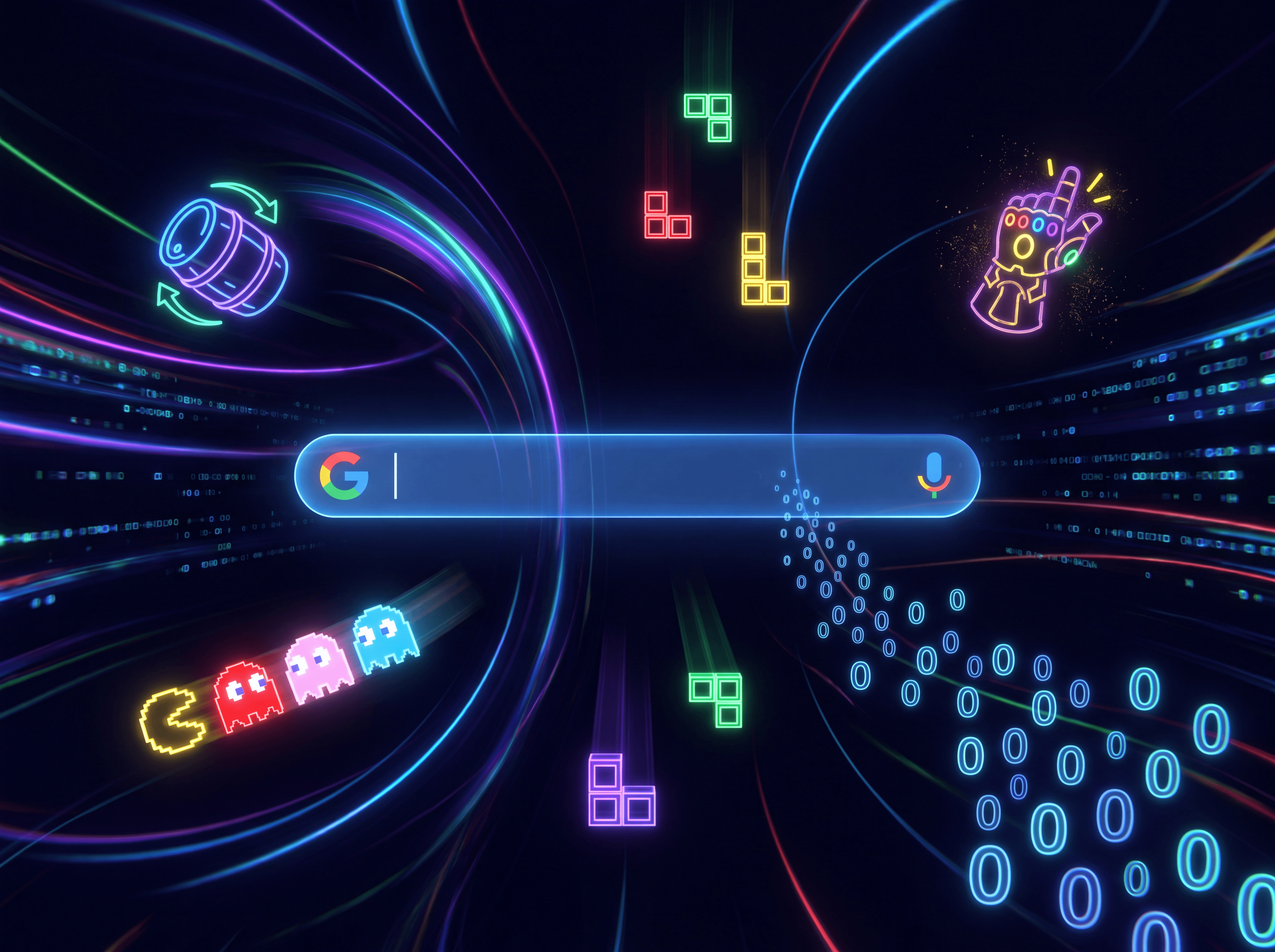
Once people found "do a barrel roll," they started digging for more. Turns out Google has packed in a ton of these over the years. Here is a practical list you can actually go test. Just open Google and type these into the search bar.
1. Askew
Type "askew" and search. Your entire results page tilts slightly to one side, like someone bumped the table it was sitting on. It is subtle. Blink and you might miss it. The joke is built right into the word itself, since "askew" means crooked or tilted.
2. Tilt
Same idea as askew. Type "tilt" and your page leans a bit. Some people say tilt and askew look almost identical, just with slightly different angles. Try both back to back and compare.
3. Z or R twice
As mentioned earlier, this triggers the same spin as "do a barrel roll." It is the secret password version, straight from the Star Fox controls.
4. Anagram
Type "anagram" into Google. Instead of giving you a normal answer, Google's "Did you mean?" suggestion will say "Did you mean: nag a ram." That is an anagram of the word "anagram" itself. Cute, right?
5. Recursion
Search "recursion." Recursion is a programming term for something that refers back to itself, like a function that calls itself. Google's joke? The "Did you mean?" line says "Did you mean: recursion," sending you in an endless loop if you keep clicking it.
6. Google in 1998
Search "Google in 1998." You will get a link or button that lets you see what Google's homepage and search results looked like back when the company first started. It is a fun blast from the past, way before all the modern features.
7. Zerg Rush
Type "zerg rush" and search. A swarm of little Google "o" characters will start attacking your search results, eating away at the letters and links one by one. You have to click on them fast to destroy them before they take over the whole page. This is a nod to the video game StarCraft, where a "zerg rush" means swarming your enemy with a huge wave of cheap units fast.
8. Atari Breakout
Search "Atari Breakout" and click on Images. Instead of regular image results, you get a playable version of the classic brick-breaking arcade game, using the image thumbnails as the bricks. Use your mouse or arrow keys to bounce the ball and break the bricks.
9. Pac-Man
Search "Pac-Man" and look for the little doodle or game box that pops up. You can play a real, working version of the classic Pac-Man game right inside your browser, no download needed.
10. Solitaire and Tic-Tac-Toe
Type "solitaire" or "tic tac toe" into Google. A playable game board pops up right at the top of your results. You can play solitaire by yourself, or play tic tac toe against the computer or a friend.
11. Roll a Dice / Flip a Coin
Search "roll a dice" or "flip a coin." Google gives you a little animated die or coin you can click to roll or flip. Handy for settling small arguments or making quick decisions.
12. Google Gravity
This one used to work as a straight search trick, but it has moved around over the years and now mostly lives on fan-made mirror sites like elgooG. Search "Google Gravity" and look for one of those sites. Once loaded, everything on the Google homepage, the logo, the search bar, the buttons, all collapse and fall to the bottom of the screen like gravity just kicked in. You can drag the pieces around with your mouse.
13. Google Sphere
Another one that now mostly lives on mirror sites. The Google homepage elements turn into a giant ball of letters and buttons that you can spin around with your mouse. Move your cursor in circles to make it spin faster.
14. Green Hill Zone
Search "Green Hill Zone," the name of the first level from the original Sonic the Hedgehog game. You may see a small Sonic icon appear on the side of your search results. Click it. Click it again. Keep clicking, up to 25 times, and Sonic will power up and do a special animation, complete with sound effects.
15. Thanos and the Infinity Gauntlet
Search "Thanos" and look for the Infinity Gauntlet glove icon next to the Avengers info box. Click it. The glove snaps, and half of your search results literally turn to dust and disappear, just like in the movie. Click it again to bring everything back.
16. Friends 25th Anniversary
Search "Friends" (the TV show). Depending on when you search and what region you are in, Google sometimes shows special interactive tributes, like Chandler's recliner chair that you can click to recline, complete with the chick and duck from the show.
17. Find Chuck Norris
Type "Find Chuck Norris" into Google and hit "I'm Feeling Lucky" instead of regular search. Google plays along with old Chuck Norris jokes and gives you a humorous "error" message instead of real search results, in classic internet meme style.
18. The Loneliest Number
Search "the loneliest number." Your calculator widget will pop up, already showing the number 1, since "one is the loneliest number" is a famous song lyric.
19. Bletchley Park
Search "Bletchley Park," the historic site where codebreakers worked during World War II. Some versions of this search will scramble or encode the search results page in a code-like style as a tribute.
20. Festivus
Search "Festivus," the made-up holiday from Seinfeld. Around late December, Google sometimes adds a small aluminum pole graphic to the results page as a nod to the "Festivus pole" from the show.
21. Blink HTML Tag
Search "blink html tag" using an older browser like Firefox. The words "blink html tag" or "blink tag" in your results may actually blink on and off, since "blink" was an old, mostly dead piece of HTML code that made text flash.
A Quick Word on Why Some of These Might Not Work for You
Here is the honest truth. Google changes its search results constantly. Some of these tricks come and go depending on:
Your browser. Some animations need specific browser features. Older or stripped-down browsers might not show the spin or tilt at all.
Your location. Google sometimes turns features on for certain countries first, or only during certain holidays or events.
Timing. A few of these, like the Festivus pole or certain TV show tributes, are seasonal or tied to anniversaries. They show up for a short window and then disappear.
Random testing. Google runs constant tests on small groups of users. You might see a feature your friend does not, even on the same day.
If a trick does not work the first time, try refreshing the page, trying a different browser, or just trying again later. And if an official Google trick gets retired, fan-made mirror sites often keep old versions alive so you can still try them.
How To Actually Try These (Step By Step)
If you want to go on a quick Easter egg hunt right now, here is the simple way to do it.
Open a normal web browser like Chrome, Firefox, Safari, or Edge.
Go to Google.com.
Click into the search bar.
Type one of the phrases from the list above exactly as written. No need for quotation marks.
Press enter or click the search button.
Watch what happens. Some tricks trigger instantly. Others need you to click an icon or button that shows up in the results.
If something does not work, try refreshing the page once, then try again.
For games like Pac-Man, Solitaire, or Atari Breakout, you may need to scroll down slightly or click "Play" before anything happens.
That's it. No special setup. No hidden menus. Just type and see what happens.
Why This Stuff Still Matters
It is easy to dismiss "do a barrel roll" as a dumb little joke from 2011. But there is a bigger lesson buried in here for anyone who builds websites, apps, or products of their own.
People remember how something made them feel a lot more than they remember the features list. A spinning search page does not help anyone find information faster. It does not make Google more useful in any practical sense. But it made millions of people smile, and more importantly, it made them talk about Google.
That is the real takeaway. Little surprises, hidden details, and small jokes build an emotional connection with the people using your stuff. You do not need a massive budget. You need one clever idea and a little bit of code.
Google has kept "do a barrel roll" alive for over a decade through massive redesigns, AI overhauls, and constant updates. That tells you something. Even one of the biggest companies in the world understands that a little bit of fun goes a long way.
So go ahead. Open a new tab. Type "do a barrel roll." Watch your screen spin. Then go try the rest of the list. Some of these will probably make you laugh, especially Zerg Rush and the Thanos snap. And the next time someone asks you "did you know Google can do a barrel roll," you can say yes, and then show them nineteen more tricks they had no idea existed.
Blogs
More Blogs
From keyword goldmines to AI-driven content hacks—expert insights to help your blog posts dominate the first page.


