
Site architecture SEO feels a lot like city planning. When streets follow a clear grid instead of a tangled maze, both drivers and pedestrians get where they need to go faster. In the same way, a logical website skeleton makes every page discoverable, boosts your authority, and keeps visitors engaged.
Why Your Website Blueprint Matters For SEO
Picture trying to build a home without any floor plans. You’d end up with laundry rooms far from plumbing or a kitchen hidden behind walls. That’s exactly how search engines and users experience a poorly structured site.
A thoughtfully designed architecture does more than just tidy up pages. It flags your most critical content to Google, shows how topics interconnect, and highlights your expertise. Meanwhile, visitors enjoy an intuitive path—fewer dead ends, less frustration, and more time exploring.
Key Benefits Of A Strong Site Architecture
Adopting a strategic approach to site architecture SEO delivers compounding advantages over the long haul:
Improved Crawlability: Helps bots find, crawl, and index every page so nothing is overlooked.
Enhanced User Experience (UX): Clear menus and paths let visitors land on what they need quickly.
Greater Topical Authority: Clustering related posts signals deep expertise in your subject area.
Efficient Link Equity Distribution: Smart internal linking passes page authority down to deeper sections.
“A well-structured website is not just organized—it’s optimized. It builds search engine trust and turns casual browsers into loyal customers.”
To see how these principles apply across different content strategies, you can explore various SEO-focused guides in our collection of articles.
Key Components Of Site Architecture SEO
Here’s a concise look at the foundational elements that support strong site architecture and their real-world impact:
Component | Benefit Impact |
|---|---|
Crawlability | Ensures all valuable pages get indexed by search bots |
Internal Linking | Distributes authority and strengthens navigation |
Site Hierarchy | Clarifies page importance through topic clusters |
URL Structure | Creates readable, SEO-friendly links |
Pagination | Manages multi-page content and avoids duplication |
Faceted Navigation | Offers filtered views without harming SEO health |
Each of these building blocks works together to guide both humans and bots through your site. When you nail the fundamentals, everything else—rankings, traffic, conversions—has a solid foundation to grow on.
Understanding Key Principles of Site Architecture SEO
To build a website that truly performs, you have to get the foundational principles of site architecture SEO right. Think of your website as a physical store. If the aisles are messy and products are scattered randomly, customers will get frustrated and leave. But if it's well-organized with clear signage, they can easily find exactly what they're looking for.
Your website needs that same level of clarity for both human visitors and search engine crawlers. This is all about creating a logical flow that guides them from your homepage to your most specific content, signaling what's important along the way.
Logical Content Grouping
The absolute bedrock of a solid site architecture is grouping related content. This is where you organize your pages into logical clusters based on central themes, kind of like creating chapters in a book.
For instance, a digital marketing agency wouldn't just throw all its blog posts into one giant feed. They’d group them. All the posts about social media go under a "Social Media Marketing" category, all the SEO posts go under "SEO," and so on.
This approach does two powerful things. First, it demonstrates deep expertise on a topic to search engines, which helps build your topical authority. Second, it makes it incredibly simple for visitors to dive deeper into subjects that interest them, keeping them engaged and on your site longer. To really get a handle on this, you need to understand what is Information Architecture and how it shapes the user experience.
A logical site architecture doesn't just organize content; it tells a story to both search engines and users about what your brand knows best.
Clean URL Structures and Sitemaps
Your URLs are more than just web addresses; they're signposts. A clean, descriptive URL gives both users and search engines instant context about what the page is about. It should be simple enough for a person to read and immediately understand.
Just look at the difference between these two examples for a page about keyword research:
Poor:
yourdomain.com/p?id=8675309Good:
yourdomain.com/seo-services/keyword-research
The second URL is a clear winner. It's user-friendly and packs in relevant keywords that help search engines categorize the page correctly.
This clarity is backed up by a clean XML sitemap, which is essentially a detailed road map you hand directly to search engine crawlers. It ensures they don't miss any of your important pages. Getting these technical details right is what makes your site architecture truly effective. The goal is a shallow structure where any page is reachable within just three or four clicks from the homepage—that’s the gold standard for both usability and crawl efficiency.
Building an Effective Hierarchy and Navigation
A smart hierarchy is the absolute bedrock of solid site architecture SEO. I like to think of a website as a library. If it's well-organized, anyone can walk in and find the exact book they need without wandering around lost. Search engine crawlers work the same way; they need that logical structure to figure out which pages are most important and how everything connects.
The whole point is to map out intuitive pathways that support your topic clusters. Your menus, breadcrumb trails, and a clean XML sitemap are the main highways and signposts that guide both people and search bots straight to your best content.
This diagram breaks down how a logical information architecture works, grouping URLs and organizing them into a clear structure.
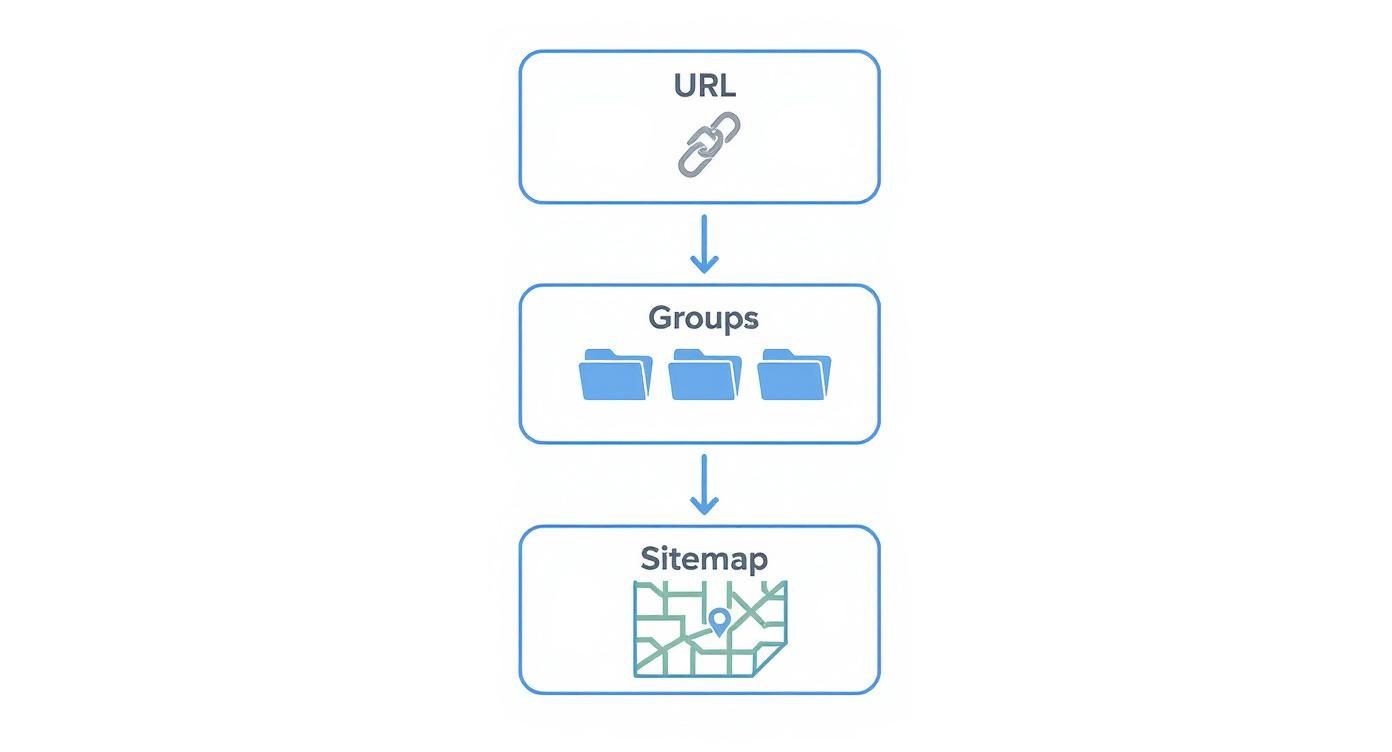
As you can see, a flatter hierarchy makes your content much easier to get to, which is a huge win for both user experience and your SEO performance.
Keep It Close: The "Three-Click Rule"
There's a simple, powerful guideline that has stood the test of time: the "three-click rule." Basically, anyone should be able to get to any important page on your site within three to four clicks from the homepage.
Keeping your site's structure "shallow" like this isn't just about making life easier for your visitors—it’s also a massive signal to search engines. It tells them which pages you consider important, making it easier for them to crawl and index your site efficiently.
The table below breaks down why keeping your click depth low is so critical.
Hierarchy Depth Best Practices
Hierarchy Level | Max Clicks From Home | User Impact |
|---|---|---|
Top-Level Pages | 1-2 | Immediately accessible. Users feel the site is easy and fast. |
Mid-Level Pages | 3-4 | Still findable. This is the sweet spot for most key content. |
Deep Pages | 5+ | Users get frustrated. Content feels buried and hard to find. |
Essentially, when people find what they need quickly, they stick around. This is how you lower your bounce rates and keep visitors engaged.
A shallow site hierarchy isn't just a user-friendly feature; it's a direct signal to search engines that your content is organized, accessible, and valuable.
Designing Navigation That Just Works
Your navigation menu is probably the single most important part of your site's hierarchy. It needs to be crystal clear and perfectly mirror the main categories of your content.
Here’s what to focus on:
Main Navigation: This is prime real estate. Reserve it for your most important pages—your "pillar" content or core services. Don't cram it with every link you can think of.
Breadcrumbs: These are the little trails that show people where they are (e.g., Home > Services > SEO). They're fantastic for helping users backtrack without getting lost.
Responsive Design: Your navigation absolutely must work flawlessly on a phone. With so much traffic coming from mobile, a clunky menu is a non-starter.
By turning your site’s structure into a simple, user-friendly layout, you create a smooth journey for everyone. And as your site grows, this strong foundation lets you add new content without creating a confusing mess. While hierarchy sets the structure, don't forget to also think about how many keywords per page you're targeting to keep your content sharp and effective.
Optimizing Technical Foundations and Performance
If a logical hierarchy is the skeleton of your site, then its technical health is the central nervous system. A solid site architecture SEO strategy is about more than just clean navigation; it’s about making sure the site is fast, secure, and works seamlessly on any device.
These aren't just minor backend tweaks. They have a massive impact on how both users and search engines judge your site's quality and trustworthiness.
Think of it like a beautiful store with a great layout, but the aisles are messy and the front door is broken. People will just turn around and leave. A slow-loading or non-secure website creates the same kind of friction, sabotaging even the most brilliant content. Google’s focus on user experience signals like Core Web Vitals makes it official: speed and stability are direct ranking factors.
Speed and Security as SEO Pillars
Page speed and other technical factors are make-or-break for rankings and keeping visitors around. For instance, a staggering 53% of mobile users will bounce if a site takes more than three seconds to load. That number alone shows just how little time you have to make a good impression.
Sites that meet Google's Core Web Vitals thresholds often see users stick around 24% longer. On the security front, HTTPS isn't just a nice-to-have anymore—it's a baseline expectation that gives you a slight ranking edge, which is why its adoption has climbed to 88%. You can dig into more stats like these and see how they influence modern SEO over at SearchAtlas.com.
The following table breaks down some key performance metrics and their direct influence on user engagement.
Technical SEO Metrics Comparison
Metric | Threshold | Impact On Engagement |
|---|---|---|
Page Load Time | Under 3 seconds | 53% of mobile users leave if this is exceeded. |
Core Web Vitals | "Good" score | Can lead to a 24% increase in user retention. |
HTTPS Adoption | Implemented | Provides a direct ranking signal and builds user trust. |
Mobile-Friendliness | Passes Google's test | Essential for reaching over half of all web traffic. |
This data shows a clear pattern: technical excellence isn't just for developers. It’s a core component of keeping your audience happy and engaged.
This screenshot from Google's own web fundamentals documentation perfectly captures the tiny window you have to grab a user's attention. It drives home the point that those first few moments are everything. A slow start means you’ve already lost the battle for that visitor's time.
Harnessing Structured Data for Visibility
Beyond raw speed, you can give search engines a huge helping hand by using structured data, often called schema markup. Think of it as adding descriptive labels to your content that tell Google exactly what it's looking at.
When you add structured data, you unlock the ability to get "rich results" in the search listings, like:
Review Snippets: Those little star ratings that show up right in the search results.
FAQ Sections: An expandable list of common questions and answers under your main link.
Product Information: Details like price, availability, and reviews for e-commerce sites.
By giving Google this explicit context, you're not just organizing things on your end—you're actively helping it feature your pages in more eye-catching ways. This simple step can boost your click-through rates by as much as 40%.
When it comes down to it, a fast, secure, and clearly-marked website is a resilient one. Weaving performance optimization into your site’s architecture creates a foundation that builds user trust, encourages people to stay longer, and ultimately earns you better rankings. In today's SEO world, this kind of technical excellence is non-negotiable.
Mastering Internal Linking and Topic Clusters
If your site’s hierarchy is its skeleton, then internal links are the muscles and tendons holding it all together. These links are what turn a random collection of pages into powerful, interconnected topic clusters, signaling to search engines that you're an authority on a particular subject.
Think of it like creating a trail system through a forest. A good internal link is a clear signpost, guiding visitors (and search bots) to related points of interest and encouraging them to explore deeper. Bad linking is like having no signs at all—it leaves everyone lost and confused. That's why a smart internal linking strategy is a non-negotiable part of solid site architecture SEO.
Building Authority with Link Equity
Every page on your website has some level of authority, or what SEOs call "link equity." Internal links are the conduits that pass this equity from your stronger pages (like the homepage) to other relevant pages deeper within your site. This is how you tell Google which pages are most important.
A deliberate linking strategy funnels authority to your cornerstone content, bolstering the entire topic cluster. The results can be massive—studies have shown a well-planned internal linking strategy can increase organic traffic by as much as 40%. In competitive industries like architecture, where 75% of potential clients never click past the first page of search results, that kind of boost is a game-changer. For a deeper dive into this specific niche, check out this guide on SEO for architects.
An internal link isn’t just a hyperlink; it’s a vote of confidence. By linking to another page on your site, you are vouching for its relevance and importance within your content ecosystem.
Crafting a Strategic Linking Plan
The best way to start is by mapping out your core content pillars and all the supporting articles that flesh out those topics. From there, make it a habit: every new piece of content should thoughtfully link back to its main pillar page and to other related articles in the cluster.
Here are a few best practices you can put into action right away:
Use Descriptive Anchor Text: Ditch generic phrases like "click here." Use anchor text that actually describes the page you're linking to, such as "our complete guide to on-page SEO." This gives both users and search engines valuable context.
Link Deeply: Don't just send all your links to the homepage or contact page. Point users to specific blog posts, service pages, or case studies that add real value and answer their next logical question.
Fix Orphaned Pages: Every single page needs at least one internal link pointing to it. If it doesn't, it’s an "orphaned page," meaning search crawlers might never find or index it.
By creating these deliberate connections, you transform a simple website into a recognized authority. The principles are universal, but you can find great platform-specific advice by exploring resources on the importance of internal linking for Shopify SEO. This methodical approach is what improves the user journey, helps Google crawl your site efficiently, and builds the topical authority you need to rank.
Audit Checklist and Common Mistakes
So, you've got the theory down. Now it's time to roll up your sleeves and see how your own site measures up. An audit is your first, non-negotiable step toward a better site architecture—it’s how you find the hidden cracks in the foundation that are quietly hurting your SEO.
Think of it like a home inspection before you start a big renovation. You wouldn't just start swinging a sledgehammer, right? You’d check the plumbing, the wiring, and the support beams first. A site architecture audit does the same thing, making sure your improvement efforts are aimed at the right spots.
Your Essential Site Architecture Audit
A solid audit really boils down to one question: how easily can search engines and real people find what they need on your site? To get the answer, you need to dig into these key areas.
Analyze Crawl Depth: How many clicks does it take to get from your homepage to your most important content? If the answer is more than three or four, you've got a problem. Use a crawler like Screaming Frog to map out your click depth. Pages buried deep within your site are often seen as less important by Google and are a pain for users to reach.
Hunt for Orphaned Pages: Every single page on your site needs at least one internal link pointing to it. If it doesn't, it's an "orphaned page"—completely invisible to search engines and lost to users. Tools like Yoast SEO have built-in features to help you track these down.
Validate Your XML Sitemap: Your sitemap is literally the map you hand Google. Make sure it's clean, automatically updated, and properly submitted in Google Search Console. It should only list your primary, indexable URLs that return a 200 status code, nothing else.
Fixing Frequent Architecture Flaws
As you go through your audit, you’ll probably run into a few of the usual suspects. These common mistakes can do a lot of damage, but catching them early can make a huge difference.
One of the biggest culprits is an inconsistent URL structure. If pages in the same category have completely different URL patterns, it's confusing for everyone. Another classic blunder is forgetting to add breadcrumbs. They’re a simple but powerful navigation tool that clearly shows users (and Google) where they are in your site’s hierarchy.
A disorganized site structure sends mixed signals to search engines, potentially diluting your topical authority. The clearer your pathways, the stronger your SEO foundation becomes.
Finally, don't overlook a weak internal linking strategy. It can completely undermine all your other efforts. You need to be linking contextually between related posts and pages to share authority and guide users naturally through your site. A strong structure also boosts your site's perceived authority; you can learn more about how to find domain authority and see how it all connects. By systematically checking these elements, you're not just fixing problems—you're building a smarter, stronger website.
Implementation and Continuous Optimization
Okay, so we've covered the theory. Now it's time to roll up our sleeves and put it into practice. Moving from a site architecture blueprint on a whiteboard to a living, breathing structure on your website takes a clear plan and a commitment to tweaking it over time.
Think of your site's architecture not as a one-and-done project, but as a garden. You can't just plant the seeds and walk away. It needs constant tending—monitoring, pruning, and adapting—to grow and flourish. This ongoing process is what keeps your site nimble, user-friendly, and in sync with what search engines want to see.
Blueprints for Different Business Models
The "right" structure really depends on what you're trying to achieve. A SaaS company has very different goals than a content-heavy blog, and their site architecture should reflect that.
For SaaS Platforms: The whole point is to guide a visitor from "What is this?" to "Take my money." Your main navigation should make that journey obvious, with clear signposts like "Features," "Pricing," and "Resources." From there, you build out logical subdirectories, like
/features/analyticsor/integrations/slack. The blog isn't just an afterthought; it lives in a dedicated/blog/folder and is organized by categories that solve your ideal customer's problems.For Content-Rich Blogs: Here, it’s all about proving your expertise. You want Google to see you as the go-to authority on your chosen topics. Your main navigation should reflect your core content pillars—think "SEO," "Content Marketing," or "Email Automation." Each of these pillar pages then acts as a hub, linking out to dozens of in-depth articles that form a powerful topic cluster.
For Agency Portfolios: The name of the game is trust and leads. Your structure needs to funnel potential clients directly to a conversion. The top-level navigation should be simple and direct: "Services," "Case Studies," and a big, friendly "Contact" button. Deeper pages like
/services/web-designor/case-studies/client-xthen provide the proof they need to pick up the phone.
Establishing an Optimization Workflow
Getting your initial structure live is just the starting line. The real work is in the ongoing optimization. You have to keep a close eye on it to make sure it's still working as you add new content and as search engine algorithms inevitably change. This workflow is a simple, repeatable cycle: monitor, diagnose, and improve.
Your site’s structure is never truly finished. It should evolve with your content strategy and audience behavior, constantly being refined to provide a better experience and stronger SEO signals.
The first step in any good workflow is knowing what to measure. You need to track the right Key Performance Indicators (KPIs) to get a clear, honest look at your site’s architectural health. Without data, you’re just guessing.
Tracking Key Performance Indicators
To see if your site architecture SEO efforts are actually paying off, you need to watch a few key metrics. Keeping an eye on these in tools like Google Search Console, Screaming Frog, and Viral SEO will tell you exactly where the problems are.
Crawl Errors: Pop into Google Search Console's "Coverage" report on a regular basis. If you see a sudden spike in 404 errors or other server issues, it’s a red flag that you might have broken internal links or other navigational roadblocks for search bots.
Organic Traffic and Rankings: Is traffic to your main pillar pages trending up? Are all those supporting articles starting to rank for their long-tail keywords? A well-built architecture should create a rising tide that lifts all boats in a topic cluster.
Indexation Rate: Do a quick
site:yourdomain.comsearch on Google. Compare the number of results to the actual number of pages on your site. If there’s a massive gap, you’ve likely got a crawlability issue that's preventing Google from finding and indexing your content.User Engagement Metrics: Dig into your analytics. Look at metrics like bounce rate, session duration, and pages per session. When you improve your site’s navigation, people should stick around longer and explore more of what you have to offer.
Core Web Vitals: A slow, clunky website will kill user experience and torpedo your SEO, no matter how great your architecture is. Monitor your CWV scores in Search Console to make sure your site's technical foundation is rock-solid.
By checking in on these KPIs regularly, you can spot weaknesses before they become major problems. This data-driven approach allows you to run targeted tests on your navigation, fine-tune your internal linking, and confidently build an architecture that drives real, sustainable growth.
Ready to stop guessing and start building a high-performance content strategy? With the Viral SEO Content Gap Analyzer, you can instantly uncover your competitors' top-performing pages and build an SEO blueprint based on proven topics. Start your free plan today and see what drives real traffic. Learn more at https://getviralseo.com.
Blogs
More Blogs
From keyword goldmines to AI-driven content hacks—expert insights to help your blog posts dominate the first page.


