Resource pages are more than just a simple list of links. They are powerful assets for driving organic traffic, building domain authority, and generating qualified leads. A well-crafted resource hub acts as a central library for your audience, organizing your best content and positioning your brand as a go-to expert in your niche. But building one that actually performs requires a smart strategy, combining user-friendly design with savvy SEO.
A great resource page solves a core problem for your audience by curating the best information on a specific topic in one organized, easy-to-navigate location. This builds trust and encourages repeat visits, signaling to search engines that your site is a valuable destination. For marketers, they become a magnet for backlinks, as other sites are more likely to link to a comprehensive guide than a standard blog post. This SEO benefit is compounded over time, creating a sustainable source of organic growth.
In this guide, we'll deconstruct 7 standout resource page examples, from tactical SEO guides published by industry leaders to turnkey WordPress plugins that simplify the creation process. We'll analyze what makes each one effective, providing annotated screenshots, direct links, and actionable takeaways. You'll see replicable strategies you can use to build a high-performing resource center that attracts, engages, and converts. While these foundational strategies are crucial, it's also important to consider how modern practices, like integrating AI with SEO workflows, can further enhance your content's reach and impact. Let's dive into the examples.
1. Backlinko
Backlinko’s guide on "Resource Page Link Building" is less of a visual page example and more of a strategic blueprint. Instead of showing you what a final resource page should look like, it teaches you how to leverage existing resource pages across the web to build high-quality backlinks for your own content. This meta-approach makes it a uniquely powerful tool for SEOs and content marketers focused on the link acquisition side of resource pages.
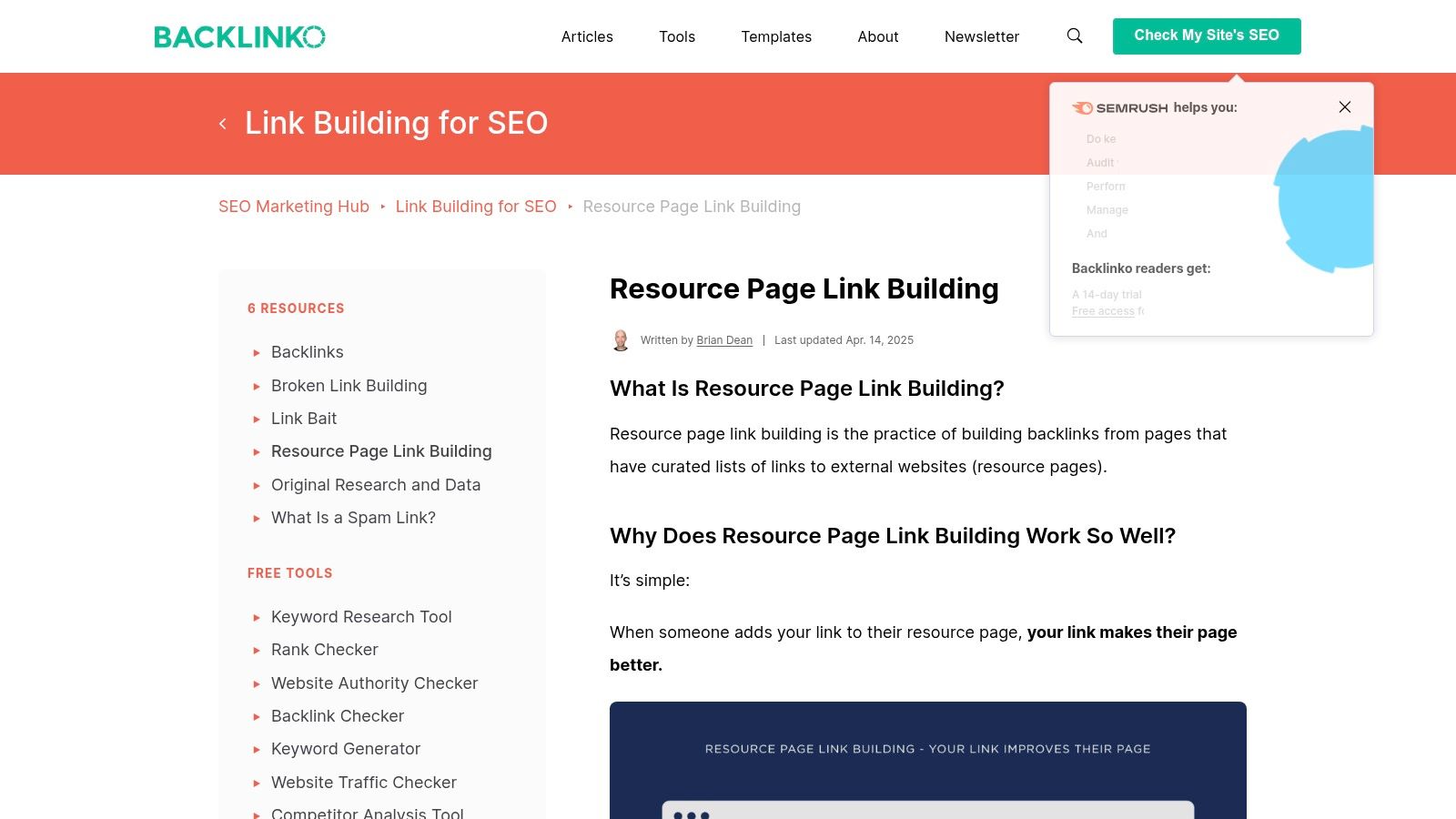
This guide stands out by providing a repeatable, step-by-step workflow for finding link opportunities and conducting effective outreach. It's a masterclass in the tactical execution required to make a resource page strategy successful from an SEO perspective, making it one of the most actionable resource page examples of a process-driven guide available.
What Makes This a Top-Tier Resource
Backlinko focuses exclusively on the SEO outcome. It bypasses design theory and instead provides the exact tools you need for link building, including specific Google search strings to uncover hidden resource pages and proven email outreach templates. The user experience is straightforward: a single, comprehensive long-form article that you can read from top to bottom without any login or payment required. This free access is a significant advantage for small teams and solo creators.
The content is broken down into digestible chapters, from finding prospects to personalizing your pitch, making the complex process feel manageable even for beginners. This structured, educational approach is what defines Backlinko's unique offering.
Key Takeaway: The primary value of a resource isn't always its visual design, but its utility. Backlinko demonstrates that a resource can be a process, a guide, or a workflow that helps users achieve a specific goal, like building backlinks.
Pros and Cons
Pros | Cons |
|---|---|
Deeply actionable, step-by-step guidance | Not a visual design template |
Focuses entirely on SEO and link building | No downloadable page assets |
Completely free and accessible | Strategy is link-centric, not user-centric |
Includes proven templates and search strings | Requires significant manual effort to execute |
How to Use This Resource
To get the most out of Backlinko's guide, follow their workflow precisely.
Use the search strings provided: Start by copying and pasting their recommended Google search operators (e.g.,
"keyword" + inurl:links) to identify relevant resource pages in your niche.Vet your prospects: Don't just find pages; analyze them to ensure they are high-quality and actively maintained.
Adapt the email templates: Personalize their outreach scripts to match your brand voice and the specific resource you are pitching.
This resource is an excellent starting point for anyone looking to build a repeatable link acquisition system. The tactics here, like using specific search strings, can also be adapted for other content marketing efforts, such as finding the right long-tail keywords for your content strategy on getviralseo.com.
Visit Backlinko's Resource Page Guide: https://backlinko.com/hub/seo/resource-pages
2. Ahrefs
Ahrefs’ SEO Glossary entry on "Resource Pages" serves as an authoritative starting point, defining the concept and providing the tactical foundation for finding link-building opportunities. Much like the Backlinko guide, it focuses on the strategic execution of a resource page link-building campaign. It explains what these pages are, why they matter for SEO, and how to find them using specific search operators.
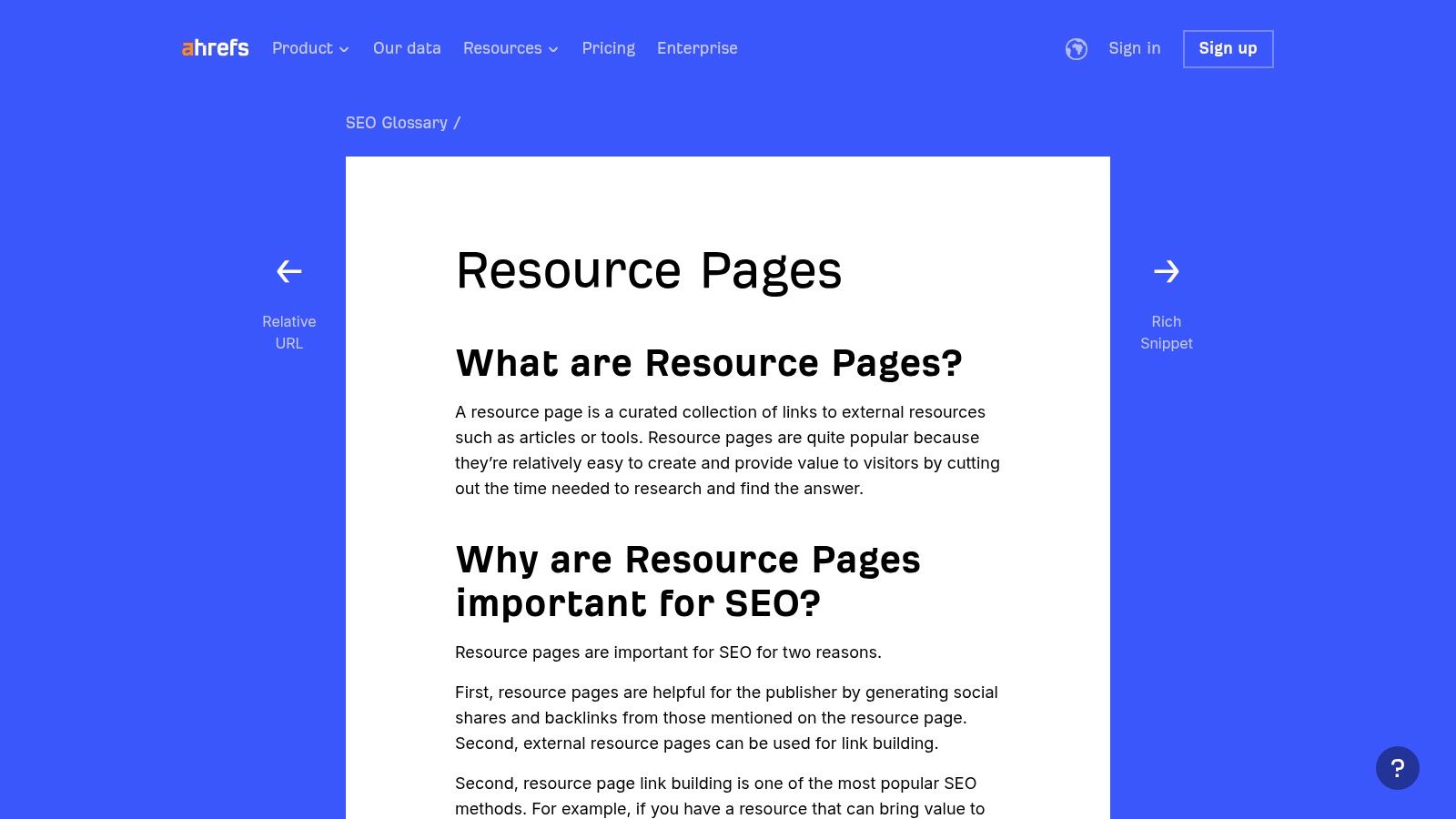
This guide stands out by seamlessly integrating its educational content with its powerful paid toolset. While the initial information is free, the guide encourages users to leverage Ahrefs’ Site Explorer and other tools to vet prospects at scale, transforming a manual process into a more efficient, data-driven workflow. This makes it one of the best resource page examples for those looking to combine foundational knowledge with advanced SEO software.
What Makes This a Top-Tier Resource
Ahrefs excels by providing clear, concise definitions and immediately actionable search-operator recipes. The user experience is clean and direct, presenting a glossary-style entry that is easy to scan and absorb. It quickly gets to the point: here’s what a resource page is, and here are the Google search strings (like intitle:"keyword" AND inurl:"resources") you need to find them.
The true power of this resource is unlocked when you have an Ahrefs subscription. The guide shows you how to take your list of prospects and analyze their Domain Rating (DR), website traffic, and backlink profiles to prioritize your outreach efforts. This integration of free knowledge with a premium toolset is what sets the Ahrefs approach apart, making it ideal for serious SEO professionals.
Key Takeaway: A powerful resource page can be a gateway to a larger, more sophisticated toolset. Ahrefs demonstrates how free educational content can act as a bridge, teaching users a valuable process and then showing them how premium software can help them execute it faster and more effectively.
Pros and Cons
Pros | Cons |
|---|---|
Clear definitions and search-operator recipes | Full potential requires a paid Ahrefs plan |
From a highly trusted, data-driven SEO brand | Focus is on link acquisition, not page design |
Integrates with a powerful toolset for scaling | Less of a step-by-step guide than Backlinko |
Completely free glossary content is accessible | Requires SEO knowledge to vet prospects well |
How to Use This Resource
To maximize the value of the Ahrefs guide, use it as a two-stage process.
Learn the Fundamentals: Start with the free glossary page to understand the core concepts and gather the recommended search strings for finding resource pages in your niche.
Scale with Ahrefs Tools: If you have a subscription, export your list of prospects into Ahrefs’ Site Explorer. Use the tool to batch-analyze metrics like Domain Rating and organic traffic to identify the highest-value targets.
Prioritize and Pitch: Focus your outreach efforts on the pages that have strong SEO metrics and appear to be actively maintained, ensuring your efforts yield the best possible results.
This resource is perfect for marketers who want to move beyond manual searching and implement a scalable system. The principles of vetting and prioritization are also crucial when deciding how many keywords to target per page on getviralseo.com to maximize your content's ranking potential.
Visit Ahrefs' SEO Glossary: https://ahrefs.com/seo/glossary/resource-pages
3. Webstacks
Webstacks offers a design-centric look at resource pages, shifting the focus from pure SEO tactics to user experience (UX) and information architecture. Their article curates a collection of modern resource page examples, providing insightful commentary on layout, content variety, and UI elements. This makes it an invaluable asset for marketers, founders, and designers who need visual inspiration before building or redesigning their own resource hub.
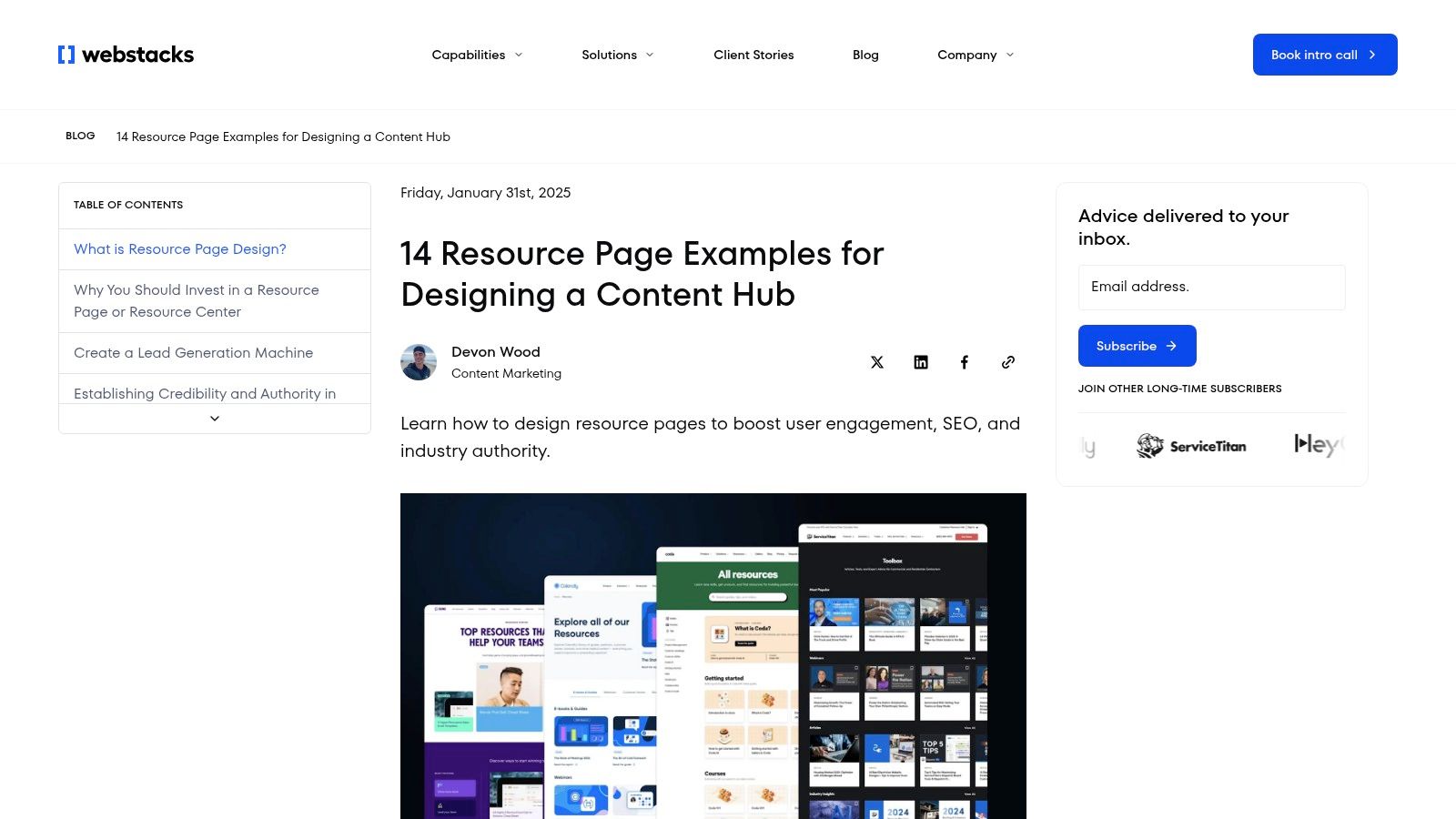
Unlike strategy-heavy guides, this showcase is all about the final product. It breaks down how successful B2B and SaaS companies organize diverse content types like articles, webinars, calculators, and podcasts into a cohesive and intuitive user journey. By deconstructing real-world examples, Webstacks provides a visual playbook for creating a resource center that not only houses content but also engages and converts visitors effectively.
What Makes This a Top-Tier Resource
Webstacks excels by providing a design-first perspective that is often missing from SEO-focused discussions. It dissects the "why" behind specific layouts, filtering mechanisms, and visual hierarchies, making it easier to communicate design requirements to a development team or freelancer. The user experience is excellent; it's a straightforward blog post with high-quality images and clear annotations, all available for free without any gates.
The content highlights crucial UX patterns, such as faceted search, content categorization, and the use of different card layouts to distinguish between content formats. This focus on the practical application of design principles makes it an essential bookmark for anyone involved in the visual and functional aspects of content hubs.
Key Takeaway: A resource page's success depends heavily on its design and user experience. Webstacks demonstrates that thoughtful information architecture and intuitive UI are just as important as the content itself for driving engagement and user satisfaction.
Pros and Cons
Pros | Cons |
|---|---|
Design-first perspective complements SEO guides | No downloadable templates included |
Current, real-world examples to emulate | Examples skew toward B2B/SaaS use cases |
Helpful when briefing designers or choosing components | Lacks deep SEO or link building analysis |
Covers multiple content formats (webinars, tools) | More inspirational than directly actionable |
How to Use This Resource
Use Webstacks' article as a visual mood board and UX guide during your planning phase.
Identify UI Patterns: Browse the examples and note the different ways companies use filters, search bars, and content cards. Choose patterns that align with your content inventory.
Create a Design Brief: Use screenshots and the provided commentary to build a clear brief for your designer or developer, referencing specific examples (e.g., "I like the category filtering from Company X's page").
Plan Your Content Mix: Observe how other brands balance different formats like videos, articles, and tools. This can help you plan a more diverse and engaging content strategy for your own resource hub.
This resource is perfect for bridging the gap between your content strategy and its final visual implementation, ensuring the end product is both functional and beautifully designed.
Visit the Webstacks Resource Page Showcase: https://www.webstacks.com/blog/resource-page
4. WordPress.org — Easy Resource Hub (plugin)
For teams building on WordPress, the Easy Resource Hub plugin offers a technical solution rather than a design-focused one. It provides the foundational framework to create a filterable, dynamic resource center directly within your existing site. This free plugin is a powerful shortcut, allowing you to quickly launch a functional hub with custom post types, taxonomies, and AJAX filtering without needing to code it from scratch.
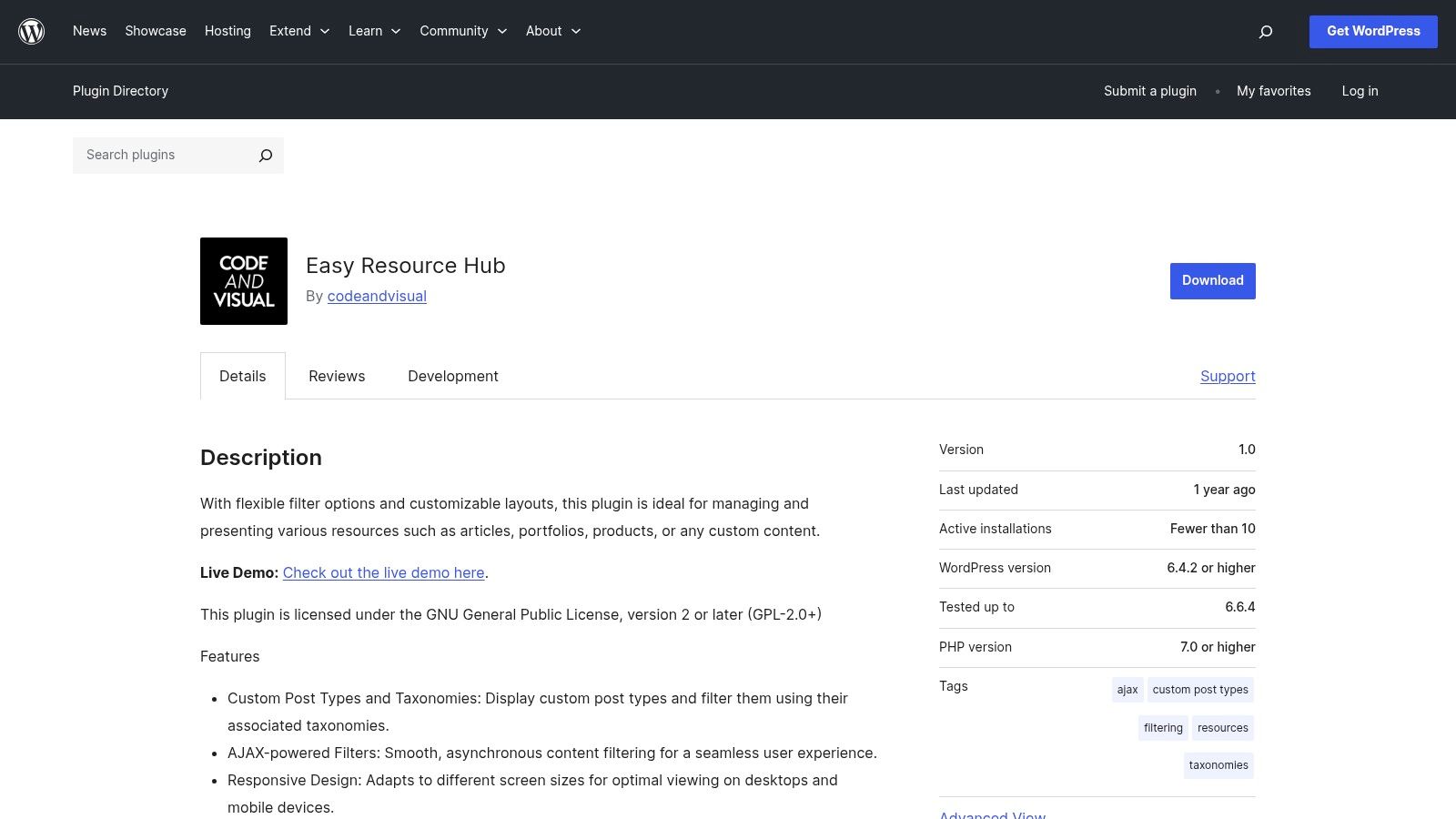
This tool stands out by democratizing the creation of sophisticated resource pages. Instead of a static list of links, it enables users to build a searchable database of content that can be sorted by category, tag, or any custom taxonomy. This makes it one of the most practical resource page examples for developers and marketers who need a functional, low-cost solution that integrates seamlessly with the WordPress ecosystem.
What Makes This a Top-Tier Resource
The core value of the Easy Resource Hub plugin is its speed and efficiency. It handles the backend logic for creating, categorizing, and displaying resources, which is often the most time-consuming part of building a resource library. The user experience is managed through shortcodes, allowing you to place your filterable resource grid on any page or post. Its open-source nature means it’s completely free and can be customized by developers to match a specific theme's styling.
While it lacks a polished front-end design out of the box, it provides the essential mechanics. This focus on functionality over form makes it an ideal starting point for teams who want control over the final look and feel but don't want to reinvent the wheel on the backend.
Key Takeaway: A powerful resource page doesn't have to be built from the ground up. Leveraging a technical framework like a plugin can provide the core functionality, saving significant development time and allowing you to focus on content curation and promotion.
Pros and Cons
Pros | Cons |
|---|---|
Free and open-source | Low active installs and limited reviews |
Quick way to stand up a functional resource hub | May require developer tweaks for compatibility |
Uses filterable custom post types and taxonomies | Last updated over a year ago |
Extensible with theme styling and custom code | Provides backend functionality, not a design |
How to Use This Resource
To get the most value from this plugin, focus on its structural capabilities.
Install and Activate: Download the plugin from the WordPress repository and activate it on your site.
Define Your Content Structure: Use the plugin to create a "Resources" custom post type and define your filtering categories (e.g., "Guides," "Tools," "Case Studies") as custom taxonomies.
Populate with Content: Begin adding your individual resources as new posts under the custom post type you created.
Deploy with Shortcodes: Use the provided shortcodes to embed the filterable resource grid onto your desired page. Customize the CSS in your theme's stylesheet to match your brand's design.
This plugin is an excellent technical base for building a robust library. For those looking to learn more about the strategic side of content, you can find helpful information in our collection of SEO and content marketing articles.
Visit the Easy Resource Hub Plugin Page: https://wordpress.org/plugins/easy-resource-hub/
5. WP‑Resources.com
WP‑Resources.com offers a different kind of resource page example: a commercial WordPress plugin that allows businesses to build their own sophisticated, feature-rich resource centers. Instead of being a single page, it’s a full-featured tool for creating a branded hub with advanced search, multiple asset types, and lead capture capabilities. This makes it an ideal solution for marketing teams who need to deploy a polished and functional resource library without a fully custom build.
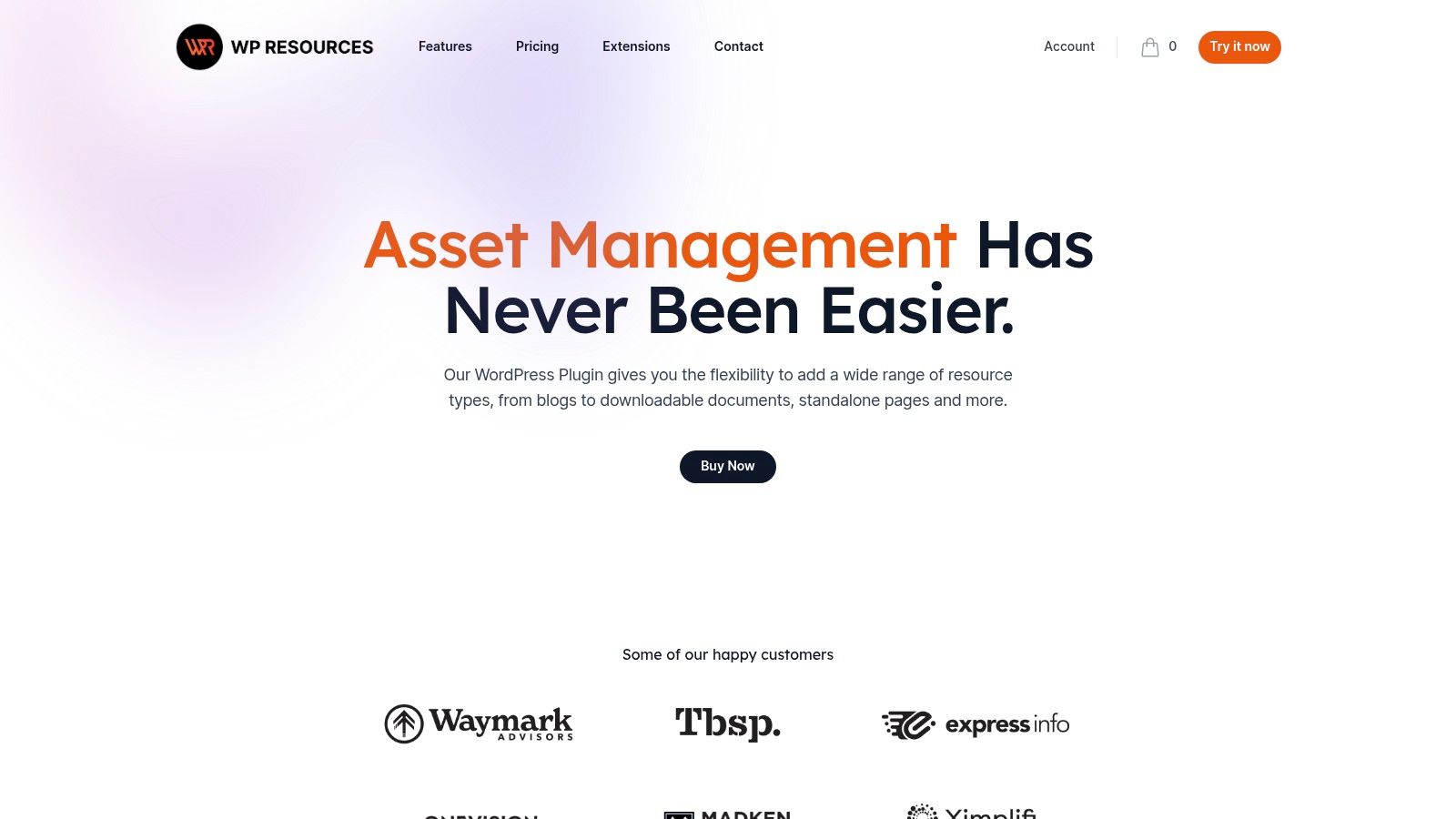
The platform stands out by packaging enterprise-level features into an accessible WordPress plugin. It provides pre-built templates that are responsive and customizable, allowing businesses to maintain brand consistency. For marketers focused on lead generation, its built-in gated content functionality with forms is a key advantage, turning the resource hub into a powerful conversion tool. This focus on business outcomes makes it one of the best resource page examples of a productized solution.
What Makes This a Top-Tier Resource
WP‑Resources.com is designed for business-ready deployment. It solves the technical challenges of building a resource library from scratch, such as creating a searchable database and managing different asset types like PDFs, videos, and articles. The user experience is streamlined for both the end-user, who gets a clean and navigable interface, and the marketer, who can easily manage content and leads from the WordPress dashboard.
The plugin’s core value lies in its ability to combine content delivery with lead capture. By offering gated content options, it empowers teams to collect contact information in exchange for high-value assets. This direct integration of marketing automation into the resource center is a significant benefit for businesses aiming to prove the ROI of their content efforts.
Key Takeaway: A resource page doesn't have to be a static HTML page. It can be a dynamic, application-like experience powered by a dedicated tool, turning it from a simple content list into a strategic marketing and lead generation asset.
Pros and Cons
Pros | Cons |
|---|---|
Business-ready feature set with vendor support | Annual subscription cost (paid product) |
Faster to deploy than fully custom builds | Vendor ecosystem (closed source vs. free plugins) |
Designed specifically for lead generation | May have more features than a simple blog needs |
Supports multiple asset types and search | Requires a WordPress website to operate |
How to Use This Resource
To get the most value from WP‑Resources.com, approach it as a strategic marketing tool rather than just a content display.
Plan Your Content Strategy: Before setup, map out your different resource types (e.g., case studies, white papers, webinars) and decide which assets will be gated to capture leads.
Customize the Templates: Use the theme customization options to align the resource center’s look and feel with your company’s branding for a seamless user experience.
Integrate with Your Marketing Stack: Connect the built-in forms to your CRM or email marketing platform to ensure leads are properly nurtured.
This plugin is perfect for marketing teams that need a professional, scalable resource hub but lack the development resources to build one from the ground up.
Visit WP‑Resources.com: https://www.wp-resources.com/
6. ThemeForest (Envato Market)
ThemeForest offers a different kind of resource: a marketplace of pre-built themes designed specifically for creating knowledge bases and resource hubs. Instead of providing a single content example, it provides the structural foundation to build your own. This is a practical solution for teams that want to launch a professional-looking resource section quickly on platforms like WordPress without extensive custom development.
This platform stands out by offering turnkey designs that come bundled with essential features like advanced search, categorization, and FAQ layouts. By leveraging a theme, you can focus on creating high-quality content instead of worrying about the technical implementation. This makes ThemeForest one of the best sources for resource page examples that you can purchase and implement directly.
What Makes This a Top-Tier Resource
ThemeForest's primary advantage is speed to market. You can browse dozens of live demos to see exactly how your resource hub will look and function before you buy. Themes typically cost around $59 and include features that would take weeks to develop from scratch, such as article voting systems, table of contents generators, and integrated support forums. This combination of variety and affordability is unmatched for teams on a budget.
The user experience involves browsing, previewing demos, and purchasing a theme that fits your brand. Each theme comes with its own documentation and a period of author support, which is crucial for implementation. This model democratizes access to high-quality design, allowing smaller businesses to create resource centers that compete with much larger players.
Key Takeaway: Your resource page's foundation matters just as much as its content. A well-structured theme from a marketplace like ThemeForest can provide the necessary user experience and features out-of-the-box, saving significant time and development costs.
Pros and Cons
Pros | Cons |
|---|---|
Quick launch with proven themes | Support quality can vary by theme author |
Broad selection and affordable price points | Requires due diligence to vet vendors |
Demos and documentation aid implementation | Potential for theme and plugin conflicts |
Built-in features like search and categorization | Less unique than a custom-built design |
How to Use This Resource
To get the most out of ThemeForest, approach it with a clear set of requirements.
Define Your Core Features: List the essential functionalities you need (e.g., search, user ratings, table of contents) before you start browsing.
Vet the Theme and Author: Don't just look at the demo. Check the theme's ratings, read recent comments, and review the author's support history and portfolio. Ensure it was updated recently.
Test the Demo Thoroughly: Spend time navigating the live demo. Test the search functionality, click through categories, and view the article layouts on both desktop and mobile devices.
This resource is ideal for anyone on WordPress who needs to build a comprehensive, user-friendly resource hub without a large budget or in-house development team.
Visit ThemeForest's Knowledge Base Themes: https://themeforest.net/category/wordpress/knowledge-base-wikis
7. Etsy (Canva resource guide templates)
Etsy offers a unique twist on creating a resource page by providing a marketplace of affordable, editable Canva templates. This approach shifts the focus from building a live web page to producing professionally designed, downloadable PDFs. For businesses whose resource strategy revolves around lead magnets, content upgrades, and offline materials, Etsy is an invaluable shortcut to creating branded guides without needing a graphic designer.
This platform stands out by democratizing design. Instead of starting from scratch, you can purchase a multi-page template for a few dollars, add your content and branding in Canva, and export a ready-to-distribute PDF. This makes it one of the fastest and most cost-effective resource page examples for creating downloadable assets, perfect for capturing email sign-ups or providing value to existing subscribers.
What Makes This a Top-Tier Resource
Etsy’s strength lies in its speed, affordability, and sheer variety. You can find templates tailored to almost any niche or aesthetic, from minimalist corporate styles to vibrant, creative layouts. Many templates include over 10 pre-designed pages, covering everything from title pages and tables of contents to worksheets and call-to-action sections. This pre-built structure saves countless hours of design work.
The user experience is incredibly simple: purchase the template, receive an instant download link, and start editing in your Canva account (even the free version). This immediate access is a major advantage for marketers on a tight deadline. The quality can vary by seller, but customer reviews and ratings provide a reliable way to vet templates before buying.
Key Takeaway: A resource doesn't have to be a live webpage. Beautifully designed, downloadable PDFs can serve as powerful lead magnets and brand assets, and marketplaces like Etsy make their creation accessible to everyone.
Pros and Cons
Pros | Cons |
|---|---|
Very low cost and fast to customize | Not a live web page; best for PDFs |
Huge selection and variety of template styles | Quality can vary significantly by seller |
Instant digital delivery with a Canva link | Requires a Canva account for editing |
No design or coding skills required | Less effective for on-page SEO goals |
How to Use This Resource
To leverage Etsy templates effectively for your resource library:
Define your goal: Determine the purpose of your resource guide. Is it a lead magnet to capture emails, a welcome gift for new subscribers, or a paid digital product?
Search with specific keywords: Use terms like "resource guide template," "lead magnet Canva," or "ebook template" on Etsy to find styles that match your brand identity. Always check seller reviews.
Customize comprehensively: Once you purchase and open the template in Canva, replace the placeholder text and images with your own content. Customize fonts, colors, and logos to align with your brand guidelines.
This method is ideal for creating a library of high-value downloadable assets quickly. You can then offer these PDFs on your website's main resource hub, using them as content upgrades within blog posts or as incentives on a dedicated landing page.
Visit Etsy for Resource Guide Templates: https://www.etsy.com/search?q=canva%20resource%20guide%20template
7 Resource Page Examples — Side-by-Side Comparison
Solution | 🔄 Implementation (complexity) | ⚡ Resource requirements (time/cost/tools) | 📊 Expected outcomes (results/impact) | 💡 Ideal use cases | ⭐ Key advantages |
|---|---|---|---|---|---|
Backlinko | 🔄 Low — step‑by‑step guides, no code | ⚡ Low — free content, time for outreach | 📊 Strong link prospects and repeatable outreach workflows | 💡 Beginners or teams wanting tactical link‑building processes | ⭐ Actionable, example‑driven SEO tactics and templates |
Ahrefs | 🔄 Low–Med — learning + optional tool workflows | ⚡ Med — free articles; best with paid Ahrefs tools | 📊 Scalable discovery and vetted prospect lists when paired with tools | 💡 Research teams scaling link acquisition | ⭐ Research‑grade methods and integrated tooling |
Webstacks | 🔄 Low — review visual examples and notes | ⚡ Low — inspiration resource, minimal tooling | 📊 Clear UX/design direction and component ideas | 💡 Designers or teams briefing resource hub designs | ⭐ Current, real‑world UI and architecture examples |
WordPress.org — Easy Resource Hub (plugin) | 🔄 Low–Med — install/configure plugin and taxonomies | ⚡ Med — WP site required; minimal dev/configuration | 📊 Functional, filterable resource hub launched quickly | 💡 Quick launch on WordPress with basic search/filter needs | ⭐ Free, extensible, AJAX filtering and responsive layouts |
WP‑Resources.com | 🔄 Low — install/purchase and configure | ⚡ Med — paid license, vendor support, customization | 📊 Branded resource center with lead capture and assets support | 💡 Marketing teams needing polished, lead‑focused resources | ⭐ Business‑ready features, gated content and vendor support |
ThemeForest (Envato) | 🔄 Low–Med — purchase theme and adapt to site | ⚡ Med — theme cost (~$59), some customization time | 📊 Turnkey knowledge‑base/resource layouts for fast launches | 💡 Teams wanting proven themes and demos for quick deployment | ⭐ Wide selection, demos and documentation |
Etsy (Canva templates) | 🔄 Very Low — buy and edit in Canva | ⚡ Very Low — low cost, Canva account required | 📊 Polished downloadable guides/lead magnets (not live pages) | 💡 Creating PDFs/lead magnets to capture leads quickly | ⭐ Very low cost and fast to customize |
From Inspiration to Implementation: Build Your Resource Hub
We've journeyed through a diverse landscape of powerful resource page examples, from the SEO-driven content machines of Backlinko and Ahrefs to the design-centric showcases of Webstacks and the functional frameworks provided by WordPress plugins. Each example underscores a central theme: a high-performing resource hub is a masterclass in balancing user value with strategic business objectives. It's not just a list of links; it's a carefully curated experience designed to educate, engage, and convert.
The most successful resource pages don't happen by accident. They are the result of intentional design, meticulous organization, and a deep understanding of audience intent. Whether your goal is to generate high-quality backlinks, capture qualified leads, or solidify your position as an industry authority, the blueprint for success remains consistent. You must deliver genuine value first, making your hub the undeniable go-to destination for a specific topic.
Key Takeaways and Your Strategic Blueprint
Distilling the lessons from the examples we analyzed, three core pillars stand out as essential for building your own resource engine:
Strategic Intent: Define a primary goal. Are you building a "link magnet" like Backlinko's definitive guides, or are you creating a lead-generation funnel like Ahrefs' free tools? Clarity on this front will dictate your content, design, and promotion strategy.
User-Centric Design: Organization is everything. Employ clear categorization, intuitive navigation, and visual cues (like those seen on the ThemeForest and Etsy template examples) to prevent overwhelm. A resource page should feel like a library, not a storage closet.
Content as an Asset: Your resource page is only as strong as the content it houses. Audit your existing articles, guides, and tools. Identify what you have, what you need to create, and where the content gaps are compared to your top competitors.
Your Actionable Next Steps
Translating these insights into a tangible asset is your next mission. Don't let the scope of a large resource hub intimidate you; start with a focused, methodical approach.
Define Your Core Objective: Begin by answering one question: "What is the #1 action I want a user to take after visiting this page?" Your answer, whether it's "sign up for a newsletter," "book a demo," or "share the page," becomes your North Star.
Conduct a Content Audit: Gather all your existing content assets like blog posts, case studies, webinars, and whitepapers. Organize them into logical categories that align with your audience's pain points and search queries. For those focusing on digital assets, considering a dedicated digital resources page can centralize valuable tools and guides, offering a practical example of a resource hub in action.
Choose the Right Framework: Based on your technical skill and resources, decide on your platform. Will you build a custom page, use a WordPress plugin like the Easy Resource Hub for speed, or leverage pre-designed templates to get started quickly? Your choice should align with your long-term maintenance and scalability needs.
Prioritize SEO from Day One: Your resource hub is a long-term SEO play. Perform keyword research to identify a primary "hub" keyword and several "spoke" keywords for your individual resources. Structure your page with clean H2s and H3s, optimize metadata, and ensure every resource is internally linked to create a powerful topic cluster.
By methodically progressing through these steps, you transform the inspiration from these resource page examples into a functional, traffic-driving asset. Your resource hub will evolve from a simple webpage into a cornerstone of your organic growth strategy, consistently attracting, engaging, and delighting your target audience for years to come.
Ready to find the content gaps your resource page needs to fill? Viral SEO’s Content Gap Analyzer tool helps you discover the high-value keywords your competitors rank for that you're missing, giving you a data-driven roadmap for your hub. Build a resource page that dominates the SERPs by visiting Viral SEO today.
Blogs
More Blogs
From keyword goldmines to AI-driven content hacks—expert insights to help your blog posts dominate the first page.


