Blog

Blog

A Guide to H Tags SEO

A Guide to H Tags SEO

Blog

A Guide to H Tags SEO

Think of H tags as the table of contents for your webpage. They give both search engines and your readers a clear roadmap of what your content is about and how it's organized. Getting them right is a fundamental part of on-page SEO because they help Google grasp your main topics and make your articles way easier to read. This has a huge impact on user experience, accessibility, and ultimately, your rankings.

Why H Tags Matter in Modern SEO

Imagine trying to read a book with no chapter titles. You'd have no idea where one topic ends and the next begins. You'd get lost pretty quickly, right? That’s what a webpage without H tags is like for both your visitors and for search engines.

A proper heading structure fixes this by creating a logical hierarchy. Your headings act like signposts, guiding everyone through your content and breaking it down into manageable, easy-to-understand chunks. This isn't just a small technical detail; it's a vital part of a smart content strategy that serves three important audiences:

  • Search Engines: A logical heading structure (H1, then H2s, then H3s) gives search engines like Google a clear outline. This helps them index your content correctly for the right search queries.

  • Human Readers: Headings make your articles scannable. People can quickly skim and find the exact information they’re looking for, which keeps them on your page longer and lowers bounce rates.

  • Accessibility Tools: For visually impaired users, screen readers depend on H tags to navigate the page's layout. Good heading structure makes your content accessible to everyone.

The Foundation of On-Page SEO

Using H tags correctly is a cornerstone of any solid on-page SEO strategy and a key part of these on-page SEO best practices. Nailing your headings signals that your page is high-quality and well-organized. A site's structure can even hint at its overall optimization maturity, which often ties into things like domain authority. Speaking of which, if you want to learn more, we have a great guide on how to find the domain authority of any website.

This screenshot from the W3C Web Accessibility Initiative shows a perfect heading structure in action.

You can see exactly how the subtopics (H3s) are neatly nested under the main sections (H2s), creating an outline that’s simple and logical to follow.

The Single H1 Tag Standard

While Google says it can handle pages with multiple H1s or even none at all, the real world tells a different story. When you look at the pages that actually rank at the top, a clear pattern emerges.

An in-depth analysis found that a staggering 93.5% of high-ranking pages use exactly one H1 tag. This isn't a coincidence. It tells us that while it might not be a direct, hard-coded ranking factor, using a single H1 is an established best practice that authoritative sites almost universally follow. It's simply what's expected for a well-optimized page.

Understanding the Heading Tag Hierarchy

Think of your webpage like a well-organized book. Heading tags are its table of contents, creating a logical structure that makes the information easy to navigate for everyone—search engines, human readers, and accessibility tools alike.

At the very top, you have the H1 tag. This is the title of your book. There should only be one, and it needs to clearly state the overarching topic of the entire page. It’s the promise you make to the reader about what they're about to learn.

Following the H1 are your H2 tags, which act as the main chapters. They break the primary topic into core, high-level themes, each exploring a distinct aspect of the subject. Using H2s is how you organize your main arguments and guide the reader through the story you're telling.

This structure serves three key audiences, all at once.
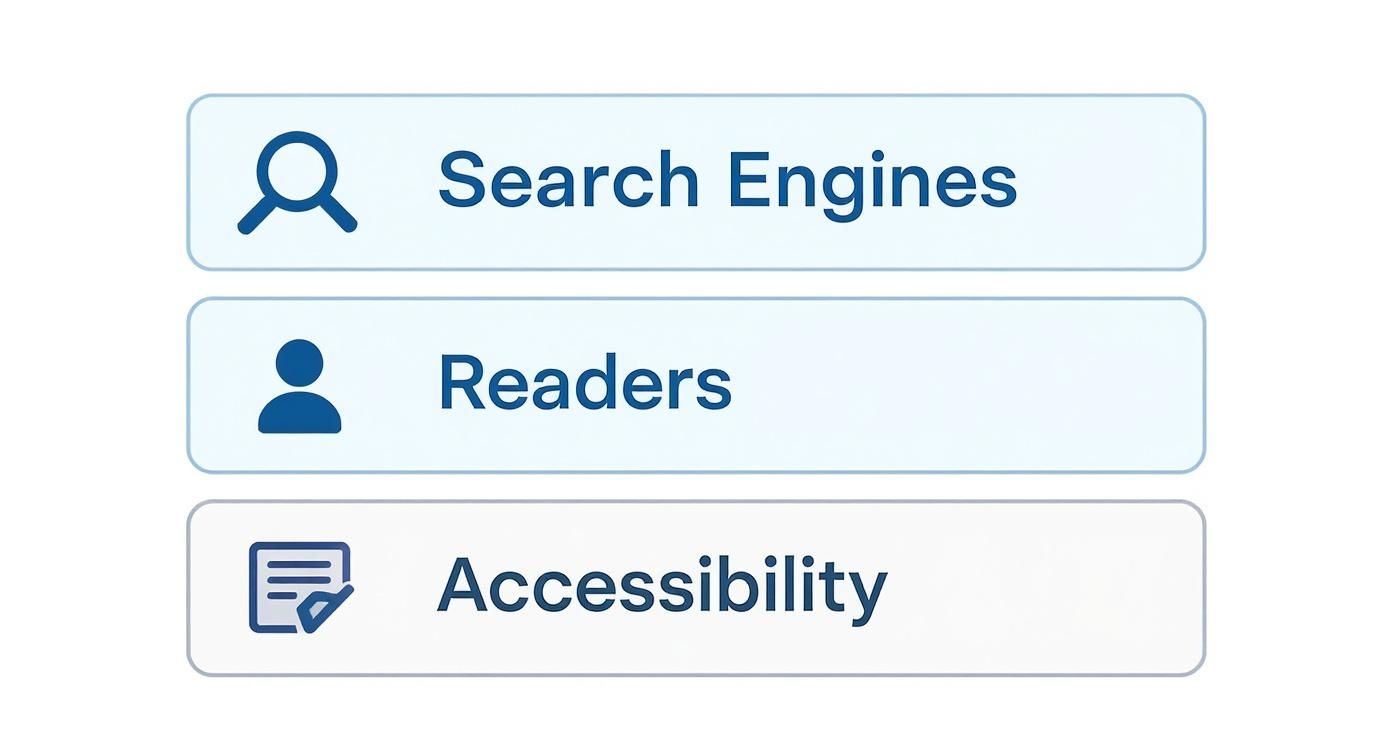
Three user interface options: Search Engines, Readers, and Accessibility, each depicted with a relevant icon.

As you can see, a clear heading structure is the common thread that connects SEO performance, user experience, and digital inclusion. It’s a foundational piece of modern web design for a reason.

Diving Deeper With H3 to H6 Tags

Going one level deeper, H3 tags are the sub-chapters. You use them to elaborate on specific points introduced in the preceding H2. This is where you can add detail, provide examples, or break down complex ideas into smaller, more digestible pieces.

Most well-structured content relies heavily on H1, H2, and H3 tags. But the hierarchy doesn't have to stop there:

  • H4 Tags: Use these to add further detail to a point made in an H3.

  • H5 Tags: These provide even more granular detail under an H4.

  • H6 Tags: The lowest level, rarely needed except in extremely long, technical, or legal documents.

This nested structure isn’t just a good idea; it’s a fundamental rule of on-page SEO and user-friendly design. It creates a predictable flow that improves readability and helps search engines understand how different pieces of information relate to one another.

Recent analysis shows that top-ranking articles now feature deeper structures, averaging 14 H2 tags and 28 H3 tags per 2,000 words. Even more telling, pages with a logical hierarchy saw a 12% lower bounce rate and a 20% higher time-on-page, directly linking structure to engagement. You can find more on this heading tag research on seoclarity.net.

The Golden Rule: Never Skip a Heading Level

The single most important rule for managing heading tags is to maintain a strict, sequential order. Never skip a heading level. This means you should not jump directly from an H2 tag to an H4 tag, completely bypassing the H3.

Think of it like an outline for a report. You wouldn't have a sub-point 1.1.1 without first having the main section 1.0 and the sub-section 1.1. Skipping a level breaks the logical flow and just causes confusion.

  • For Users: A sudden jump from a major "chapter" (H2) to a minor detail (H4) is disorienting, especially for people using screen readers who rely on this structure to navigate the page.

  • For Search Engines: Crawlers also expect a logical progression. While Google is smart enough to figure things out most of the time, a broken hierarchy makes it harder for it to accurately map your content's structure and the relative importance of each section.

To help you visualize this, here's a quick summary of how each heading tag fits into the overall structure.

H Tag Hierarchy and Purpose

Tag

Primary Purpose

SEO Best Practice

H1

Page Title

Use one per page; should contain the main keyword.

H2

Main Section Heading

Breaks the main topic into key themes; use for major subtopics.

H3

Sub-Section Heading

Elaborates on an H2 topic; adds detail and clarifies points.

H4

Deeper Sub-Point

Adds nuance or specific examples to an H3 topic.

H5

Granular Detail

Provides very specific details for a point made in an H4.

H6

Lowest-Level Detail

Rarely used; for fine print, citations, or footnotes.

Adhering to this simple, book-like structure ensures your content is perfectly organized for every user and every crawler, maximizing both readability and its potential to rank.

How to Write SEO-Friendly Headings

https://www.youtube.com/embed/7QtToyybwSQ

Getting the heading structure right is like creating a solid blueprint for your page. But now it's time to move from structure to strategy. Let's focus on how to write headings that actually boost your SEO and keep people glued to the page. This is where we make every single heading pull its weight.

The goal isn't just to slap labels on different sections. It's about crafting headings that are compelling, crystal clear, and perfectly aligned with what your audience is actually searching for. Think of it as the difference between a simple signpost and a magnetic billboard that pulls readers deeper into your content.

Weave Keywords Naturally Into Your H1

Your H1 tag is, without a doubt, the most important heading on the page. It needs to be a clear, concise title for your content that includes your primary target keyword. It's the headline of your article—it has to grab attention and instantly tell both users and search engines what the page is all about.

For instance, a weak H1 might just be "Our Guide." A much stronger, SEO-friendly H1 would be something like "A Beginner's Guide to H Tags SEO." The second one is specific, nails the primary keyword, and sets a clear expectation for the reader.

But writing a great H1 is more than just cramming a keyword in. It has to feel natural and match the searcher's intent. Keyword stuffing is an ancient relic; modern SEO is all about creating genuine relevance and value. If you're wondering how to strike the right balance, our guide on how many keywords per page is best for SEO can help you nail down your targeting.

Use H2s to Target Secondary and Long-Tail Keywords

While your H1 grabs the spotlight with the main keyword, your H2s are your secret weapon for expanding your reach. This is your chance to target secondary keywords, related terms, and especially those question-based, long-tail keywords. These are the specific, detailed queries your audience is typing into Google.

Think of your H2s as the answers to the questions a reader has right after seeing your H1. For a page about "h tags seo," your H2s could look like this:

  • What Is the Purpose of Heading Tags?

  • How Do H Tags Impact Accessibility?

  • Best Practices for H1 Tag Optimization

  • Common Mistakes in Heading Structures

Each of these H2s targets a specific query, turning your article into a comprehensive resource that can show up for a much wider range of searches. This strategy also dramatically increases your chances of snagging valuable spots in the search results.

One study found that including a primary keyword in the H1 tag correlates with a 6.2% improvement in average ranking. Even more telling, pages using long-tail or question-based keywords in H2s had a 45% higher likelihood of appearing in 'People Also Ask' boxes and featured snippets. You can read more about these insights into heading tag performance on semrush.com.

Create Headings for Readers First

At the end of the day, search engines are trying to please human readers. If your headings are confusing, dull, or just plain unhelpful to a person, they won't do you any good for SEO in the long run. Good headings entice people to keep scrolling and make your content a breeze to scan.

Let’s look at a quick comparison for a blog post about making coffee at home.

Weak, Unengaging Headings:

  • H2: Coffee Beans

  • H2: Grinding

  • H2: Water

  • H2: Brewing

Strong, Engaging Headings:

  • H2: How to Choose the Perfect Coffee Beans

  • H2: Why a Consistent Grind Is Non-Negotiable

  • H2: The Secret Role of Water Temperature

  • H2: Mastering Your Favorite Brewing Method

See the difference? The second set is far more compelling. It speaks directly to what the reader wants to know and promises valuable information in each section. This improves the user experience, which in turn sends all the right signals to Google.

For those working in a content management system, it's vital that your H tag strategy aligns with broader SEO Best Practices for CMS. By balancing sharp keyword relevance with genuine reader engagement, you’ll create headings that work for everyone.

Common H Tag Mistakes to Avoid

Even seasoned pros can accidentally sabotage their SEO with a few simple, common heading tag errors. Think of this as your troubleshooting guide to catch and fix these issues, making sure your content is built on solid ground. Getting H tags right isn’t about chasing algorithms; it's about creating a clear, logical, and accessible experience for both people and search engines.

So many of these slip-ups happen because of a basic misunderstanding of what H tags are actually for. They aren't just a quick way to change font sizes or make text bold—they are structural elements that create the outline for your page. When you misuse them, you create confusion for search engines and, even more importantly, for your users.
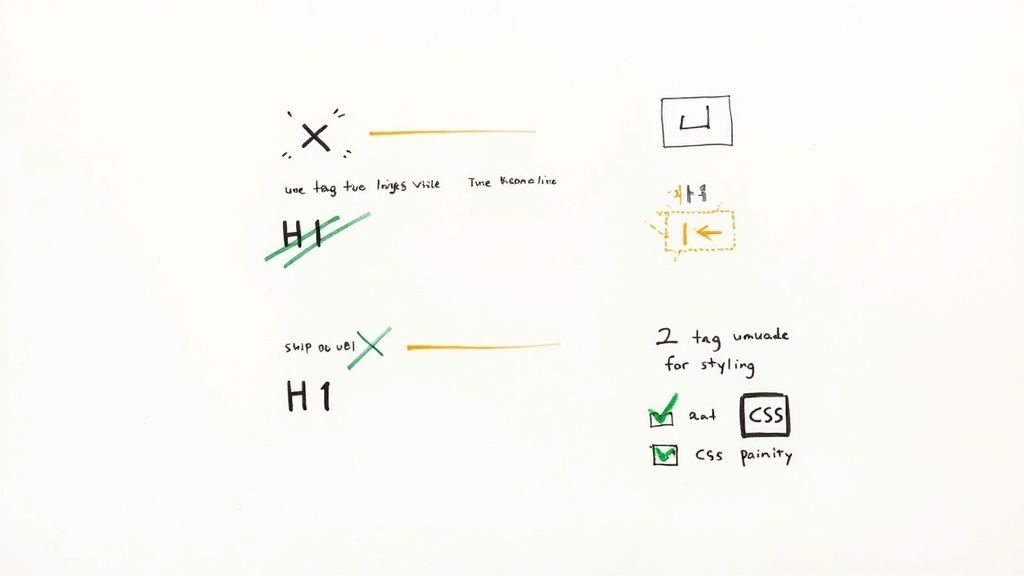
Handwritten diagram illustrating correct and incorrect usage of H1 tags for SEO and web styling with CSS.

Let's walk through the most frequent missteps and figure out how to set them straight. By sidestepping these traps, you can seriously level up your site's on-page SEO and user experience.

Using H Tags for Styling Instead of Structure

This one is probably the most common mistake I see. Someone wants to make a piece of text bigger or bolder, so they reach for an H2 or H3 tag. It's a classic case of form over function. While it might look fine on the surface, this practice completely breaks the logical structure of your page.

When a search engine crawler or a screen reader stumbles upon an H3 where an H2 should logically be, it messes up the whole outline. It’s like putting a sub-chapter heading where a main chapter title should go. This can water down your page's topical relevance and make it a nightmare to navigate for people using accessibility tools.

The fix is surprisingly simple: use CSS (Cascading Style Sheets) for all your styling needs. Want a sentence to pop? Make it bigger, bolder, or a different color by creating a dedicated CSS class for it. This keeps your presentation separate from your structure—a core principle of modern web development and a vital part of effective H tags SEO.

Skipping Heading Levels

Another critical error is jumping heading levels, like going from an H1 straight down to an H3, or from an H2 to an H4. This breaks the sequential hierarchy that search engines and assistive technologies depend on to make sense of your content's layout. It’s a recipe for a disjointed and illogical outline.

You might be surprised how widespread this problem is. A massive audit of over one million homepages identified this as one of the most frequent accessibility issues online. The data revealed that a staggering 59.6% of homepages had at least one skipped heading level, which can be incredibly disorienting for screen reader users. You can dig into the specifics by checking out the full web accessibility report from WebAIM.org.

To avoid this, just stick to the sequence:

  • Your H1 should be followed by H2s.

  • Your H2s should be followed by H3s.

  • Your H3s should be followed by H4s, and you get the idea.

Think of it like writing a proper outline. You wouldn't just jump to sub-point C without having a main point 2 above it.

Having Multiple H1 Tags on a Single Page

Now, this one can be a bit confusing. While modern HTML5 technically allows for multiple H1s if they're in different sectioning elements, the overwhelming consensus for SEO best practice is simple: use only one H1 tag per page. Your H1 is your page's main title—it’s the single most important signpost telling everyone what the content is about.

When you use more than one, you dilute its power and can confuse search engines about the page's true focus. It essentially forces Google to guess which heading is the real title, which could weaken your page's authority on the topic.

The rule of thumb is clear: treat the H1 tag as the unique, primary headline for your page. It should contain your main keyword and accurately summarize the entire page's purpose. All other major sections should then be broken down using H2 tags.

By steering clear of these common mistakes, you’ll ensure your heading structure is clean, logical, and perfectly optimized. This sends strong, positive signals to search engines about your content’s quality while making your site more accessible and user-friendly for everyone.

How to Audit Your Website's H Tags

Even the most perfectly planned heading structure won't do you any good if it's not actually implemented correctly across your website. That's why running a heading tag audit is a core part of good h tags seo hygiene. It's how you systematically find and squash the errors that might be holding your pages back.

You really have two ways to tackle this. You can do a quick manual spot-check on a single page, or you can unleash an automated crawler for a full, site-wide analysis. Honestly, both have their place in keeping your site’s structure clean and logical for both people and search engines.

Manual Spot Checks Using Browser Tools

Sometimes, you just need a quick look at a specific page. Maybe you're about to publish a new blog post or trying to figure out why one particular page is underperforming. For that, your web browser's built-in "Inspect" tool is all you need.

It's simpler than it sounds. Here’s how you do it:

  1. Go to the page you want to check.

  2. Right-click anywhere on the page and choose "Inspect" or "Inspect Element". This pops open the developer tools panel.

  3. Inside that panel, use the search function (usually Ctrl+F or Cmd+F) and type in <h1. It will immediately highlight the H1 tag in the page's code.

  4. Just repeat the search for <h2, <h3, and so on to see the entire hierarchy unfold.

This quick manual check is perfect for confirming that a page has one—and only one—H1, that the heading levels make sense, and that the text in the tags is what you expect it to be.

Automated Audits With SEO Crawlers

Manual checks are great for one-off pages, but they're completely impractical for an entire website. That’s where SEO crawlers come in. Tools like Screaming Frog, Ahrefs, or Semrush can crawl every single page on your site and spit out a detailed report on your heading structure in minutes.

The efficiency here is a total game-changer. It’s no surprise that 85% of SEO teams rely on these automated crawlers for their audits. Think about it: an automated tool can analyze a 10,000-page site in less than an hour. That same job would take a person an estimated 200-250 hours to do by hand. If you're curious, you can find more stats on the tools SEO professionals use on brightlocal.com.

What do these tools usually find? The most common problems are missing H1 tags (found on 72% of sites), duplicate H1s on the same page (48%), and skipped heading levels (65%). An automated audit is, without a doubt, the fastest way to find these critical issues at scale.

This is exactly what you'd see in a tool like the SEO Spider. It gives you a clean report where you can filter for H1s or H2s and instantly see which URLs have problems.
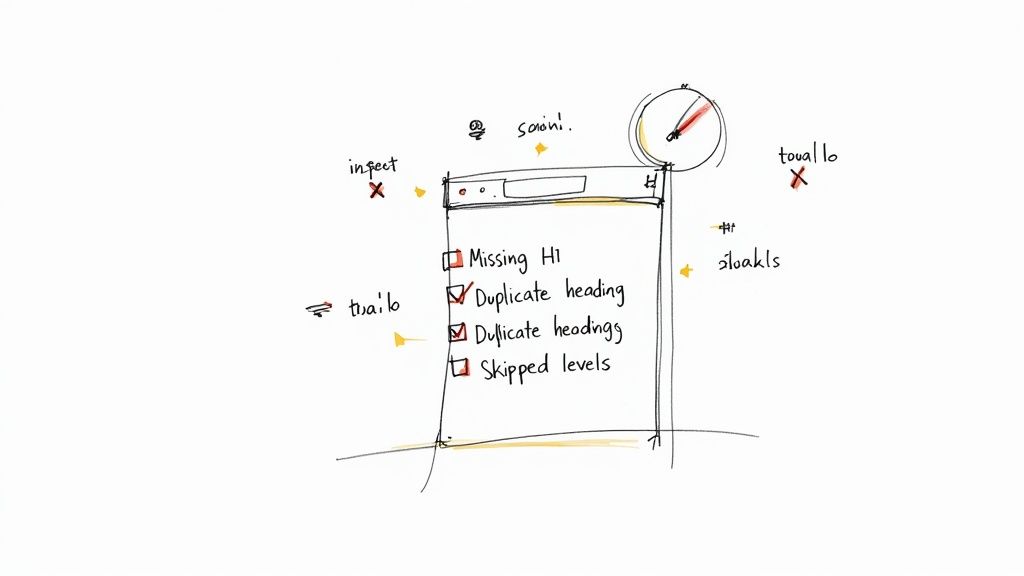
A hand-drawn browser window displaying an SEO checklist for H-tag errors like missing H1 and duplicate headings.

The report shows you the URL, the actual heading text, and even its length, making it easy to spot pages with missing or duplicate headings.

Your Simple H Tag Audit Checklist

Whether you go manual or use a crawler, you're ultimately looking for the same core problems. Use this simple checklist to guide your audit and help you prioritize what to fix first.

  • Single H1 Tag: Does every important page have exactly one H1?

  • Logical Hierarchy: Does the structure flow correctly (H1 → H2 → H3) without jumping from an H2 to an H4?

  • Keyword Relevance: Do your headings, especially the H1 and H2s, include the keywords that matter for that page?

  • No Styling Misuse: Are headings being used for semantic structure, not just as a lazy way to make text bigger or bolder?

  • Content Clarity: Do the headings actually describe the content that follows them?

Running through this checklist regularly will help you make sure your site's heading structure is a powerful asset for your SEO, not a liability.

Answering Your H Tag SEO Questions

As you start fine-tuning your headings, you're bound to run into some specific questions. The world of H tag SEO has its quirks, but the core ideas are pretty simple once you cut through the noise. Let's clear up some of the most common questions that pop up when putting these strategies to work.

Think of this as a quick reference guide for all the little details of heading tag optimization. It’s here to help you build a rock-solid structure for your content, one question at a time.

How Many H1 Tags Should A Page Have?

This is easily one of the most common questions, and thankfully, the answer is simple: stick to one H1 tag per page.

Think of your H1 as the title of a book. A book only gets one title to announce what it's all about, and your webpage should do the same. It's the single most powerful signal you can send to Google about your page's main topic.

While modern HTML5 technically lets you use multiple H1s, that's more about structural possibilities than an SEO best practice. In the real world, using more than one H1 can dilute your focus and just plain confuse search engines, leaving them to guess which heading is the real title. The overwhelming best practice—the one you'll see on nearly every high-ranking page—is to use a single, well-crafted H1.

Does Changing H Tags Affect My Ranking?

Yes, it does, but probably not in the way you think. Fixing a messy heading structure isn't going to make you jump to the top of Google overnight. Instead, it helps your rankings by improving two things that search engines care about a lot: user experience and topical relevance.

A logical heading structure makes it easy for people to scan your content, which can lead to them staying on your page longer. Those are great engagement signals. At the same time, that clean structure helps Googlebots understand the main themes and subtopics of your page, which reinforces its relevance for your target keywords.

Think of it less as a direct ranking lever and more as a foundational element. Correcting your H tags is like fixing a house's foundation; it makes everything else you build on top of it stronger and more stable.

Should My H1 and Title Tag Be The Same?

They can be, but they don’t have to be. In fact, there are some strategic advantages to making them different.

The title tag is what shows up in the browser tab and, more importantly, as the big blue link in the search results. Its main job is to get someone to click.

The H1 tag is the on-page headline a visitor sees when they land on your site. Its job is to confirm they're in the right place and get them to start reading.

Often, you can write a slightly longer, more persuasive title tag for the search results (maybe adding your brand name) and a more direct, punchy H1 for the page itself. The key is to make sure they are closely related and target the same user intent. For a more advanced approach, you could target slightly different but related phrases, maybe by working in some findings from your long-tail keyword research.

What's The Difference Between H Tags and Bold Tags?

This is a really important one. H tags and bold tags do completely different jobs.

  • H Tags (<h1>, <h2>, etc.): These are structural. They create the outline for your content, telling browsers, search engines, and screen readers how the page is organized.

  • Bold Tags (<strong> or <b>): These are for emphasis. They just draw the reader’s eye to a specific word or phrase inside a paragraph without changing the document’s structure.

Using an H tag just to make text bigger or bolder is a common mistake that messes up the logical flow of your page. If you just want to make something stand out visually, always use a bold tag.

At Viral SEO, we've built a tool to take the guesswork out of your content strategy. Our platform helps you audit your page structure, analyze competitor content, and find the keyword opportunities that drive real growth. Start optimizing your content with clarity by exploring Viral SEO.

Think of H tags as the table of contents for your webpage. They give both search engines and your readers a clear roadmap of what your content is about and how it's organized. Getting them right is a fundamental part of on-page SEO because they help Google grasp your main topics and make your articles way easier to read. This has a huge impact on user experience, accessibility, and ultimately, your rankings.

Why H Tags Matter in Modern SEO

Imagine trying to read a book with no chapter titles. You'd have no idea where one topic ends and the next begins. You'd get lost pretty quickly, right? That’s what a webpage without H tags is like for both your visitors and for search engines.

A proper heading structure fixes this by creating a logical hierarchy. Your headings act like signposts, guiding everyone through your content and breaking it down into manageable, easy-to-understand chunks. This isn't just a small technical detail; it's a vital part of a smart content strategy that serves three important audiences:

  • Search Engines: A logical heading structure (H1, then H2s, then H3s) gives search engines like Google a clear outline. This helps them index your content correctly for the right search queries.

  • Human Readers: Headings make your articles scannable. People can quickly skim and find the exact information they’re looking for, which keeps them on your page longer and lowers bounce rates.

  • Accessibility Tools: For visually impaired users, screen readers depend on H tags to navigate the page's layout. Good heading structure makes your content accessible to everyone.

The Foundation of On-Page SEO

Using H tags correctly is a cornerstone of any solid on-page SEO strategy and a key part of these on-page SEO best practices. Nailing your headings signals that your page is high-quality and well-organized. A site's structure can even hint at its overall optimization maturity, which often ties into things like domain authority. Speaking of which, if you want to learn more, we have a great guide on how to find the domain authority of any website.

This screenshot from the W3C Web Accessibility Initiative shows a perfect heading structure in action.

You can see exactly how the subtopics (H3s) are neatly nested under the main sections (H2s), creating an outline that’s simple and logical to follow.

The Single H1 Tag Standard

While Google says it can handle pages with multiple H1s or even none at all, the real world tells a different story. When you look at the pages that actually rank at the top, a clear pattern emerges.

An in-depth analysis found that a staggering 93.5% of high-ranking pages use exactly one H1 tag. This isn't a coincidence. It tells us that while it might not be a direct, hard-coded ranking factor, using a single H1 is an established best practice that authoritative sites almost universally follow. It's simply what's expected for a well-optimized page.

Understanding the Heading Tag Hierarchy

Think of your webpage like a well-organized book. Heading tags are its table of contents, creating a logical structure that makes the information easy to navigate for everyone—search engines, human readers, and accessibility tools alike.

At the very top, you have the H1 tag. This is the title of your book. There should only be one, and it needs to clearly state the overarching topic of the entire page. It’s the promise you make to the reader about what they're about to learn.

Following the H1 are your H2 tags, which act as the main chapters. They break the primary topic into core, high-level themes, each exploring a distinct aspect of the subject. Using H2s is how you organize your main arguments and guide the reader through the story you're telling.

This structure serves three key audiences, all at once.

Three user interface options: Search Engines, Readers, and Accessibility, each depicted with a relevant icon.

As you can see, a clear heading structure is the common thread that connects SEO performance, user experience, and digital inclusion. It’s a foundational piece of modern web design for a reason.

Diving Deeper With H3 to H6 Tags

Going one level deeper, H3 tags are the sub-chapters. You use them to elaborate on specific points introduced in the preceding H2. This is where you can add detail, provide examples, or break down complex ideas into smaller, more digestible pieces.

Most well-structured content relies heavily on H1, H2, and H3 tags. But the hierarchy doesn't have to stop there:

  • H4 Tags: Use these to add further detail to a point made in an H3.

  • H5 Tags: These provide even more granular detail under an H4.

  • H6 Tags: The lowest level, rarely needed except in extremely long, technical, or legal documents.

This nested structure isn’t just a good idea; it’s a fundamental rule of on-page SEO and user-friendly design. It creates a predictable flow that improves readability and helps search engines understand how different pieces of information relate to one another.

Recent analysis shows that top-ranking articles now feature deeper structures, averaging 14 H2 tags and 28 H3 tags per 2,000 words. Even more telling, pages with a logical hierarchy saw a 12% lower bounce rate and a 20% higher time-on-page, directly linking structure to engagement. You can find more on this heading tag research on seoclarity.net.

The Golden Rule: Never Skip a Heading Level

The single most important rule for managing heading tags is to maintain a strict, sequential order. Never skip a heading level. This means you should not jump directly from an H2 tag to an H4 tag, completely bypassing the H3.

Think of it like an outline for a report. You wouldn't have a sub-point 1.1.1 without first having the main section 1.0 and the sub-section 1.1. Skipping a level breaks the logical flow and just causes confusion.

  • For Users: A sudden jump from a major "chapter" (H2) to a minor detail (H4) is disorienting, especially for people using screen readers who rely on this structure to navigate the page.

  • For Search Engines: Crawlers also expect a logical progression. While Google is smart enough to figure things out most of the time, a broken hierarchy makes it harder for it to accurately map your content's structure and the relative importance of each section.

To help you visualize this, here's a quick summary of how each heading tag fits into the overall structure.

H Tag Hierarchy and Purpose

Tag

Primary Purpose

SEO Best Practice

H1

Page Title

Use one per page; should contain the main keyword.

H2

Main Section Heading

Breaks the main topic into key themes; use for major subtopics.

H3

Sub-Section Heading

Elaborates on an H2 topic; adds detail and clarifies points.

H4

Deeper Sub-Point

Adds nuance or specific examples to an H3 topic.

H5

Granular Detail

Provides very specific details for a point made in an H4.

H6

Lowest-Level Detail

Rarely used; for fine print, citations, or footnotes.

Adhering to this simple, book-like structure ensures your content is perfectly organized for every user and every crawler, maximizing both readability and its potential to rank.

How to Write SEO-Friendly Headings

https://www.youtube.com/embed/7QtToyybwSQ

Getting the heading structure right is like creating a solid blueprint for your page. But now it's time to move from structure to strategy. Let's focus on how to write headings that actually boost your SEO and keep people glued to the page. This is where we make every single heading pull its weight.

The goal isn't just to slap labels on different sections. It's about crafting headings that are compelling, crystal clear, and perfectly aligned with what your audience is actually searching for. Think of it as the difference between a simple signpost and a magnetic billboard that pulls readers deeper into your content.

Weave Keywords Naturally Into Your H1

Your H1 tag is, without a doubt, the most important heading on the page. It needs to be a clear, concise title for your content that includes your primary target keyword. It's the headline of your article—it has to grab attention and instantly tell both users and search engines what the page is all about.

For instance, a weak H1 might just be "Our Guide." A much stronger, SEO-friendly H1 would be something like "A Beginner's Guide to H Tags SEO." The second one is specific, nails the primary keyword, and sets a clear expectation for the reader.

But writing a great H1 is more than just cramming a keyword in. It has to feel natural and match the searcher's intent. Keyword stuffing is an ancient relic; modern SEO is all about creating genuine relevance and value. If you're wondering how to strike the right balance, our guide on how many keywords per page is best for SEO can help you nail down your targeting.

Use H2s to Target Secondary and Long-Tail Keywords

While your H1 grabs the spotlight with the main keyword, your H2s are your secret weapon for expanding your reach. This is your chance to target secondary keywords, related terms, and especially those question-based, long-tail keywords. These are the specific, detailed queries your audience is typing into Google.

Think of your H2s as the answers to the questions a reader has right after seeing your H1. For a page about "h tags seo," your H2s could look like this:

  • What Is the Purpose of Heading Tags?

  • How Do H Tags Impact Accessibility?

  • Best Practices for H1 Tag Optimization

  • Common Mistakes in Heading Structures

Each of these H2s targets a specific query, turning your article into a comprehensive resource that can show up for a much wider range of searches. This strategy also dramatically increases your chances of snagging valuable spots in the search results.

One study found that including a primary keyword in the H1 tag correlates with a 6.2% improvement in average ranking. Even more telling, pages using long-tail or question-based keywords in H2s had a 45% higher likelihood of appearing in 'People Also Ask' boxes and featured snippets. You can read more about these insights into heading tag performance on semrush.com.

Create Headings for Readers First

At the end of the day, search engines are trying to please human readers. If your headings are confusing, dull, or just plain unhelpful to a person, they won't do you any good for SEO in the long run. Good headings entice people to keep scrolling and make your content a breeze to scan.

Let’s look at a quick comparison for a blog post about making coffee at home.

Weak, Unengaging Headings:

  • H2: Coffee Beans

  • H2: Grinding

  • H2: Water

  • H2: Brewing

Strong, Engaging Headings:

  • H2: How to Choose the Perfect Coffee Beans

  • H2: Why a Consistent Grind Is Non-Negotiable

  • H2: The Secret Role of Water Temperature

  • H2: Mastering Your Favorite Brewing Method

See the difference? The second set is far more compelling. It speaks directly to what the reader wants to know and promises valuable information in each section. This improves the user experience, which in turn sends all the right signals to Google.

For those working in a content management system, it's vital that your H tag strategy aligns with broader SEO Best Practices for CMS. By balancing sharp keyword relevance with genuine reader engagement, you’ll create headings that work for everyone.

Common H Tag Mistakes to Avoid

Even seasoned pros can accidentally sabotage their SEO with a few simple, common heading tag errors. Think of this as your troubleshooting guide to catch and fix these issues, making sure your content is built on solid ground. Getting H tags right isn’t about chasing algorithms; it's about creating a clear, logical, and accessible experience for both people and search engines.

So many of these slip-ups happen because of a basic misunderstanding of what H tags are actually for. They aren't just a quick way to change font sizes or make text bold—they are structural elements that create the outline for your page. When you misuse them, you create confusion for search engines and, even more importantly, for your users.

Handwritten diagram illustrating correct and incorrect usage of H1 tags for SEO and web styling with CSS.

Let's walk through the most frequent missteps and figure out how to set them straight. By sidestepping these traps, you can seriously level up your site's on-page SEO and user experience.

Using H Tags for Styling Instead of Structure

This one is probably the most common mistake I see. Someone wants to make a piece of text bigger or bolder, so they reach for an H2 or H3 tag. It's a classic case of form over function. While it might look fine on the surface, this practice completely breaks the logical structure of your page.

When a search engine crawler or a screen reader stumbles upon an H3 where an H2 should logically be, it messes up the whole outline. It’s like putting a sub-chapter heading where a main chapter title should go. This can water down your page's topical relevance and make it a nightmare to navigate for people using accessibility tools.

The fix is surprisingly simple: use CSS (Cascading Style Sheets) for all your styling needs. Want a sentence to pop? Make it bigger, bolder, or a different color by creating a dedicated CSS class for it. This keeps your presentation separate from your structure—a core principle of modern web development and a vital part of effective H tags SEO.

Skipping Heading Levels

Another critical error is jumping heading levels, like going from an H1 straight down to an H3, or from an H2 to an H4. This breaks the sequential hierarchy that search engines and assistive technologies depend on to make sense of your content's layout. It’s a recipe for a disjointed and illogical outline.

You might be surprised how widespread this problem is. A massive audit of over one million homepages identified this as one of the most frequent accessibility issues online. The data revealed that a staggering 59.6% of homepages had at least one skipped heading level, which can be incredibly disorienting for screen reader users. You can dig into the specifics by checking out the full web accessibility report from WebAIM.org.

To avoid this, just stick to the sequence:

  • Your H1 should be followed by H2s.

  • Your H2s should be followed by H3s.

  • Your H3s should be followed by H4s, and you get the idea.

Think of it like writing a proper outline. You wouldn't just jump to sub-point C without having a main point 2 above it.

Having Multiple H1 Tags on a Single Page

Now, this one can be a bit confusing. While modern HTML5 technically allows for multiple H1s if they're in different sectioning elements, the overwhelming consensus for SEO best practice is simple: use only one H1 tag per page. Your H1 is your page's main title—it’s the single most important signpost telling everyone what the content is about.

When you use more than one, you dilute its power and can confuse search engines about the page's true focus. It essentially forces Google to guess which heading is the real title, which could weaken your page's authority on the topic.

The rule of thumb is clear: treat the H1 tag as the unique, primary headline for your page. It should contain your main keyword and accurately summarize the entire page's purpose. All other major sections should then be broken down using H2 tags.

By steering clear of these common mistakes, you’ll ensure your heading structure is clean, logical, and perfectly optimized. This sends strong, positive signals to search engines about your content’s quality while making your site more accessible and user-friendly for everyone.

How to Audit Your Website's H Tags

Even the most perfectly planned heading structure won't do you any good if it's not actually implemented correctly across your website. That's why running a heading tag audit is a core part of good h tags seo hygiene. It's how you systematically find and squash the errors that might be holding your pages back.

You really have two ways to tackle this. You can do a quick manual spot-check on a single page, or you can unleash an automated crawler for a full, site-wide analysis. Honestly, both have their place in keeping your site’s structure clean and logical for both people and search engines.

Manual Spot Checks Using Browser Tools

Sometimes, you just need a quick look at a specific page. Maybe you're about to publish a new blog post or trying to figure out why one particular page is underperforming. For that, your web browser's built-in "Inspect" tool is all you need.

It's simpler than it sounds. Here’s how you do it:

  1. Go to the page you want to check.

  2. Right-click anywhere on the page and choose "Inspect" or "Inspect Element". This pops open the developer tools panel.

  3. Inside that panel, use the search function (usually Ctrl+F or Cmd+F) and type in <h1. It will immediately highlight the H1 tag in the page's code.

  4. Just repeat the search for <h2, <h3, and so on to see the entire hierarchy unfold.

This quick manual check is perfect for confirming that a page has one—and only one—H1, that the heading levels make sense, and that the text in the tags is what you expect it to be.

Automated Audits With SEO Crawlers

Manual checks are great for one-off pages, but they're completely impractical for an entire website. That’s where SEO crawlers come in. Tools like Screaming Frog, Ahrefs, or Semrush can crawl every single page on your site and spit out a detailed report on your heading structure in minutes.

The efficiency here is a total game-changer. It’s no surprise that 85% of SEO teams rely on these automated crawlers for their audits. Think about it: an automated tool can analyze a 10,000-page site in less than an hour. That same job would take a person an estimated 200-250 hours to do by hand. If you're curious, you can find more stats on the tools SEO professionals use on brightlocal.com.

What do these tools usually find? The most common problems are missing H1 tags (found on 72% of sites), duplicate H1s on the same page (48%), and skipped heading levels (65%). An automated audit is, without a doubt, the fastest way to find these critical issues at scale.

This is exactly what you'd see in a tool like the SEO Spider. It gives you a clean report where you can filter for H1s or H2s and instantly see which URLs have problems.

A hand-drawn browser window displaying an SEO checklist for H-tag errors like missing H1 and duplicate headings.

The report shows you the URL, the actual heading text, and even its length, making it easy to spot pages with missing or duplicate headings.

Your Simple H Tag Audit Checklist

Whether you go manual or use a crawler, you're ultimately looking for the same core problems. Use this simple checklist to guide your audit and help you prioritize what to fix first.

  • Single H1 Tag: Does every important page have exactly one H1?

  • Logical Hierarchy: Does the structure flow correctly (H1 → H2 → H3) without jumping from an H2 to an H4?

  • Keyword Relevance: Do your headings, especially the H1 and H2s, include the keywords that matter for that page?

  • No Styling Misuse: Are headings being used for semantic structure, not just as a lazy way to make text bigger or bolder?

  • Content Clarity: Do the headings actually describe the content that follows them?

Running through this checklist regularly will help you make sure your site's heading structure is a powerful asset for your SEO, not a liability.

Answering Your H Tag SEO Questions

As you start fine-tuning your headings, you're bound to run into some specific questions. The world of H tag SEO has its quirks, but the core ideas are pretty simple once you cut through the noise. Let's clear up some of the most common questions that pop up when putting these strategies to work.

Think of this as a quick reference guide for all the little details of heading tag optimization. It’s here to help you build a rock-solid structure for your content, one question at a time.

How Many H1 Tags Should A Page Have?

This is easily one of the most common questions, and thankfully, the answer is simple: stick to one H1 tag per page.

Think of your H1 as the title of a book. A book only gets one title to announce what it's all about, and your webpage should do the same. It's the single most powerful signal you can send to Google about your page's main topic.

While modern HTML5 technically lets you use multiple H1s, that's more about structural possibilities than an SEO best practice. In the real world, using more than one H1 can dilute your focus and just plain confuse search engines, leaving them to guess which heading is the real title. The overwhelming best practice—the one you'll see on nearly every high-ranking page—is to use a single, well-crafted H1.

Does Changing H Tags Affect My Ranking?

Yes, it does, but probably not in the way you think. Fixing a messy heading structure isn't going to make you jump to the top of Google overnight. Instead, it helps your rankings by improving two things that search engines care about a lot: user experience and topical relevance.

A logical heading structure makes it easy for people to scan your content, which can lead to them staying on your page longer. Those are great engagement signals. At the same time, that clean structure helps Googlebots understand the main themes and subtopics of your page, which reinforces its relevance for your target keywords.

Think of it less as a direct ranking lever and more as a foundational element. Correcting your H tags is like fixing a house's foundation; it makes everything else you build on top of it stronger and more stable.

Should My H1 and Title Tag Be The Same?

They can be, but they don’t have to be. In fact, there are some strategic advantages to making them different.

The title tag is what shows up in the browser tab and, more importantly, as the big blue link in the search results. Its main job is to get someone to click.

The H1 tag is the on-page headline a visitor sees when they land on your site. Its job is to confirm they're in the right place and get them to start reading.

Often, you can write a slightly longer, more persuasive title tag for the search results (maybe adding your brand name) and a more direct, punchy H1 for the page itself. The key is to make sure they are closely related and target the same user intent. For a more advanced approach, you could target slightly different but related phrases, maybe by working in some findings from your long-tail keyword research.

What's The Difference Between H Tags and Bold Tags?

This is a really important one. H tags and bold tags do completely different jobs.

  • H Tags (<h1>, <h2>, etc.): These are structural. They create the outline for your content, telling browsers, search engines, and screen readers how the page is organized.

  • Bold Tags (<strong> or <b>): These are for emphasis. They just draw the reader’s eye to a specific word or phrase inside a paragraph without changing the document’s structure.

Using an H tag just to make text bigger or bolder is a common mistake that messes up the logical flow of your page. If you just want to make something stand out visually, always use a bold tag.

At Viral SEO, we've built a tool to take the guesswork out of your content strategy. Our platform helps you audit your page structure, analyze competitor content, and find the keyword opportunities that drive real growth. Start optimizing your content with clarity by exploring Viral SEO.
